Top 3 Construction Safety Management Software Alternatives 2026

Keeping training records, certifications, and worker safety credentials verifiable on site remains a real challenge for construction firms and safety managers. Many digital tools limit verification to online workflows, use recurring seat fees, or require cloud logins that slow fieldwork and restrict offline access. This comparison covers pricing, verification methods, and deployment models so construction teams can choose a safety management software alternative that fits their projects without trial and error.
Table of Contents
CertiCerts
At a Glance
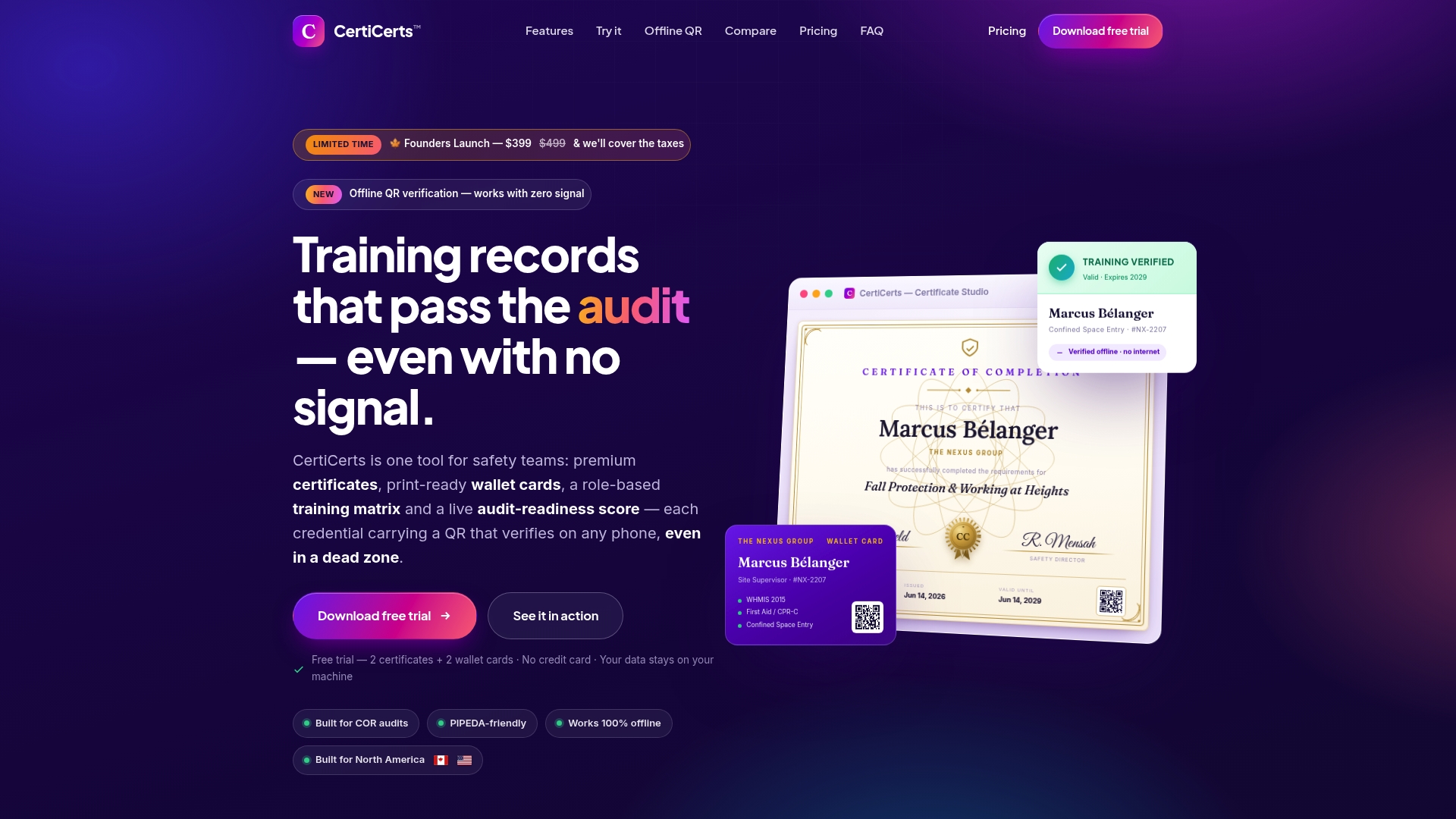
Every certificate embeds the full training record and an authenticity code inside a QR code that verifies without internet access. The app runs as a local first Windows desktop application so teams keep full control of records and can operate in dead zones. It also produces printable certificates and wallet cards with company branding.
Core Features
CertiCerts generates certificates from a library of over 200 templates and a drag and drop designer, and it creates matching physical and digital wallet cards. The system maintains complete training histories, recertification schedules, and a role based training matrix while presenting an audit readiness dashboard. Bulk issuing, attendee imports, and QR verification that works offline support event credentialing and field audits.
Key Differentiator
CertiCerts packs the entire training record, authenticity code, and verification logic into a self contained QR code that validates offline. That method removes the need for server checks on site and keeps verification possible in basements, remote camps, and signal degraded locations.
Pros
The product strongly addresses field realities by providing offline QR verification that functions in signal deprived environments. Local data storage keeps records on site, which helps organizations with privacy and data sovereignty requirements. The certificate and card tools offer deep customization with 200+ templates, digital signatures, seals, and branding so issued credentials look professional. Built specifically by safety managers, the workflow replaces separate spreadsheets, card printers, and ad hoc PDFs with one desktop tool.
Cons
- Designed primarily for Windows desktop users. No native mobile app yet.
Who It’s For
Safety managers, contractors, and safety consultants in North America who need verifiable training records on site will get the most from CertiCerts. Training providers and resellers who want white labeled certificates and wallet cards can use the template library and branding features. Organizations that operate in remote or signal deprived environments will value the offline verification model.
Unique Value Proposition
A one time CAD 399 desktop license gives you perpetual access to the full certificate and wallet card toolset. That purchase model plus optional certificate credit packs lets teams avoid recurring per seat costs while keeping records local and verifiable without internet access.
Real World Use Case
A construction safety supervisor imports an attendee list at a remote site, issues certificates and wallet cards in bulk, and hands out printed cards. Inspectors scan the QR codes in the site office and verify credentials without connecting to the internet. The supervisor then exports transcripts and compliance reports for COR audit preparation.
Pricing
The core desktop app is CAD 399 as a one time purchase. Certificate credit packs are available ranging from CAD 5 to CAD 649 for occasional issuing. The vendor advertises upcoming subscription plans for team and multi company workflows.
Website: https://certicerts.com
SALUS safety management platform
At a Glance
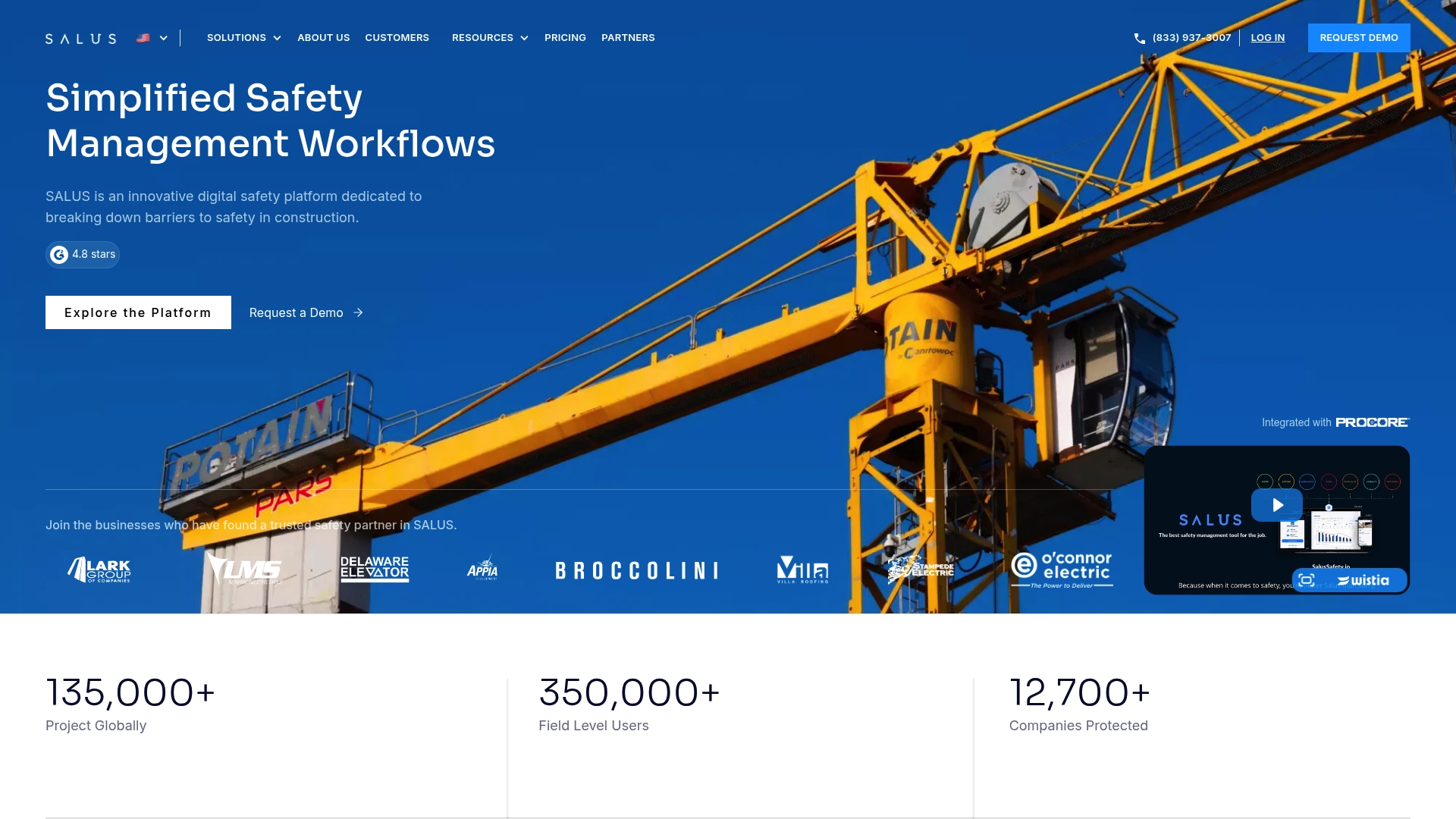
SALUS reports more than 350,000 workers use the platform, a scale that signals broad adoption in construction. The product combines digital forms, incident tracking, and subcontractor compliance into a single field and office tool set. That mix aims to cut paperwork and speed reporting across trades.
Core Features
SALUS provides digital safety and training tools that run on mobile devices and the web, with real-time compliance reporting and reporting exports for audits. The platform includes customizable digital forms for inspections, incident reports, and audits, plus a subcontractor portal to track trade compliance. Incident tracking and trend analysis help turn collected data into prevention actions.
Key Differentiator
SALUS centres its design on construction workflows by putting forms, reporting, and trade communication inside one system. The vendor positions the product for teams that need field-ready tools and a single place to manage subcontractor documentation. That focus reduces the number of separate apps crews must use on site.
Pros
The vendor advertises a 4.8-star G2 rating, which suggests strong customer satisfaction. SALUS bundles mobile inspections, incident management, and compliance dashboards in a way that matches common construction safety tasks. Onboarding and live training resources aim to speed adoption for field crews and safety managers. The company also advertises use across a large number of projects and companies, which supports its claim of construction experience.
Cons
- Pricing requires contacting sales, which adds friction for small contractors or independent training providers.
- Integrations are mentioned only in general terms, so connecting specific in-house systems may require custom work.
- The website does not list explicit technical or deployment limits, making it harder to confirm compatibility before a trial.
Who It’s For
Construction firms, general contractors, subcontractors, and safety managers who need a single system for field inspections, incident reporting, and trade compliance will find the platform relevant. Project teams that run multiple sites and need consistent documentation across trades will gain the most from its features.
Real World Use Case
A general contractor uses SALUS to replace paper daily inspections with mobile forms tied to each site. Field teams file incident reports in real time and the safety manager runs trend reports weekly to spot recurring hazards. Subcontractor compliance records live in the portal, which reduces time spent chasing certificates.
Pricing
SALUS uses custom pricing and asks prospects to request a quote. That model adapts cost to company size and needs but means list pricing is not publicly available and you will need to engage sales for a firm figure.
Website: https://salussafety.io
Boxcore
At a Glance
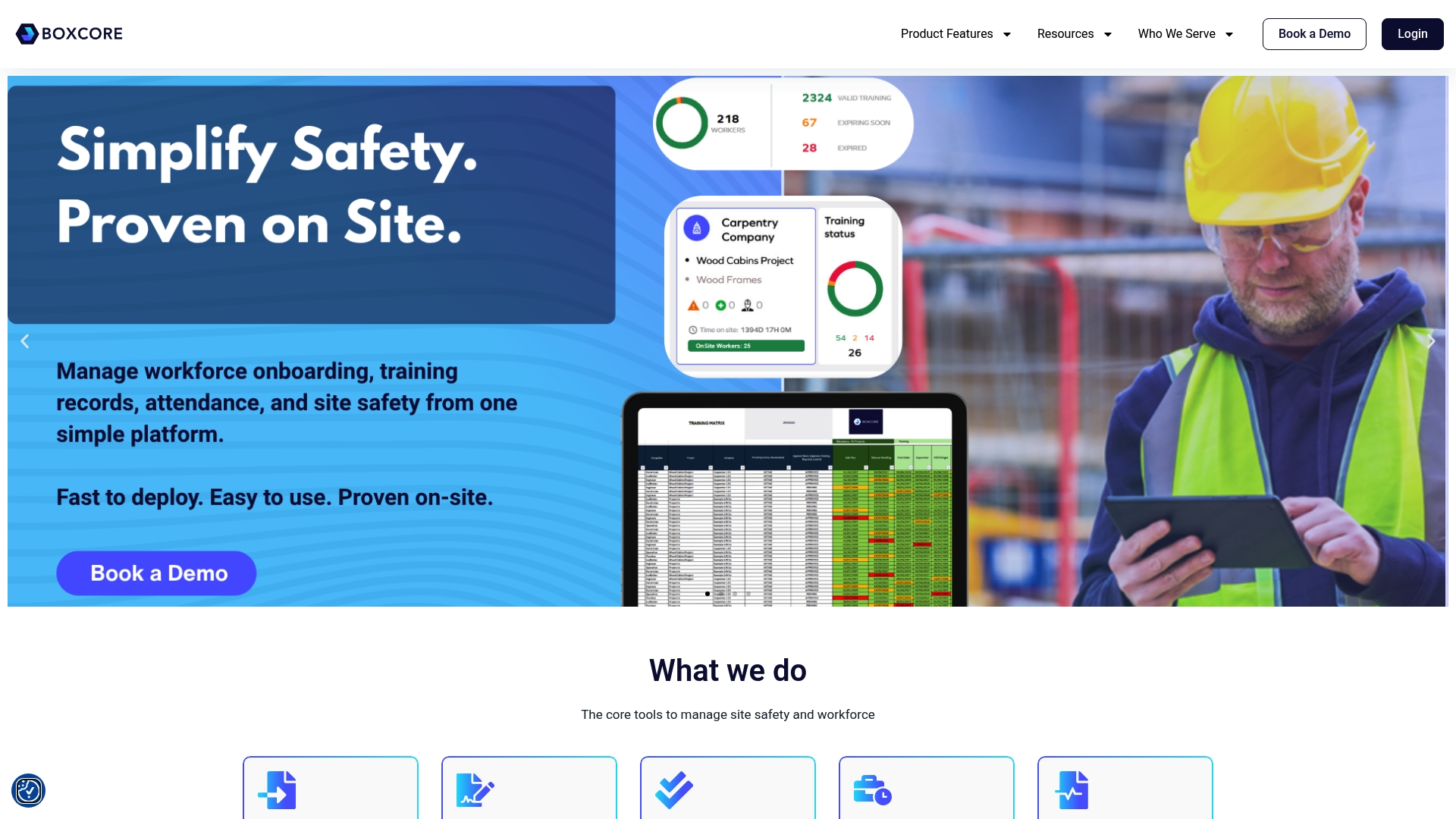
Boxcore supports workforce attendance tracking via facial recognition on live construction sites, making it a practical construction safety management software choice. According to the company, Boxcore is SOC2 secure. Boxcore reports faster onboarding and a proven reduction in admin time for site teams, a claim the vendor highlights in its marketing materials.
Core Features
Boxcore combines training management, digital site inductions, time and attendance, site access control, and asset inspections into a single platform that runs on mobile devices and desktop. The system also covers permits, inspections and audits, and document management for safety records, tying certificates and records to individual worker histories. Those capabilities aim to give site teams real time visibility over compliance and workforce status without multiple disconnected tools.
Key Differentiator
Boxcore focuses on frontline site teams with rapid deployment and mobile first workflows that mirror daily site routines. The product packages onboarding, access control, attendance, and inspection workflows in one location so supervisors can act from a tablet or phone. That hands on, site oriented focus separates Boxcore from office centric safety systems.
Pros
Fast setup and minimal IT involvement reduce the time to first use. The single platform replaces paperwork and multiple point tools, which users report lowers administrative burden; refer back to that claim above. Real time workforce visibility and combined inspection plus permit tracking give site managers one place to check worker status and compliance.
Cons
- Some buyers say heavy customization requires vendor support or training. That can add time before advanced workflows run as intended.
- Integration details with other construction management tools are not specified. This may complicate linking Boxcore to existing back office systems.
- The platform targets construction sites specifically. Organizations outside construction may find features irrelevant.
Who It’s For
Construction project teams, site managers, and safety officers who need on site control over training, access, and attendance will find Boxcore relevant. General contractors and subcontractors running multiple sites will benefit from mobile first tools that match field workflows. Safety officers who prefer a system that keeps records tied to people and inspections will get practical value.
Real World Use Case
A large general contractor consolidated safety documentation across projects into Boxcore and used the attendance module to verify crew presence. Site supervisors ran audits and inspections from tablets and matched findings to worker training records. That workflow cut repetitive paperwork and improved visibility during daily toolbox talks.
Pricing
Pricing is not publicly listed and the product page presents informational details only. Contacting Boxcore for a demo or a custom quote is the normal route to learn about licensing models and deployment options.
Website: https://boxcore.com
Comparison of alternatives
CertiCerts stands out with its capacity for offline usage, which ensures uninterrupted access to critical training certification verification despite network signal loss. However, alternative platforms such as SALUS and Boxcore provide specialized advantages worth considering.
Offline functionality versus integration
CertiCerts excels in environments where internet connectivity is limited, offering QR code validation fully operational offline. In contrast, SALUS and Boxcore rely on internet connectivity for live data synchronization, making them better suited for areas with consistent network coverage.
Customization versus connectivity and scale
CertiCerts provides deep customization for certificates through its extensive template library, allowing for precise brand alignment. Conversely, while SALUS and Boxcore focus less on customization, they integrate compliance management and real-time updates across teams and job sites, particularly benefitting large-scale operations.
Best fit
- Safety managers stationed in remote areas without dependable internet access will benefit most from CertiCerts for its offline authentication capabilities.
- Construction teams that emphasize centralized and scalable subcontractor compliance will appreciate SALUS for its unified portal and field-ready tools.
- Field supervisors needing mobile-first tools for real-time attendance tracking integrated with compliance features will find Boxcore highly practical.
Our pick
CertiCerts leads the market for construction safety management software owing to its offline QR verification feature, ideal for remote and challenging job-site conditions. While solutions like SALUS and Boxcore offer unique features for centralized compliance and on-site mobility respectively, CertiCerts proves indispensable for those prioritizing controlled local data and offline functionality.
Certicerts provides robust offline QR code verification alongside extensive certificate customization, catering effectively to organizations in remote or signal-deprived areas.
| Product Name | Core Feature | Key Differentiator | Best For | Pricing | Notable Limitation |
|---|---|---|---|---|---|
| Certicerts | Certificate generation and offline QR verification | Verifiable without internet via QR codes | Safety managers and contractors in remote areas | CAD 399 one time license | Windows desktop only, no mobile app |
| SALUS | Digital safety management tools | Integrated construction workflows in one system | Construction firms and subcontractors | Price not published | Custom pricing adds friction for small contractors |
| Boxcore | Attendance and training tracking | Mobile-first tools for field deployment | General contractors and safety officers | Price not published | Heavy customization needs vendor support for advanced workflows |
Challenges of Managing Construction Safety Certifications Offline
Managing training certificates and verification at remote sites often slows safety managers and contractors down. CertiCerts offers a local-first Windows desktop application designed specifically for construction safety management software users who require offline QR verification and full control of their training records. This eliminates waiting on internet connections, allowing teams to issue certificates, generate wallet cards, and verify credentials on site with confidence.
CertiCerts addresses key user concerns like:
- Offline verification without server checks
- Customized professional certificates with branding and digital signatures
- Complete training history and compliance dashboards
Explore how CertiCerts fits the needs of safety consultants, contractors, and compliance professionals seeking effective certificate management at CertiCerts official site.
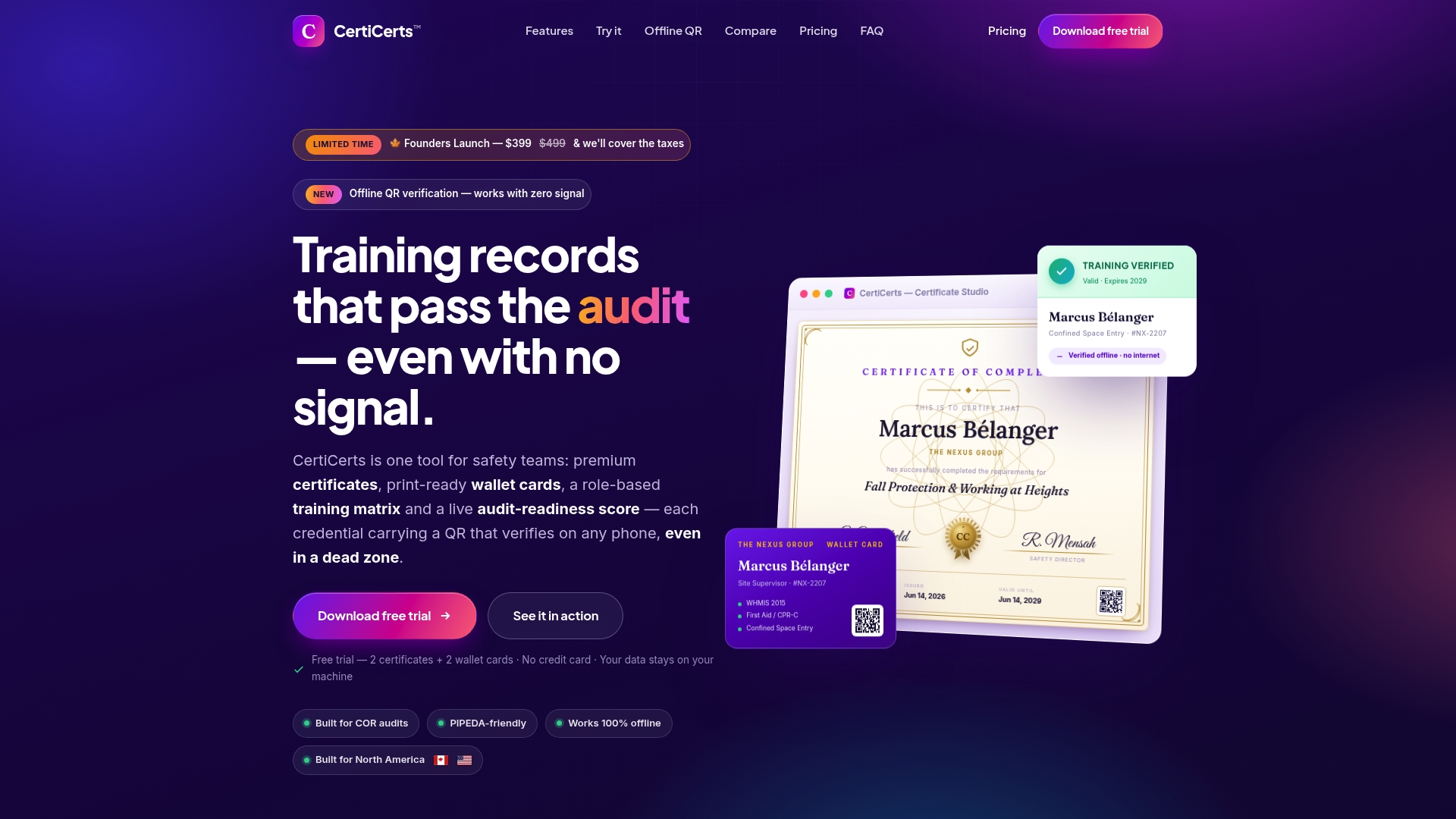
See how easy it is to import your attendee list, bulk issue certificates and wallet cards, and confirm credentials offline. Visit CertiCerts to evaluate their Professional Certificate Generation and Training Record Management features that streamline your construction safety documentation.
FAQ
What features make Certicerts ideal for construction safety management?
Certicerts includes offline QR verification that functions in remote locations. This capability allows safety managers and contractors to verify training records without needing an internet connection. Organizations can expect a reliable system for maintaining training records on site.
How does Certicerts compare to SALUS in terms of user accessibility?
SALUS offers mobile inspections and a single system for field inspections and incident reporting. Certicerts, on the other hand, provides desktop-based tools which are designed primarily for Windows users. Safety managers needing a mobile-friendly solution may prefer SALUS while those focused on desktop functionalities can benefit from Certicerts.
What is the pricing structure for Certicerts?
Certicerts has a one-time licensing cost of CAD 399 for the full desktop app. This pricing model allows teams to avoid recurring fees, making it a cost-effective solution for organizations managing their training records. Anticipate additional costs if teams purchase certificate credit packs for issuing credentials.
Which platform supports team-based workflows effectively?
SALUS is designed to manage subcontractor compliance and documentation in a single system. Certicerts specializes in individualized records and offline functions, making it suitable for smaller teams in remote settings. Consider using SALUS for larger teams that require extensive documentation tracking.
How does Certicerts handle certificate and wallet card customization?
Certicerts provides deep customization options with over 200 templates and branding tools. This flexibility allows safety managers and contractors to issue professional-looking credentials tailored to their organization. Users can expect a wide variety of design choices to fit their needs.