Top 4 Job Hazard Analysis Software Options 2026

Managing workforce certifications, training records, and onsite verification without internet access creates gaps in compliance tracking for safety managers and compliance officers. Most cloud-based certification tools require an internet connection or ongoing subscriptions, which slows field verification and raises costs for remote teams. This comparison covers offline use, pricing, and verification methods so safety managers and compliance officers can pick a workforce certification management software that fits their field setup and budget.
Table of Contents
CertiCerts
At a Glance
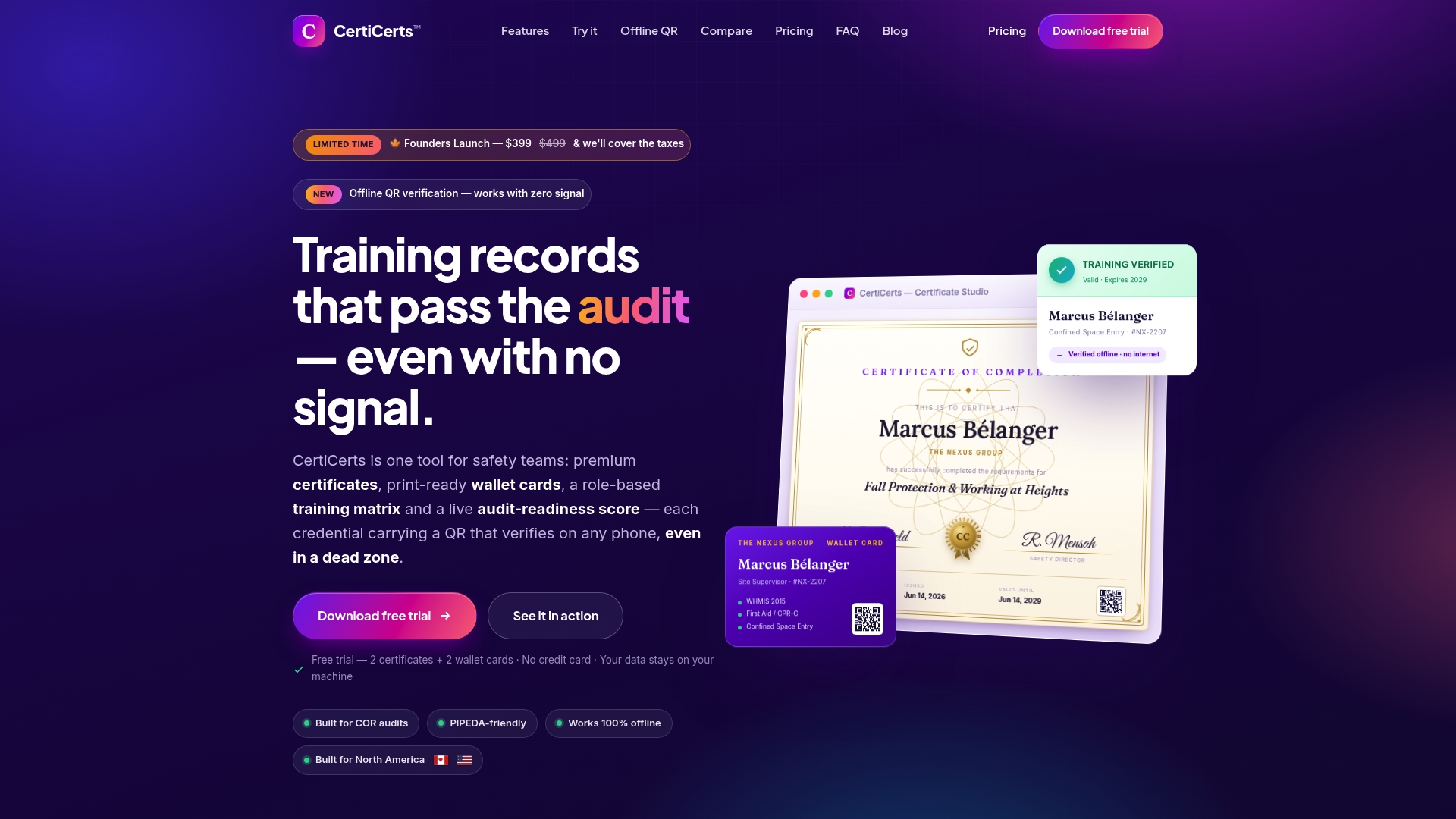
Complete training records sit inside each certificate QR code, so verification works offline even in dead zones. CertiCerts runs as a local first Windows desktop application that keeps data under your control. The product was built by a safety manager and focuses on North American safety compliance workflows.
Core Features
CertiCerts delivers offline QR verification that embeds a self contained training record in each code, plus a training matrix that maps role based requirements and gaps. The app includes certificate and wallet card design tools and an audit readiness scoring dashboard to prepare for inspections. Data stays local so the app runs in remote locations without internet.
Key Differentiator
The single practical difference is the embedded record in each QR code. That design lets field teams confirm authenticity and certificate details without contacting a server. For remote sites and contractors who lose connectivity, this replaces manual paper checks with verifiable digital records. This capability reduces delay when access to the central office is limited.
Pros
CertiCerts groups certificate design, issuance, verification, and training records into one desktop tool, which cuts the manual work of juggling spreadsheets and paper. The perpetual desktop license gives you ownership rather than a required subscription, and certificate packs let low volume issuers buy credits as needed. Template options and wallet card layouts support company branding and batch issuing for events. Offline verification uses tamper evident authenticity codes so auditors and supervisors can validate credentials on site.
Cons
- Currently only available as a Windows desktop application; cloud and web versions are planned but not yet released.
Who It’s For
Safety managers and compliance officers at construction, oil and gas, trades, and contractor firms who need offline verification and consolidated record keeping. Teams that operate in remote job sites or dead zones will get the most value. Organizations that require perpetual data ownership rather than cloud only storage should pay attention.
Unique Value Proposition
The product pairs local data ownership with flexible issuing costs, so your records stay under your control while you avoid mandatory ongoing fees. That model keeps field verification reliable because QR codes do not depend on a vendor server. For small to mid size contractor teams, this reduces audit prep time and lowers recurring budget pressure. The upcoming team and cloud features will add collaboration without forcing immediate migration.
Real World Use Case
A construction safety manager designs certificates in CertiCerts, imports an attendee list, and issues bulk wallet cards before a multi site training day. Supervisors carry a phone that scans the QR code on a card and sees the embedded record even where cellular service is absent. The manager exports compliance summaries for annual COR audits and uses the audit dashboard to confirm readiness.
Pricing
The vendor lists a limited time founders’ launch price of $399 CAD one time for Desktop Pro, with a regular price cited as $499. The company also advertises subscription plans launching soon, starting at $39 per month, and certificate packs available from $5 per credit. Certificate credits are consumed only when a certificate is issued, which helps control costs for occasional issuers.
Website: https://certicerts.com
Proact EHS Software
At a Glance
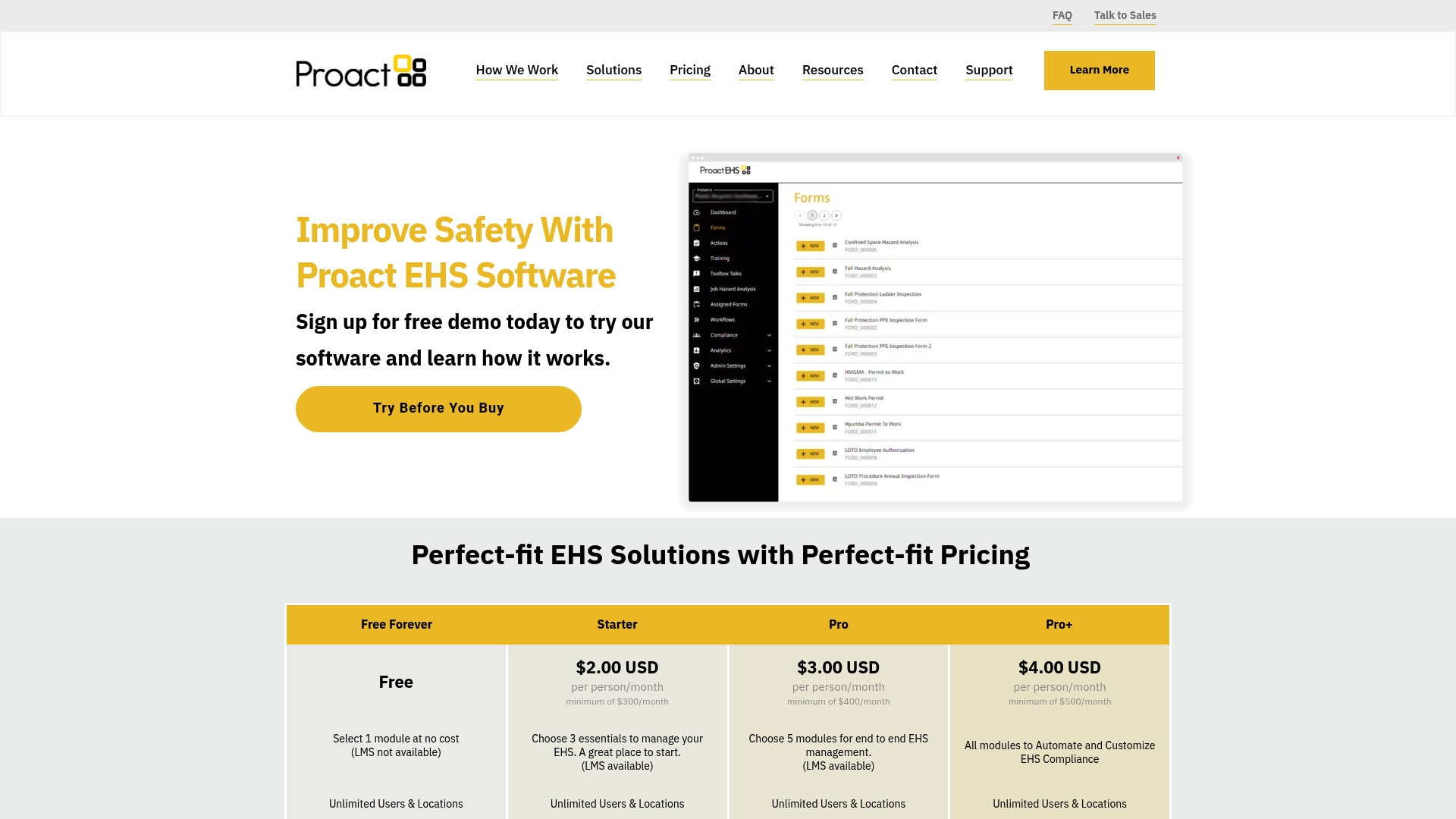
Free forever Toolbox Topics supplies a no cost library of safety talks and video content for frontline crews. The product combines that library with modular EHS tools for incident tracking, audits, and training. The platform positions itself for organizations that want configurable workflows and reduced paperwork through automation.
Core Features
Proact groups safety event investigation, audits, inspections, permits, and training management into a single system so records live in one place. The platform centralizes safety documents such as SDS and policies and supports risk assessments including Job Hazard Analysis and business continuity planning. It also includes OSHA reporting, toolbox talks management, heat mapping for injury hotspots, and item and vendor modules for PPE and contractor compliance.
Key Differentiator
The vendor highlights a fully integrated, customizable EHS suite paired with the free Toolbox Topics library as the main differentiator. That combination aims to shorten rollout time for training programs while keeping core EHS workflows connected. Case studies are cited to show cost savings and improved operational efficiency when multiple modules are deployed together.
Pros
Customizable modules let you pick the workflows you need and adapt fields to specific processes without rebuilding the whole system. Automation of event logging and audit tasks replaces manual forms and spreadsheets, which reduces administrative time and keeps records current. The platform supports mobile friendly training and engagement, and tiered pricing plus the free toolbox library lowers the barrier to starting an EHS program.
Cons
-
Pricing can be high for very small organizations depending on the modules chosen and minimums.
-
Organizations that require many third party integrations may face additional configuration or need plugins.
-
Some advanced capabilities such as the learning management features are optional and require higher tier plans and extra setup.
When It May Not Fit
If your compliance needs are highly industry specific you may need extra configuration to map regulatory rules and reports. Teams that depend on a long list of third party integrations will find more setup work compared with platforms that emphasize out of the box connectors. Very small programs with tight budgets should model the minimums against projected seat counts before committing.
Who It’s For
Safety managers, compliance officers, and EHS directors at manufacturing, research and development, and food industry sites that need centralized record keeping will find the feature set relevant. The product suits organizations that want automation for incident workflows and a straightforward way to deliver recurring training. It also fits teams that plan to grow module by module rather than buying everything upfront.
Real World Use Case
According to the company, a large manufacturing plant reported thousands of dollars in annual cost savings after automating incident tracking and training with Proact EHS. The system consolidated OSHA log reporting, removed paper forms, and made supervisor sign off visible across shifts. That visibility helped the plant reduce duplicate entries and speed corrective actions.
Pricing
Proact EHS’s pricing page lists paid plans starting at $2.00 USD per person per month with minimums of $300, $400, and $500 for different tiers, plus optional one time setup fees for higher modules. The vendor also advertises a free forever Toolbox Topics offering so you can pilot training without initial license costs. For accurate budgeting run seat counts against the stated minimums and factor optional setup fees into the estimate.
Website: https://proactehs.com
Safework Suite
At a Glance
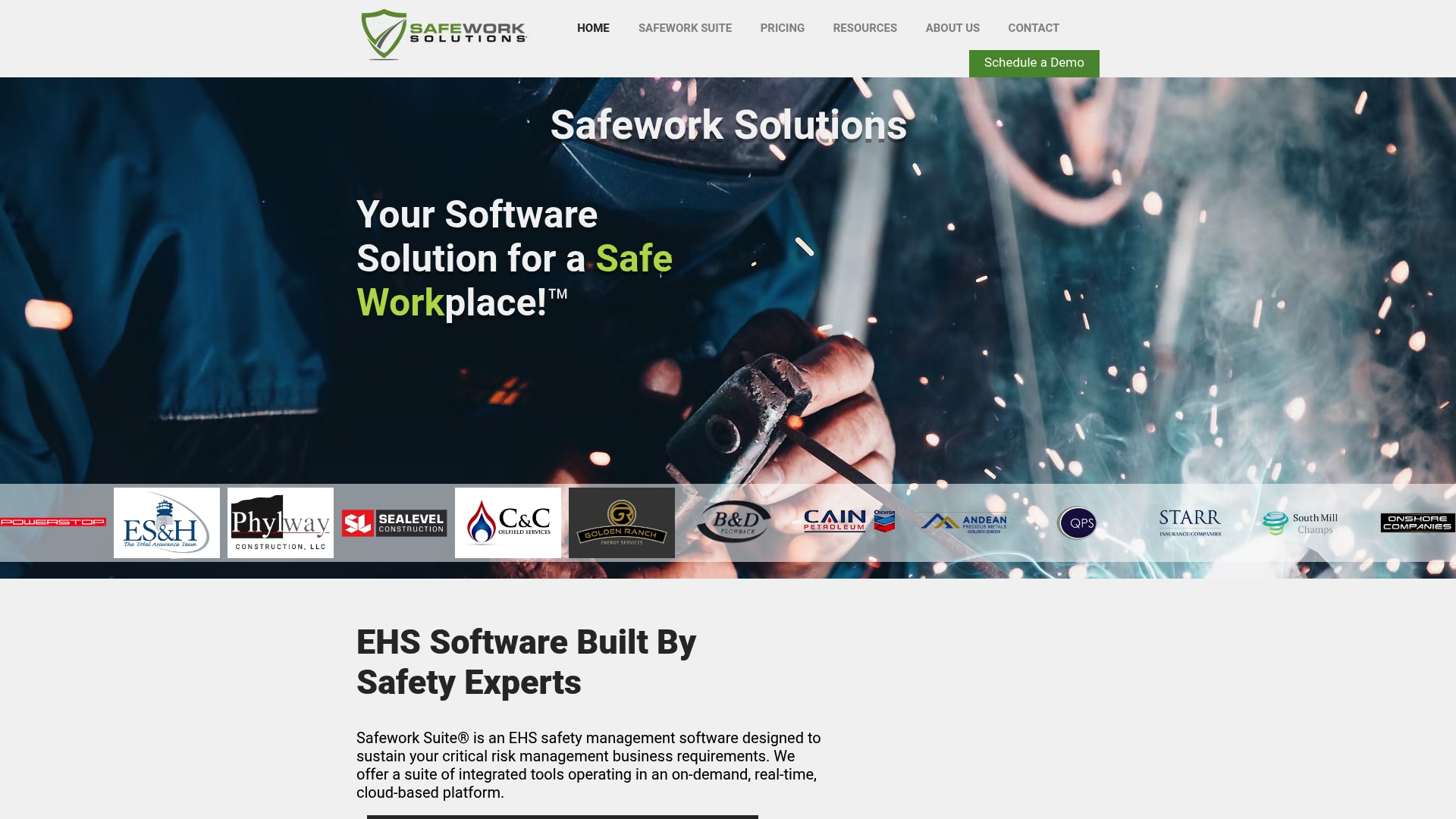
A Behavior Based Safety module combined with gamification and integrated analytics is central to Safework Suite. The platform groups incident management, hazard reporting, stop work authority, and training into a single cloud based system. That design aims to move frontline observations into reported corrective actions and learning records quickly.
Core Features
Safework Suite collects hazard reports, records stop work events, and tracks corrective actions while documenting inspections and surveys. It includes a Training Manager (LMS) for training records and a Job Safety Analysis (JSA/JSEA) module for risk assessments. The incident investigation tool supports root cause analysis and the platform can feed data into Power BI dashboards for visual analysis.
Key Differentiator
The development team reports real world safety experience as the foundation for product design, which shows in the set of modules oriented to field practice. Gamification appears alongside analytics to make participation measurable and visible. That combination targets organizations that need culture change plus operational metrics.
Pros
Safework Suite groups core safety workflows so teams do not maintain separate systems for reporting, training, and corrective action tracking. Multi language support helps global operations roll the platform out across sites. The vendor highlights client stories from high risk sectors showing measurable outcomes, and the option to export or connect data into Power BI supports deeper analysis.
Cons
-
Public documentation is limited. The product website returns sparse detail on integrations and specific feature workflows.
-
Pricing is not listed online. You must contact the vendor for quotes and package options.
Who It’s For
Safety managers and compliance officers at mid to large sized organizations in oil and gas, construction, or manufacturing will find the module set relevant. Organizations that want field oriented reporting, training tracking, and analytics for multiple sites will benefit most.
Real World Use Case
A contractor deploys Safework Suite across three construction sites to centralize hazard reports and incident investigations. Supervisors record stop work events and follow up with corrective action tasks assigned to crews. Training records feed site dashboards so management can spot gaps and schedule refresher courses.
Pricing
Safework Suite uses bespoke pricing. Contact the vendor to discuss package options and site counts so you receive a tailored quote.
Website: https://safeworksuite.com
CorityOne Risk Management Software
At a Glance
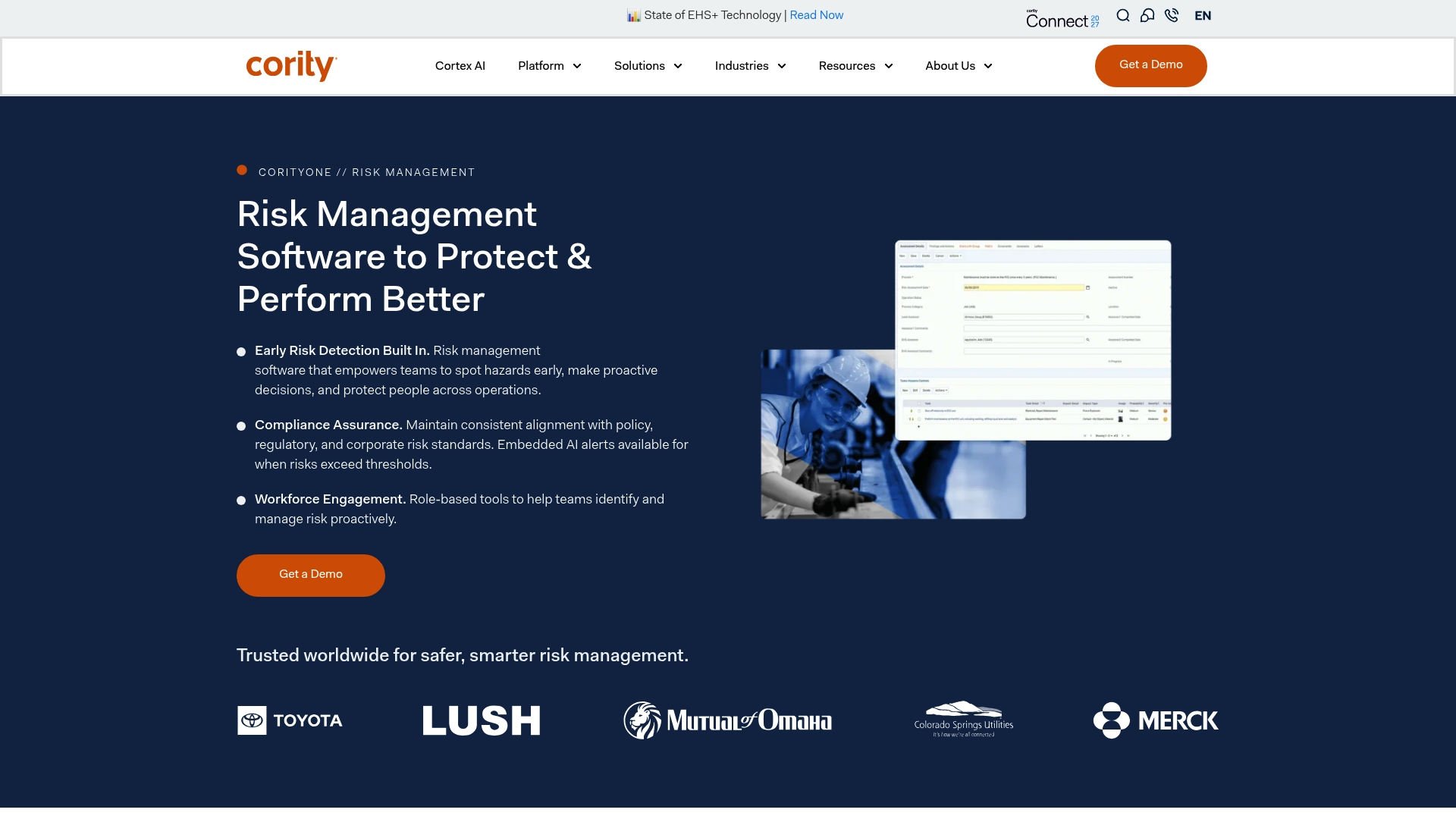
CorityOne includes embedded AI alerts that notify teams when configured risk thresholds are exceeded. The platform combines mobile hazard capture with automated scoring to shorten the time between observation and mitigation. Its focus on industrial hygiene and operational safety targets complex, multi-site environments.
Core Features
Guided risk assessments use configurable checklists and automated scoring so teams apply consistent evaluation logic across sites. The risk scoring engine calculates results from probability, severity, and custom criteria to prioritize follow up. A mobile app handles hazard recording, incident reporting, and inspections, while real time reporting and workflows link risk data to incident, compliance, and change management processes.
Key Differentiator
The defining feature is the platform s embedded AI alerts for proactive threshold management. These alerts surface when risk formulas hit predefined levels and push notifications into existing workflows. That focus on automated, rule driven escalation separates the product from assessment tools that require manual review to spot critical exposures.
Pros
CorityOne centralizes hazard data so you get continuous visibility across sites and shifts. Flexible assessment templates and configurable scoring let you match assessments to different operations and regulatory regimes without heavy customization. Mobile data collection keeps field crews productive and reduces paperwork by recording inspections and incidents where they occur. The analytics and reporting provide trend signals that help safety teams prioritize corrective actions and communicate risk to management.
Cons
- Limited publicly available details on specific third party integrations. This makes architectural planning harder for teams that rely on specific ERPs or asset systems.
- No pricing information provided. The offering appears aimed at enterprise buyers and not at small operations.
- Potential complexity for organizations without a dedicated safety administrator. Full value requires configuration and training.
When It May Not Fit
Small companies with simple hazard logs will find the platform more than they need. Teams that want an out of the box, low touch checklist app may face unnecessary setup. Organizations that require tightly documented, prequalified integrations with niche operational systems should confirm compatibility before committing.
Who It’s For
Large enterprises in manufacturing, utilities, and heavy industry that manage multiple sites and regulatory regimes will benefit most. Safety managers, industrial hygienists, and compliance teams who need integrated risk scoring and escalation will find the platform aligned to their workflows. It suits organizations prepared to invest in configuration and training.
Real World Use Case
A manufacturing company uses CorityOne s mobile app to capture hazards during shift inspections, then applies automated scoring to prioritize fixes. AI alerts kick off corrective work orders when scores exceed thresholds, and managers use the real time reports to allocate resources across sites. The result is faster response to high risk conditions and clearer audit trails.
Pricing
No public pricing is listed. The vendor positions the product as an enterprise solution, and procurement usually involves a negotiated license and professional services for deployment. Contact the vendor for a tailored quote and implementation estimate.
Website: https://cority.com/corityone/risk-management-software
Comparison of Workforce Certification Management Software
Review these options to determine the most fitting workforce certification management software for your organizational needs.
| Product Name | Primary Feature | Key Differentiator | Pricing | Limitation |
|---|---|---|---|---|
| CertiCerts | Offline QR verification and audit readiness tools | Embedded record in QR codes | $399 CAD one-time (launch price) | Windows desktop only; web versions planned for future release. |
| Proact EHS Software | Modular EHS tools and safety workflows | Free Toolbox Topics library | $2 USD per user per month; $300 minimum | High configuration needs for third-party integrations. |
| Safework Suite | Behavioral safety and analytics | Gamification and customizable dashboards | Price not published | Limited public details on integrations and workflows. |
| CorityOne | AI-Driven risk assessment and reporting | Embedded AI alerts | Price not published | Tailored for enterprises; not suitable for small teams. |
What Challenges Should Job Hazard Analysis Software Solve for Safety Managers?
Job hazard analysis software must help safety managers and compliance officers maintain clear, verifiable training records while supporting offline verification on remote sites. Certicerts addresses these challenges by offering a local-first Windows desktop application that combines professional certificate creation, QR code verification with embedded full training records, and a training matrix to track competencies and gaps.
Certicerts supports:
- Batch issuing of certificates and matching wallet cards for large training events
- Offline QR verification without relying on internet connectivity
- Complete training record management with expiry tracking and compliance dashboards
Learn more about Certicerts features and see how it helps manage job hazard analysis certificates effectively. Import your attendee list and generate verifiable certificates for smooth audit preparedness.
FAQ
What features make CertiCerts suited for offline verification?
CertiCerts offers offline QR verification that embeds a self-contained training record in each code. This unique feature allows field teams to confirm authenticity and certificate details without needing internet connectivity. This makes it ideal for safety managers and compliance officers working in remote locations or areas with poor connectivity.
How does CertiCerts compare to Proact EHS regarding customization?
Proact EHS provides customizable modules that let you pick the workflows you need, which can be enhanced without rebuilding the entire system. In contrast, CertiCerts groups certificate design, issuance, and verification into a single desktop tool focused on local data ownership. This makes CertiCerts more suitable for teams that prioritize offline verification and consolidated record-keeping.
What is the pricing structure for CertiCerts?
CertiCerts is available for a limited-time founders’ launch price of $399 CAD for a one-time purchase of the Desktop Pro version. This one-time payment offers perpetual ownership, making it a cost-effective choice for safety managers and compliance officers who want to avoid ongoing subscription fees.
Does CertiCerts include features for audit preparation?
Yes, CertiCerts has an audit readiness scoring dashboard that prepares users for inspections. This feature allows safety managers to ensure compliance and streamline the audit process, making audits less time-consuming and more efficient.
Can I issue bulk certificates with CertiCerts?
CertiCerts allows for bulk issuance of certificates and wallet cards, which is useful for training events. This capability lets safety managers efficiently distribute certifications for multiple attendees in a single batch, simplifying the organization of large training days.