Ship Local First Features Without Rewriting Your Backend

Local-first software keeps the authoritative copy of an app’s data on the user’s own device, treating sync to any server as an optional background process rather than a requirement for the app to function. For developers, the payoff is immediate: reads and writes hit local storage instead of a network round trip, which means the interface responds instantly and keeps working when the connection drops. The rest of this guide covers the technical foundations, the trade-offs you’ll actually hit in production, and a working example from certificate management software.
TL;DR:
- Local-first apps improve speed significantly by prioritizing local storage over network calls, especially noticeable when throttling network speed to 3G.
- They enhance privacy, resilience, and data longevity by making the device the primary data owner, reducing reliance on centralized servers.
- Conflict resolution is handled through CRDTs, which enable offline, concurrent edits to merge automatically without data loss, though user-facing conflicts still need consideration.
- Different synchronization models—server-mediated, peer-to-peer, or hybrid—offer trade-offs in privacy, discovery, and complexity, influencing architecture choices.
- Implementing local-first features incrementally, with careful conflict management and backup strategies, is essential to avoid migration and storage pitfalls.
Table of Contents
- What Is Local-First Software?
- What Do Users and Engineering Teams Actually Gain?
- What Technical Foundations Should You Learn First?
- Which Architecture Pattern Fits Your Product?
- How Do You Add a Local-First Feature to an Existing App?
- What Are the Biggest Pitfalls in Local-First Systems?
- How CertiCerts Applies Local-First Principles to Certificate Management
- Is Local-First Worth the Engineering Investment?
- A Practical Local-First Option for Certificate Management
- Where to Go Deeper on Local-First Architecture
- Sources
What Is Local-First Software?
Online-first apps treat the server as the source of truth. Every meaningful action, saving a document, updating a record, waits on a network call, and the app is functionally dead without connectivity. Offline-first apps improve on this by caching data locally and queuing writes for later, but the server still owns the canonical state, and the local copy is treated as temporary.
Local-first flips that hierarchy. The device holds the primary, authoritative copy of the data, and any server involved is a peer or a convenience layer, not the boss. This isn’t a rebrand of offline-first; it’s a different ownership model.
The idea gained real traction through Ink & Switch’s 2019 research essay, later formalized in an ACM paper presented at the Onward! conference. That work laid out seven ideals a local-first system should aim for:
- Fast: no spinners for basic operations, because you’re not waiting on a network.
- Multi-device: your data follows you across devices without manual export/import.
- Offline-capable: full functionality with no network at all, not a degraded mode.
- Collaborative: multiple people can edit concurrently without a central lock.
- Long-lived: data outlives the app, the company, and any particular cloud service.
- Private by default: the server operator shouldn’t need visibility into your content.
- User-controlled: you own the files; you can back them up, move them, or delete them.
Not every app needs all seven. A single-user note-taking tool cares less about collaboration; a shared spreadsheet cares a lot. Treat the list as a design checklist, not a certification requirement.
What Do Users and Engineering Teams Actually Gain?
The most immediate benefit is speed that users feel in their hands. When reads and writes hit local storage instead of requiring a server round trip, typing, scrolling, and saving all happen at the speed of the device, not the speed of the network.
Pro Tip: If you want to see the gap for yourself, throttle your network to 3G in dev tools and compare a server-first CRUD app against a local-first one doing the same task. The difference isn’t subtle.
Beyond speed, three other affordable data protection advantages matter for both users and the teams building for them:
- Privacy by architecture. When the primary copy lives on the device, there’s less sensitive data sitting in a central database that could be breached, subpoenaed, or mined.
- Resilience. A subway tunnel, a spotty job site, a server outage. None of these should stop someone from finishing their work.
- Longevity. Data tied to local files and open formats survives a vendor shutting down, which matters enormously for anything meant to last years, like compliance or medical records.
On the operational side, local-first shifts your server’s job from “handle every transaction” to “coordinate occasional sync.” That changes your infrastructure cost profile and your uptime requirements; a sync service that’s down for ten minutes is an inconvenience, not an outage.
Field-service tools, note-taking and writing apps, design and collaboration software, and anything used in construction, healthcare, or logistics where connectivity can’t be guaranteed all benefit disproportionately. These are the same categories where offline-first patterns have been standard practice for years, and local-first pushes that pattern further by making the device, not the server, the system of record.
What Technical Foundations Should You Learn First?
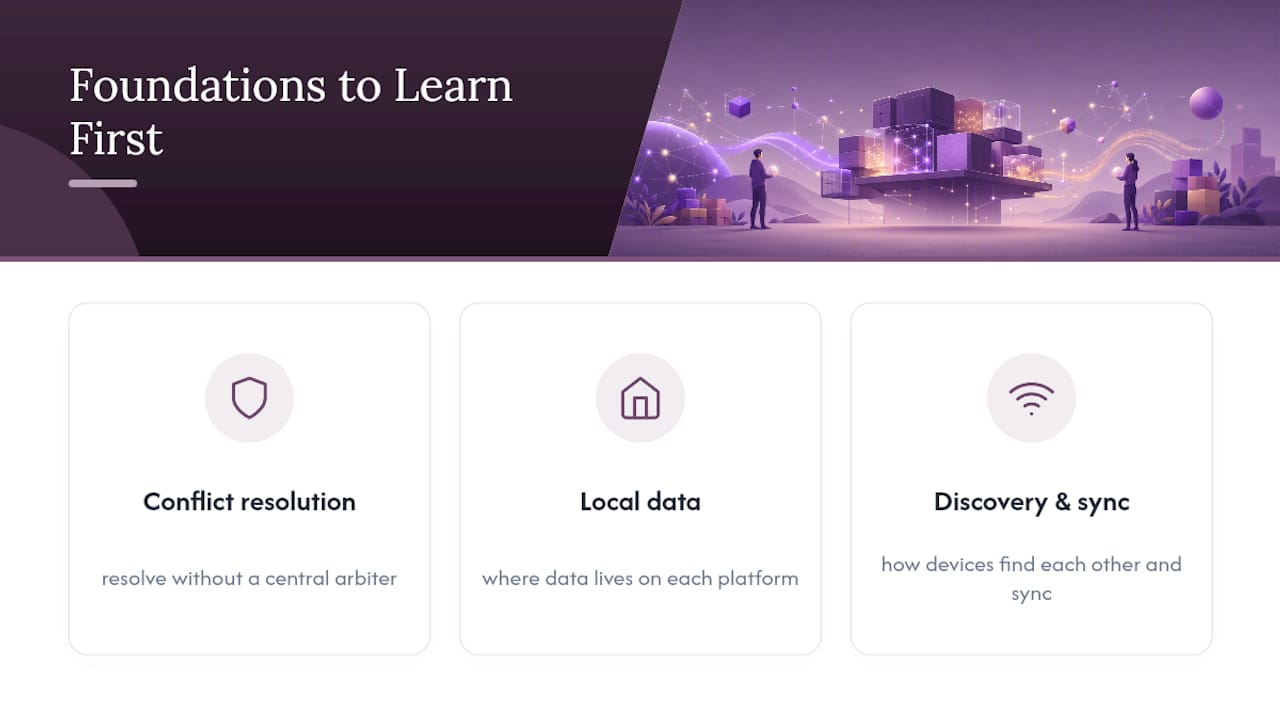
Before you pick a stack, you need to understand three pieces: how conflicts get resolved without a central arbiter, where data actually lives on each platform, and how devices find each other and sync.
CRDTs, in plain terms
Conflict-free Replicated Data Types are data structures designed so that two devices can edit the same document independently, offline, and merge their changes automatically into a consistent result. No locking, no “last write wins” data loss. The ACM proceedings on local-first software identify CRDTs as a foundational technology precisely because they let concurrent edits converge without a coordinating server.

CRDTs aren’t magic, though. They guarantee mathematical consistency, not semantic correctness. Two people editing the same spreadsheet cell will converge to some value deterministically, but that value might not be what either person intended. Libraries like Yjs and Automerge handle the convergence math; your job is deciding what happens when a merge is technically fine but practically confusing.
Where the data actually lives
Storage choice depends heavily on platform:
- Web: IndexedDB is the default persistent store; the Origin Private File System (OPFS) is newer and better suited to running a real embedded database, including SQLite compiled to WebAssembly, directly in the browser.
- Desktop: native SQLite or an embedded key-value store (LevelDB, RocksDB) gives you full SQL or fast key lookups without a server process.
- Mobile: SQLite again, often wrapped by a higher-level ORM, plus platform-specific file storage for larger blobs like images or PDFs.
Sync models and their trade-offs
Three broad approaches cover most real systems:
- Server-mediated sync: a central service relays changes between devices. Simpler to build, easier to add authentication and access control to, but it reintroduces a central point of failure for coordination (not for data access, since devices keep working offline).
- Peer-to-peer sync: devices sync directly, no server required. Better for privacy and decentralization, harder for discovery (how do two phones find each other on different networks?) and for handling devices that are rarely online at the same time.
- Hybrid: most production systems land here. A lightweight relay server handles discovery, push notifications, and backup, while the actual data merge logic runs peer-to-peer or through CRDT sync.
Developer tooling for this space has matured significantly, which is the real reason local-first has moved from research essay to production pattern. Sync engines and CRDT libraries that used to require building from scratch are now packaged products, and running SQLite in a browser tab via WebAssembly is no longer exotic.
One caveat worth building around from day one: browsers can evict IndexedDB data under storage pressure, and “storage persistence” APIs that ask for permanent storage aren’t honored uniformly across browsers. Never treat local storage as guaranteed permanent without a backup or export path.
Which Architecture Pattern Fits Your Product?
Pick your pattern based on how much you need central coordination versus decentralization, not on which one sounds more impressive in a blog post.
-
Server-mediated sync works best when you already have a backend, need centralized authentication, and want a straightforward mental model. Discovery is trivial (everyone talks to the same server), and auth is handled the way it always has been: tokens, sessions, whatever you’re already running. The cost is that your relay server becomes a soft dependency for cross-device sync, even if it’s not a dependency for local functionality.
-
Peer-to-peer fits privacy-sensitive tools where you don’t want a company (even your own) holding a copy of user data. Discovery gets harder. Two devices need some way to find each other, whether through a lightweight signaling server, local network broadcast, or a shared invite link, and availability depends on both peers being online at overlapping times.
-
Hybrid and selective replication is the practical answer for large datasets or mixed sensitivity. Keep a compact working set on the device (recent records, active projects) and stream older or secondary data on demand instead of replicating an entire database to every device. Encrypt sensitive fields client-side before they ever touch a relay server, and use capability-based tokens (a signed grant that says “this device can read these records”) rather than broad account-level permissions, since the device already holds the data locally and doesn’t need to ask permission to read what it has.
How Do You Add a Local-First Feature to an Existing App?
You don’t need to rebuild your whole product to try this. Start with one feature, prove it out, then expand.
- Decide if the feature qualifies. Ask whether users need it to work offline, whether it benefits from instant local response, and whether the data involved is sensitive enough that local ownership matters. If the answer to all three is no, you probably don’t need local-first for this feature.
- Build the local persistence layer first. Pick your storage (IndexedDB/OPFS, SQLite, or a CRDT library with built-in storage like Automerge) and get the feature working fully offline before you write a line of sync code.
- Add optimistic UI. Every action should update the local view immediately, then sync in the background. The user should never see a spinner for something that only touches their own device.
- Define your merge policy. Decide, explicitly, what happens on conflicting concurrent edits. Silent CRDT convergence is fine for some fields; others need a visible “merge conflict” affordance the user resolves by hand.
- Test the transitions, not just the states. Sync fuzzing (randomly dropping connections mid-write), airplane-mode toggling, and forced conflict scenarios catch bugs that unit tests on stable network conditions never will.
- Migrate incrementally. Keep your existing backend as the system of record for everything else, add selective sync for this one feature, and watch real metrics (crash rate, sync latency, conflict frequency) before expanding further.
Pro Tip: Instrument conflict resolution from day one, even if you think conflicts will be rare. The moment you ship to real users on real networks, you’ll be surprised how often two edits land within milliseconds of each other.
What Are the Biggest Pitfalls in Local-First Systems?
The hardest problem isn’t sync logic. It’s everything around it.
- Schema migrations are genuinely harder. In a server-first app, you migrate one database. In local-first, you have potentially thousands of devices running different app versions with different schema expectations at the same time, so migrations need to be backward-compatible by design, not a one-time cutover script.
- CRDT merges can be technically correct and still confusing. A silent auto-merge that resolves cleanly under the hood might still leave a user staring at content they didn’t expect. Build UI patterns that surface important merges for human review instead of hiding all resolution logic.
- Platform storage limits are real constraints, not edge cases. Browser storage eviction and mobile OS storage caps mean you need an export or backup strategy that doesn’t depend on the local store surviving forever.
- Debugging gets harder without a central log. Replayable, deterministic change logs (an event sourcing style history of every local mutation) make it possible to reproduce a bug from a user’s device instead of guessing.
How CertiCerts Applies Local-First Principles to Certificate Management
Certicerts is a Windows desktop application built around the same core idea this guide has been describing: the device holds the authoritative record, and the network is optional. Training records, certificate templates, and compliance data live locally, which is exactly why QR code verification works without an internet connection. Each code carries a self-contained record plus an issuer-verifiable authenticity code that a device can check on its own.
That architecture realizes several of the seven ideals directly. It’s fast because certificate generation and the compliance dashboard read from local data, not a remote API. It’s resilient because a job site with no signal doesn’t block a supervisor from verifying a credential. And it gives organizations real control over their own training records instead of renting access to them from a cloud vendor, an approach to data ownership that matters a great deal for audit-ready compliance reporting.
Is Local-First Worth the Engineering Investment?
Local-first isn’t the right call for every feature, and I’d push back on anyone who treats it as a default architecture choice rather than a deliberate one. Adopt it where offline access or data ownership actually change the product’s value: field tools, compliance records, anything a user needs mid-flight with no signal. Skip it for features that are inherently server-dependent, like real-time bidding or anything requiring a single global source of truth at every instant.
The biggest organizational blocker isn’t technical, it’s convincing a team raised on REST APIs that “the server is not always right” is a feature, not a bug. Run a pilot on one non-critical feature first. Measure conflict frequency, sync latency, and crash rate before expanding, and let those numbers make your case internally instead of the architecture diagram.
— James
A Practical Local-First Option for Certificate Management
If your organization issues training certificates and needs offline reliability without handing your compliance data to a cloud vendor, that’s precisely the gap Certicerts fills. It runs as a Windows desktop application with local storage as the default, so certificate generation, wallet card production, and the compliance dashboard all work without a live connection, and QR verification checks authenticity on the spot even in a dead zone.
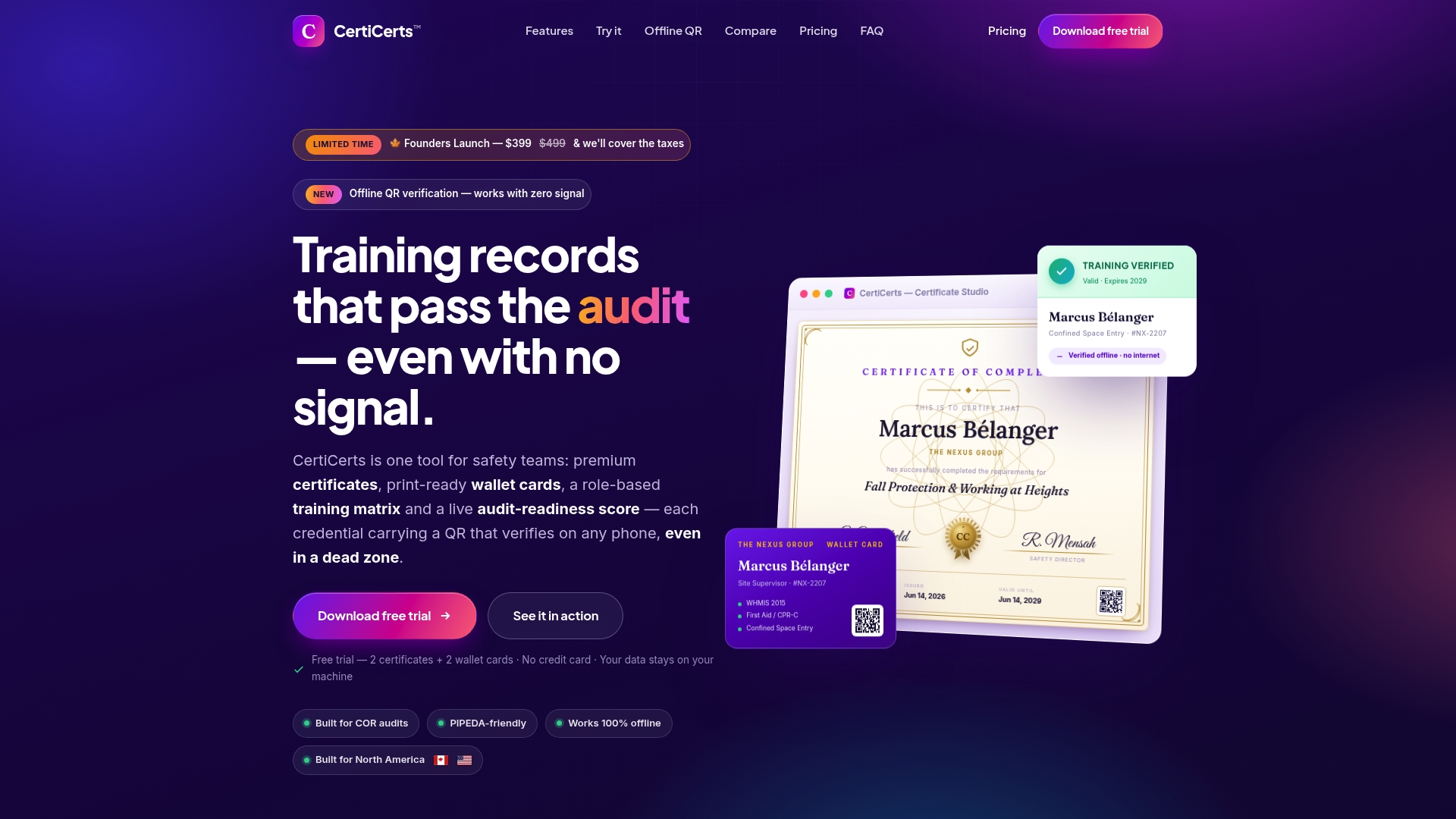
It’s built for the people actually responsible for training compliance: safety managers, HR teams, and auditors who need records they can trust and verify on demand, not a login that goes dark when the network does. Beyond the certificate workflow, the same local-first approach shows up in related tools like training matrix tracking, where offline access to who’s qualified for what matters just as much on a job site as it does in an office.
Licensing is flexible: a free trial to test the workflow, a one-time Desktop Pro purchase for unlimited issuing, or pay-as-you-go credit packs for occasional use. Start with the free trial on the CertiCerts site and see how local-first certificate management holds up against whatever spreadsheet or cloud tool you’re using now.
Where to Go Deeper on Local-First Architecture
Start with the Ink & Switch essay for the original seven ideals, then the ACM paper for the academic grounding on CRDTs. The Wikipedia entry on local-first software is a solid reference for migration pitfalls and platform limits, and Offline First remains a useful primer on the availability patterns local-first builds on.