8 Controls That Deliver PDF Certificate Security for Training Issuers

A forged PDF training certificate is trivial to make and, without the right controls, almost impossible to catch. The fix is a small stack of controls working together: an unguessable ID, an issuer-controlled verification page, a QR code linking the two, a signed or hashed PDF, and an audit trail that tracks expiry and revocation. Together they turn a static document into something a verifier can check in seconds and a forger can’t fake.
TL;DR:
- Using unguessable identifiers like UUID v4 prevents forgers from sequentially guessing valid certificates, significantly reducing fraud risk.
- Verification pages must pull live data from owned systems to accurately reflect current certificate status, including expiration or revocation.
- Digital signatures or stored hashes are essential to detect any tampering, and these can be validated offline without relying solely on external verification.
- Incorporating physical design features like serial numbers and micro-patterns makes casual forgery more difficult, especially when combined with technical controls.
- Implementing a layered security approach, starting with core controls like unguessable IDs, verification pages, and QR codes, is the most effective way to establish a trustworthy certification system.
Table of Contents
- Certificate PDF Security: The Essential Controls Checklist
- How Do You Design Certificate Verification That Actually Works?
- Do You Need Digital Signatures on Training Certificates?
- What Makes a Training Certificate Hard to Forge?
- How Should Issuers Manage Certificate Lifecycle and Audit Trails?
- How Do You Test Whether Verification Actually Works?
- What Encryption Actually Protects a Training Certificate?
- How Do Invisible Watermarks Add a Layer of Certificate Security?
- What Legal Standards Apply to Training Certificate Records?
- What Other Strategies Prevent Certificate Forgery?
- How Should Employers and Auditors Verify a Certificate Themselves?
- Which Certificate Controls Should Organizations Build First?
- How Certicerts Builds These Controls In
- Sources
Certificate PDF Security: The Essential Controls Checklist
Before rebuilding your whole certification process, check it against this baseline. These are the controls that separate an audit-ready program from a folder of PDFs anyone could edit in five minutes.
- Unguessable ID: use UUID v4 or a hashed sequence, never a sequential number a stranger could enumerate.
- Issuer-controlled verification page: a URL your organization owns, not a static file or third-party shortlink.
- QR code on the certificate: links directly to that verification page for instant mobile scanning.
- Signed or hashed PDF: a digital signature or a stored file-hash that proves the document hasn’t been altered.
- PDF hardening: flattened form fields, locked permissions, and embedded metadata that can’t be edited after issuance.
- Expiry and revocation states: the verification page shows current status, not just “issued.”
- Audit logs: a record of who issued, changed, or revoked each certificate, ready for a compliance review.
- Clear issuer branding and a printed ID: so a manual lookup works even without a scanner handy.
How Do You Design Certificate Verification That Actually Works?
The QR code is the easy part. What matters is where it points. A QR code that resolves to a static PDF or an image file tells a verifier nothing about current status. It only confirms that a file exists somewhere, which a forger can fake just as easily as the certificate itself.
The QR needs to land on an issuer-controlled verification page that pulls live data from your records system. That page should show, at minimum:
- Issuer name and certificate title
- The unique identifier printed on the certificate
- Issue date
- Current status: valid, expired, or revoked
- A plain-language statement confirming (or denying) authenticity
Identifiers matter more than most issuers realize. A sequential number like CERT-004512 invites scraping. Someone finds one valid certificate, guesses the next fifty IDs, and now has a map of your entire program. Unguessable identifiers built from UUID v4 or a hashed sequence close that door entirely.
Keep the page lean. A verifier checking a forklift certification doesn’t need the employee’s full training history, only enough to confirm the credential is real. And if you ever migrate systems, preserve old verification URLs or redirect them. A certificate that “stops verifying” two years after issuance looks worse than one that was never verifiable at all.
Pro Tip: Test your own verification page from a phone with weak signal before an audit does it for you. A slow-loading or broken page during a site inspection undermines the whole system, even if the certificate itself is legitimate.
Do You Need Digital Signatures on Training Certificates?
A digital signature does one specific job: it proves the PDF hasn’t changed since the issuer generated it. If someone opens the file and edits the name, date, or course title, the signature breaks and most PDF readers flag it immediately. That’s the practical value for a training certificate, not encryption theater, just tamper detection.
You have two workable approaches, and the choice depends on your infrastructure:
- Sign the PDF directly: embed a cryptographic signature so any viewer with Adobe Reader or similar software can validate it without contacting your servers.
- Store a file-hash in your system: keep an unsigned PDF but log its hash centrally, then let your verification page confirm the hash matches on demand.
Signed PDFs work better offline; hash-based checks work better when you want a single source of truth and don’t want signature infrastructure. One implementation pattern, Signum, generates and signs certificates with RSA keys and exposes a validation endpoint returning either HTML for a human or JSON for an automated audit tool, a useful model regardless of which platform you build on.
Either way, harden the PDF itself: flatten dynamic form fields so nothing can be typed over, lock edit permissions, and embed the certificate ID and verification URL as visible, unremovable metadata. A verifier confirms authenticity by checking the signature status in their PDF reader or by matching the printed ID against your verification page. Either check should take under 30 seconds.
What Makes a Training Certificate Hard to Forge?
Design choices matter as much as backend security. A certificate with a generic template, no serial number, and a font anyone can download in ten seconds invites tampering. Raising the effort required to fake a document is its own layer of defense, separate from digital signatures.
A few design elements that add real friction for forgers: a visible serial number printed in a fixed, non-editable position, subtle background micro-patterns that don’t reproduce cleanly on a photocopier or screenshot, and consistent placement of issuer seals that would be obvious to spot if missing. None of these stop a determined attacker alone, but stacked with the technical controls, they make casual forgery not worth the effort.
On the generation side, render certificates server-side from an HTML template rather than assembling them client-side, and embed the QR code as a data URI so rendering doesn’t depend on an external network call at the moment of issuance. That single choice prevents a surprising number of “broken QR code” support tickets.
For bulk events, create the canonical database record at the exact moment you render the PDF, not before or after. That avoids race conditions that can produce duplicate serials when a hundred certificates generate in the same second. Review your certificate template design with this in mind before your next big issuance run.
Skip password-protected PDFs. They feel secure but create a verification bottleneck: verifiers forget passwords, IT gets support tickets, and the “security” adds nothing that a proper hash check doesn’t already provide.
How Should Issuers Manage Certificate Lifecycle and Audit Trails?
Verification only stays trustworthy if the record behind it stays current. That means treating certificate issuance as an ongoing operational process, not a one-time PDF export.
- Create the canonical record at issuance, capturing employee name, course, issue date, expiry date, issuer, and the unique ID in one transaction, not scattered across spreadsheets afterward.
- Model every possible state: valid, expired, revoked, and replaced. The verification page must reflect whichever state applies in real time, not just “found” or “not found.”
- Log every action: who issued a certificate, who edited a record, and any bulk operation tied to an event, with timestamps retained for as long as your compliance window requires.
- Build a remediation path for disputed certificates: a documented process for reissuing, correcting, or flagging a record under review, so a challenge doesn’t turn into a scramble.
- Plan for historical migration: if you’re moving off spreadsheets or an old system, preserve original issue dates and IDs rather than regenerating fresh ones that break existing verification links.
Modeling status changes correctly is what separates a system an auditor trusts from one they have to double check by hand.
How Do You Test Whether Verification Actually Works?
A verification system that only works in your own testing environment isn’t a verification system, it’s a demo. Test it the way a tired site supervisor or an auditor with five minutes would actually use it.
Support both a QR scan and a manual ID lookup field. Some verifiers won’t have a working camera app; others will be checking a paper printout months later at a job site. Test on mobile and desktop, confirm the page loads over TLS without certificate warnings, and check that redirects (if you’ve migrated systems) actually land on the current record.
Run these failure scenarios deliberately: an edited PDF (does the signature check fail visibly?), a swapped QR image pointing to a fake page, and a revoked or expired certificate (does the verifier see a clear “revoked” message or a vague error?). Ambiguous errors are almost as bad as no verification at all.
Pro Tip: Never require a verifier to create an account or install an app before they can check a certificate. Every extra step cuts your verification rate, and a legitimate employer checking credentials shouldn’t need a login to do it.
What Encryption Actually Protects a Training Certificate?
Encryption and forgery prevention solve different problems, and conflating them is a common mistake among issuers new to this. Encryption controls who can open a file. Signatures and hashing control whether the contents have changed. Training certificates generally need the second far more than the first, since most are meant to be shown, not hidden.
That said, encryption still has a role in protecting the systems around your certificates. Encrypt your training records database and backups at rest, so a stolen laptop or compromised server doesn’t hand over your entire employee training history. Encrypt data in transit between your issuance software and any hosted verification page using TLS, the same standard securing most banking and healthcare portals. If your organization stores sensitive personal data alongside certificates, such as employee ID numbers or medical clearances tied to a safety credential, that data warrants stronger access controls than the certificate PDF itself.
Where PDF-level encryption sometimes fits: certificates containing sensitive personal information that shouldn’t circulate publicly, like a medical fitness-for-duty result bundled with a training credential. In that narrow case, a password-protected export makes sense for the storage copy, while the shareable verification still runs through your public verification page rather than the encrypted file. Keep those two purposes separate. A locally installed system that never transmits your raw training data to a third-party cloud server removes an entire category of exposure by design, which is worth weighing if your organization handles safety-sensitive records.
How Do Invisible Watermarks Add a Layer of Certificate Security?
Invisible watermarking embeds an identifying pattern into a document’s image or PDF structure without altering its visible appearance. On training certificates, it works as a secondary evidence layer that survives even if someone strips or edits the visible metadata.
A few practical approaches worth understanding before you implement one:
- Steganographic pixel patterns: embedded in a background image or seal graphic, invisible to the eye but extractable with the right tool if a certificate’s origin is disputed.
- Metadata watermarking: encoding the certificate ID, issue date, and issuer signature into the PDF’s XMP metadata fields, which most casual editing tools don’t touch or even display.
- Font-based fingerprinting: subtle variations in character spacing or kerning unique to each batch of certificates, useful for tracing which print run or export a disputed document came from.
Invisible watermarks work best as a forensic backup, not a first line of defense. They rarely help a frontline verifier at a job site since they require specialized extraction tools to check. Their real value shows up later, when a certificate is challenged in a dispute or audit and you need to prove a specific document came from your system rather than someone else’s template.
Keep the watermark separate from your visible security elements. A forger who successfully copies your logo and seal has no idea an invisible layer exists, which means faked certificates fail this check even when they pass a visual inspection. Combine watermarking with your printed serial number and QR verification rather than treating it as a replacement for either.

What Legal Standards Apply to Training Certificate Records?
Certificate security isn’t just a technical question, it’s a compliance one, and the rules vary by industry and jurisdiction. Occupational safety training records in construction, manufacturing, and industrial settings often carry specific retention requirements tied to workplace safety regulations, and the exact retention period depends on your industry and location, so confirm the applicable rule with your regulatory body rather than assuming a blanket standard. Falsifying a safety training record isn’t just a policy violation in many jurisdictions, it can carry legal liability if a workplace incident occurs and the certificate turns out to be fabricated or the training never happened.
Data privacy rules add another layer. If your certificates or verification pages display employee names alongside training details, you’re handling personal data, which means privacy regulations covering your jurisdiction (data protection laws vary significantly between regions) govern how long you retain that data, who can access it, and what a verifier is allowed to see on a public page. This is exactly why verification pages should show only what’s necessary, issuer name, credential title, status, not a full employee dossier.
It’s worth being precise about what a verified certificate actually proves. A document-authenticity check confirms the certificate was issued and hasn’t been altered; it does not, by itself, prove the named person completed the training or that the course met an accreditation body’s standards. Those are separate controls, identity verification and accreditation tracking, and conflating them with document security creates a false sense of compliance coverage. An organization that treats “the QR code works” as equivalent to “we’re fully compliant” is missing half the picture.
For accredited training providers, check whether your accrediting body has specific technical requirements for how completion records must be generated, stored, and verified. Some do; many don’t specify a technical standard at all, leaving the implementation choice to the training provider, which is exactly why the controls in this article matter regardless of formal mandate.
What Other Strategies Prevent Certificate Forgery?
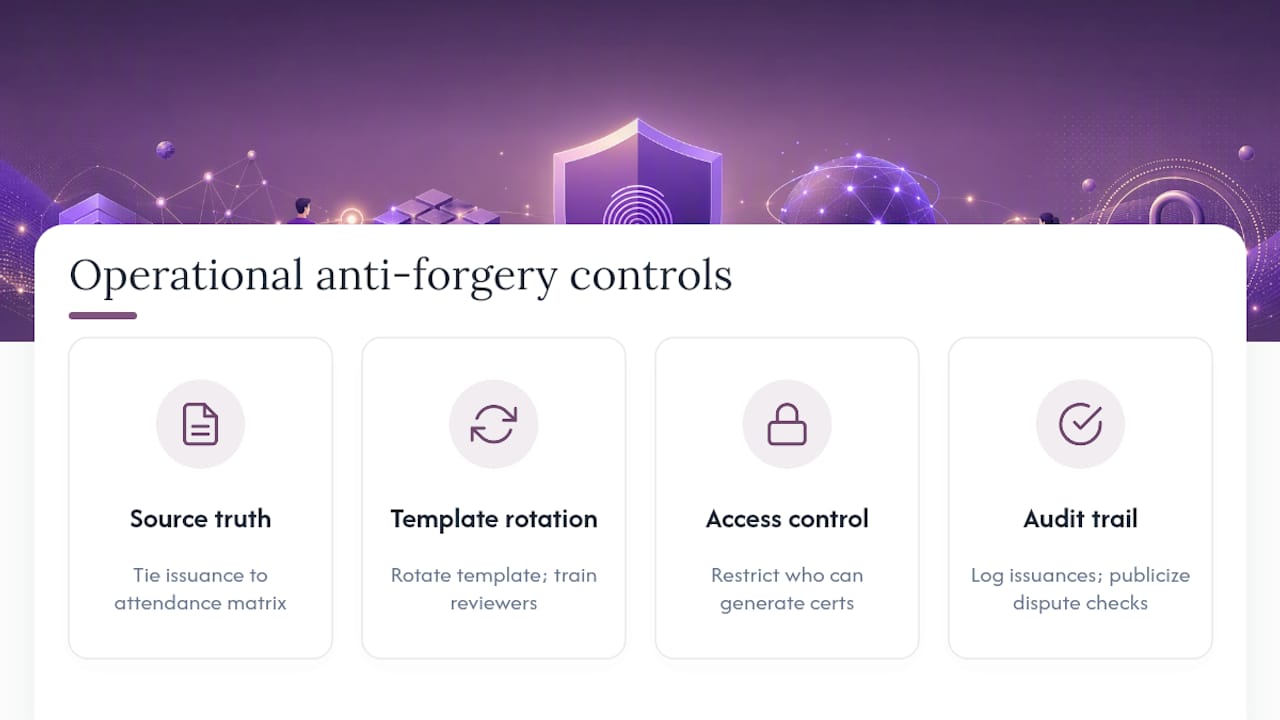
Digital signatures and verification pages handle the technical side. A few operational habits close gaps that pure technology can’t.
Cross-reference issuance against a source of truth. If your certificates tie back to an actual training matrix or attendance record, a forged certificate for a course that was never run, or an employee who was never enrolled, becomes detectable the moment someone checks the underlying record rather than just the PDF. This is where a training matrix tied to your issuance system earns its keep: it’s a second data point a forger would also have to fake.
Rotate your visual template periodically, not so often it looks unstable, but enough that a forger copying last year’s design produces a certificate that visibly doesn’t match current issuances. Pair that with staff training for anyone who reviews credentials internally, teaching them the two or three visual and structural cues that distinguish a real certificate from a copy.
Limit who can generate certificates in the first place. A shared template file sitting on a network drive that anyone in the office can open and edit is a bigger forgery risk than any technical gap in your PDF. Access control at the issuance stage, restricting who holds the software license or system credentials to generate a certificate, matters as much as anything downstream. Secure handling of the underlying files matters here too; guidance from secure file sharing practices applies directly to how training providers should distribute and store certificate templates and completed records.
Finally, don’t underestimate the deterrent value of a visible audit trail. If it’s publicly known that your organization logs every issuance and cross-checks disputes against original records, casual forgery attempts drop, simply because the risk of getting caught rises.
How Should Employers and Auditors Verify a Certificate Themselves?
Most verification failures aren’t technical, they’re behavioral. A hiring manager or site supervisor glances at a certificate, sees a logo and a signature, and moves on without ever checking whether either is real. Training the people who rely on certificates matters as much as securing the certificates themselves.
Teach verifiers three habits. First, always use the QR code or manual ID lookup rather than trusting visual inspection alone; a well-made forgery can fool the eye but can’t fake a live database match. Second, check the status field specifically, not just whether a record exists. A revoked or expired certificate that still “verifies” as issued is worse than no verification at all, because it creates false confidence. Third, if a QR code doesn’t scan or a link looks suspicious (a shortened URL, a domain that doesn’t match the issuer’s name), treat that as a red flag rather than a technical inconvenience to work around.
For safety officers and compliance managers responsible for training programs, build a short verification step into your own hiring or contractor onboarding checklist. It takes under a minute per credential and catches the kind of fabricated certificate that a quick visual glance would miss entirely. Auditors reviewing your program will do exactly this, so building the habit internally first means nothing about your own records surprises you during a review.
Share this expectation with training providers you contract with, too. If a third-party provider issues your team’s certifications, ask directly whether their PDFs carry a QR-based verification page, an unguessable ID, and a documented revocation process. A provider who can’t answer that clearly is a compliance risk you’re inheriting.
Which Certificate Controls Should Organizations Build First?
Most organizations try to implement everything at once and end up with a half-finished system that provides no real security. Sequence matters more than completeness on day one.
Start with unguessable identifiers, a verification page, and a QR code. That trio alone catches the overwhelming majority of casual forgery attempts and gives auditors an immediate way to check any certificate you’ve already issued. Signed PDFs and file-hashing come next, once the verification foundation is stable, since they add tamper detection on top of a system that’s already proving authenticity. Audit trails and reporting dashboards round out the picture last, not because they matter less, but because they’re only meaningful once there’s a reliable record for them to summarize.
Data ownership deserves more weight in this decision than most issuers give it. Organizations handling safety-sensitive training records, especially those operating in remote sites with limited connectivity, benefit from a local-first architecture that keeps records on-premise rather than dependent on a constant cloud connection. That’s a strategic choice about who controls the data and what happens when the internet goes down mid-shift, not just a technical preference, and it’s worth naming a specific person on your team responsible for that data governance decision rather than leaving it ambiguous. Consider also that security certification carries real weight beyond compliance checkbox, it signals to clients and auditors that an organization takes credential integrity seriously, which matters increasingly as contractors and clients start asking for proof rather than assurances.
— James
How Certicerts Builds These Controls In
Every control described in this article maps directly to a feature Certicerts ships by default, not as an add on. Certificates generate as secure printable PDFs with digital signatures and embedded QR codes that resolve to an offline-capable verification system with unguessable authenticity codes baked into every credential.
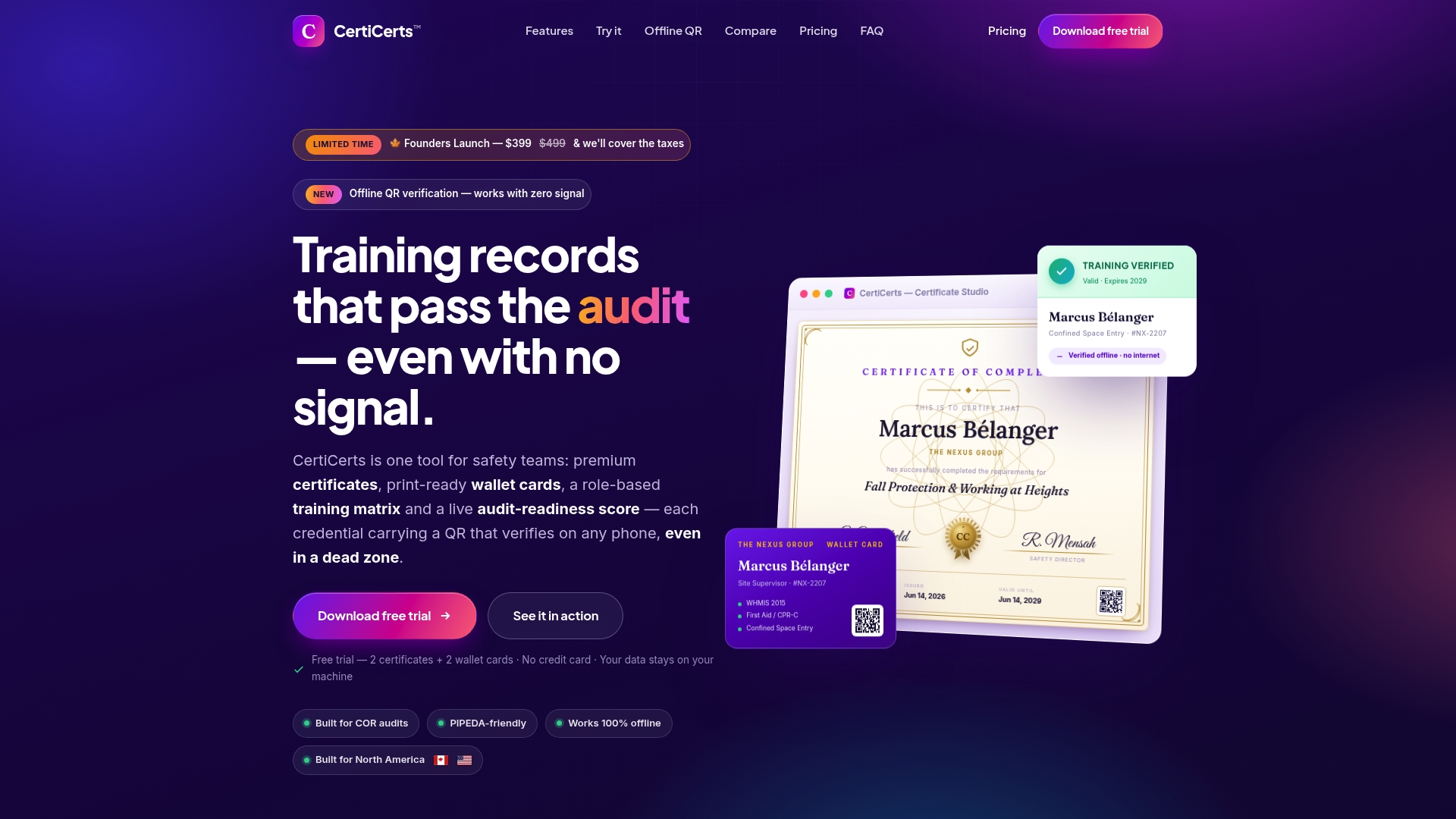
The compliance dashboard tracks expiry and recertification schedules across your whole workforce, while the training matrix shows exactly who’s covered and who has a gap, before an auditor finds it first. Bulk issuing handles large training events without sacrificing the unique-serial discipline that prevents duplicate or guessable IDs, and matching wallet cards give workers a physical credential tied to the same verification record. Because Certicerts runs local-first on Windows, your training data stays under your control rather than living exclusively on a third-party server.
If you issue certificates regularly and need this running without building it yourself, start with the free trial at Certicerts and generate a couple of real certificates to see the verification flow end to end before deciding which licensing option fits your issuance volume.
Sources
- QR Code Certificate Verification Best Practices
- Signum — certificate generation and signing (GitHub)