What Belongs on a Professional Certificate Template Design

A professional training certificate template must combine clear issuer and recipient data, a non-recycled unique ID, and a QR or verification link that resolves to an issuer-controlled live status page. That’s the baseline. Anything short of it, and you’re issuing decoration, not proof.
At minimum, a compliant template needs:
- Issuer name and logo
- Recipient’s full legal name
- Course or program title, with trainer name and credentials
- Issue date and expiry or valid-through date (if applicable)
- A unique certificate ID tied to your system of record
- A verification URL or QR code
- A signature or seal, digital or scanned
The QR code matters only if it points somewhere alive. A code that links to a static PDF proves nothing once that file gets edited, deleted, or copied. A platform like Certicerts builds verification into the certificate itself rather than bolting it on afterward, which is the direction the whole category needs to move.
Key Takeaways
A trustworthy certificate template pairs complete issuer and recipient data with a unique ID and a QR code that resolves to a live, issuer-controlled status page.
| Point | Details |
|---|---|
| Nail the mandatory fields | Include issuer, recipient, course, trainer, dates, unique ID, and a verification link on every template. |
| Design for screens first | Use a 16:9 layout with strong contrast so certificates read clearly on phones and laptops, not just print. |
| Make QR codes prove something | Point QR codes to a status page showing valid, expired, or revoked, not a static file. |
| Test before rollout | Scan live, expired, and revoked certificates publicly before announcing a new template system. |
| Consolidate with one platform | Certicerts combines template design, offline QR verification, wallet cards, and a compliance dashboard in one local-first application. |
Where To Go Deeper On Verification And Workflow
- IssueBadge’s guide on training certificates breaks down the field checklist compliance teams reference most often.
- Certify covers the testing steps that catch broken verification flows early.
- POK’s explainer on employer verification explains how standards like Open Badges scale verification for high-volume hiring.
- Certify walks through building a verification path with proper auditability from the ground up.
Table of Contents
- Essential Fields And Layout Rules For Training Certificates
- How Should Certificate IDs And QR Verification Work?
- Wallet Cards And Batch Issuing For Workforce Programs
- A Rollout Checklist Before You Deploy New Templates
- Sources
Essential Fields And Layout Rules For Training Certificates
Every field on a certificate exists to answer a question someone will eventually ask. “Who issued this?” “Is this the right person?” “What exactly did they complete?” “Is it still valid?” Design the template around those four questions and the rest falls into place.
The fields that matter most, and why:
- Issuer identity — logo, legal name, and contact detail. Auditors need to trace the certificate back to a real organization, not a font choice.
- Recipient’s full name — matched exactly to HR or LMS records, since a mismatch is the single most common reason a verifier flags a certificate.
- Course specificity — “OSHA 30-Hour Construction Safety,” not “Safety Training.” Vague titles are a red flag during audits.
- Trainer name and credentials — especially for regulated training where the instructor’s qualification is part of the compliance record.
- Issue date and expiry date — expiry drives your entire recertification calendar downstream.
- Unique certificate ID — the anchor that ties the physical document to a database row.
Visually, digital-first design beats print-first design for most workforce use cases. A 16:9 aspect ratio displays cleanly on a laptop screen, a phone, or an LMS embed, without the awkward scroll a portrait-oriented certificate creates online. Keep body text at a size that survives zooming on mobile, and don’t let a decorative border eat your contrast ratio.
On signatures: a scanned signature is fine for internal training, but a digital signature or seal tied to the verification record adds a layer that’s harder to forge. If your program issues hundreds of certificates a month, a locked master template with variable fields keeps every certificate consistent, which matters more than most people expect once auditors start comparing certificates side by side.
Pro Tip: Build one master template per certification type, not one per cohort. Cohort-specific templates drift over time, and drift is exactly what auditors catch first.
How Should Certificate IDs And QR Verification Work?
The unique ID is the backbone of the whole system. It has to be non-recycled, meaning no two certificates, ever, share the same identifier, even after one expires or gets revoked. Sequential IDs work, but random alphanumeric strings resist guessing better, which matters if your verification page is public.
QR codes only earn their place on the certificate if they lead somewhere that answers the question a verifier actually has: is this valid right now? A reliable verification workflow needs:
- A unique record ID printed on the certificate and stored in your system of record
- A QR or link that opens an issuer-controlled page, not a third-party file host
- Plain-language status: valid, expired, or revoked, not just a machine token
- Enough metadata to confirm identity (issuer, credential title, recipient name, dates) without exposing sensitive data
- A documented process for what happens when someone reports a mismatch
Employers checking credentials tend to scan the code and expect an immediate, human-readable answer. If the page just returns a cryptographic hash with no plain-English status, most verifiers assume something’s broken and move on without confirming it. For high-volume hiring or regulated industries, standards like Open Badges 3.0 or W3C Verifiable Credentials let you scale verification across platforms instead of building a bespoke lookup for every employer who asks.
Wallet Cards And Batch Issuing For Workforce Programs
Wallet cards solve a different problem than certificates. A certificate proves completion for a file or a wall; a wallet card proves it in a hard hat pocket or a wallet, on demand, at a job site gate. The layouts diverge accordingly.
For wallet cards specifically:
- Keep the front to essentials: name, credential, expiry date, and a persistent QR code that survives lamination or a cracked screen protector.
- Reserve the back for issuer contact details and a secondary verification path, in case the QR gets scratched.
- Generate both printable and digital versions from the same record, so a worker can show a phone screen or a laminated card interchangeably.
- Skip the photo unless your industry specifically requires it. It adds printing cost without adding verification strength.
Batch issuing is where most compliance teams either save enormous time or create a mess. The workflow that works: import your attendee list, map columns to certificate fields, generate PDFs and wallet cards in one pass, then reconcile the output against your training records so nothing silently drops. Construction safety cards issued after a toolbox talk, event-based training at a multi-site conference, and seasonal HR onboarding for a hundred new hires at once are the three scenarios where batch issuing pays for itself fastest. Learn more in our training matrix software guide, which covers how batch-issued certificates feed expiry tracking downstream.
A Rollout Checklist Before You Deploy New Templates
Before a new template goes live across your organization, run it through a short gauntlet. Skipping this step is how compliance teams end up explaining a broken QR code to an auditor instead of fixing it in advance.
- Map every field to your system of record first. Decide once whether HR software or your LMS owns the canonical data, then treat the certificate as a downstream output, not a second source of truth.
- Lock your ID generation rules before issuing a single certificate. Retrofitting an ID scheme after 500 certificates exist is far harder than deciding it upfront.
- Test the verification page against real and edge-case scenarios. Scan a live certificate, an archived one, and a deliberately revoked or expired record to confirm each returns the correct status.
- Check TLS and domain ownership on your verification URL. A verification link on an unsecured or third-party domain undermines the trust the QR code is supposed to provide.
- Document your revocation policy and audit log retention period. Someone will ask how long you keep records, and “we’re not sure” is not an acceptable answer during an audit.
Pro Tip: Run the revoked and expired test scans publicly, using the exact same phone camera a site supervisor would use, before you tell a single employee the new system is live.
How Certicerts Handles Templates, Verification, And Compliance Tracking
Certicerts approaches this checklist as a single connected system rather than a stack of separate tools, following principles explained in How it works — ESG Training Institute. Its template library gives compliance teams hundreds of customizable layouts, so a construction safety card and a corporate onboarding certificate can share a consistent brand without starting from scratch each time.
Every certificate’s QR code encodes a self-contained training record alongside an issuer-verifiable authenticity code, which means status checks work even without a live internet connection at a remote job site. The platform also generates matching wallet cards, handles batch issuing for large training events, and feeds everything into a compliance dashboard that flags expiring credentials before they lapse. Because Certicerts runs local-first on Windows, organizations keep their training data on their own infrastructure rather than depending entirely on a third-party cloud for verification uptime.

What most teams get wrong about QR verification
A QR code is a conduit, not proof. It’s tempting to treat “the certificate has a QR code” as the finish line, but the code only matters if the page it opens tells the truth in real time. I’d push compliance teams to run one uncomfortable test before rollout: revoke a certificate on purpose, then scan it publicly in front of the person who’ll be auditing you later. If that flow doesn’t work cleanly, nothing else about the template matters yet.
— James
Get Started With Certicerts For Certificate Design And Verification
Most teams patch together a design tool for certificates, a separate spreadsheet for expiry tracking, and a third system for verification, then wonder why nothing lines up during an audit. Certicerts replaces all three with one local-first application: build from its template library, issue with a QR code that resolves to a real verification page, and generate matching wallet cards in the same pass.
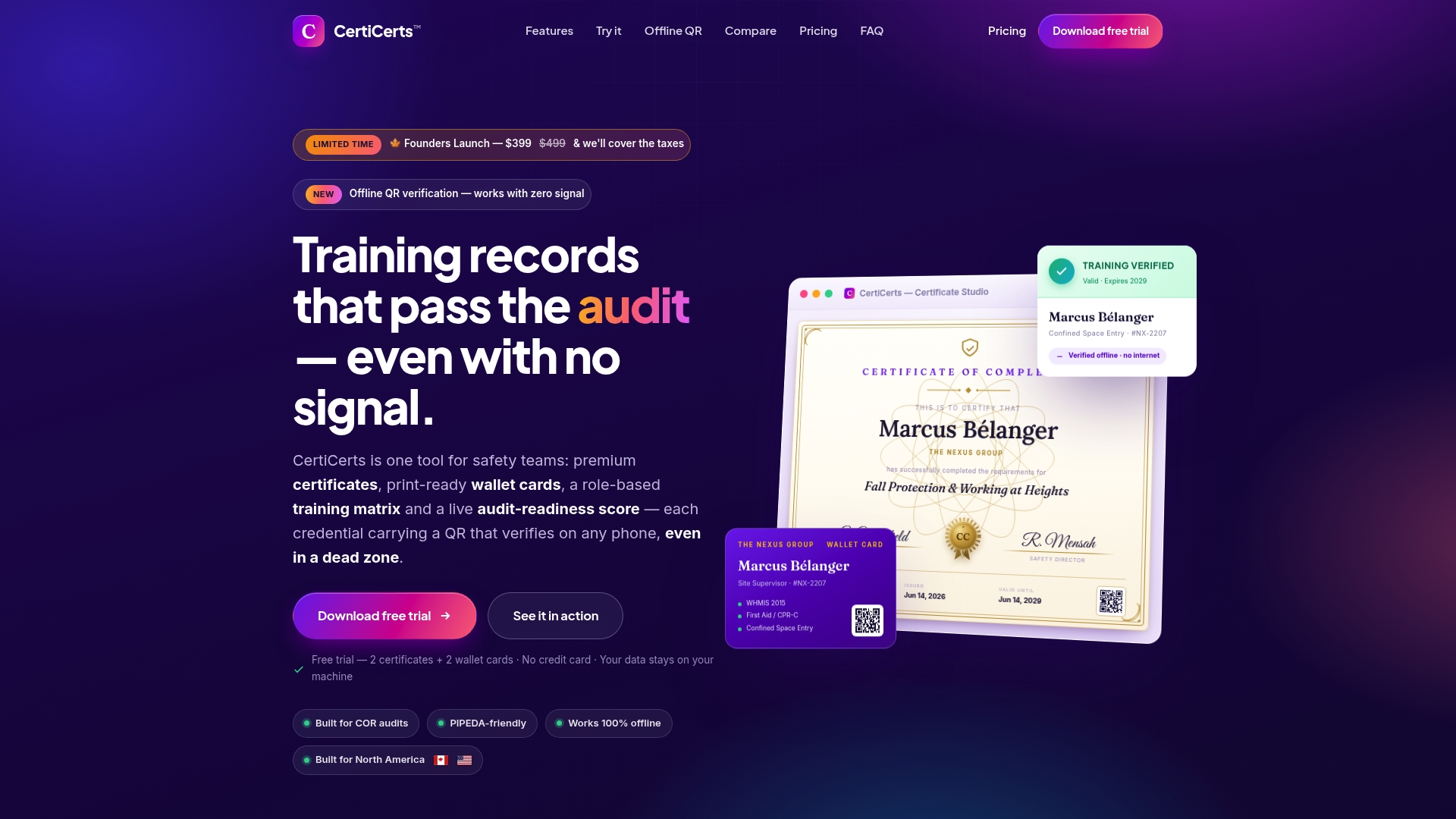
Licensing stays flexible depending on how often you issue. Start with a free trial to create your first two certificates and wallet cards, move to Desktop Pro for a one-time purchase if you issue regularly, or buy certificate credit packs if your training volume is seasonal or occasional. Visit Certicerts to start your free trial and see how templates, verification, and your compliance dashboard connect in one place.
Sources
- Training Completion Certificate: How to Create Professional Credentials | IssueBadge
- QR Code Certificate Verification Best Practices
- How Employers Verify Digital Credentials | POK
- Build a Certificate Verification Workflow