5 Pre Audit Checks to Make Employee Training Records Inspection Ready

An inspection-ready employee training record names the worker, the exact course, the completion date, the trainer or issuer, the assessment outcome, and the version of the requirement that applied at the time. Government guidance and industry standards agree records must live in one centralized, searchable, time-stamped system, not scattered spreadsheets. CertiCerts was built around that exact requirement.
TL;DR:
- Maintaining a centralized, searchable system that includes version control is essential to prove training requirements were met for specific standards and updates.
- Records must contain key fields such as employee ID, training dates, assessment outcomes, and the applicable standard version to pass audit scrutiny.
- Retention should typically span three to five years, but fast retrieval of records is crucial for compliance, especially during inspections.
- Digital storage with consistent naming and tagging outperforms physical files in speed, backup reliability, and remote access, with offline verification tools being highly valuable.
- Treat training records as a living dataset with regular updates, automated alerts, and version control to ensure readiness and simplify audit responses.
Table of Contents
- What Fields Belong in Employee Training Records?
- How Long Do You Need to Keep Training Records?
- Digital or Physical: How Should You Store Records?
- A Sample Training Record Template You Can Copy
- Keeping Records Current: Reviews, Automation, and Governance
- Why Centralized, Verifiable Records Change What an Audit Feels Like
- What HR Teams Get Wrong About Audit Readiness
- How CertiCerts Handles Audit-Ready Records End to End
- Sources
What Fields Belong in Employee Training Records?
Auditors ask three questions of every record: who did this, what did they do, and when did it expire. A fourth question trips up more organizations than the first three combined: which version of the training requirement was active on that date? If your competency standards changed in 2024 and again in 2026, an inspector wants to know which version governed the training you’re showing them.
A defensible employee training record needs these fields, at minimum:
- Employee ID and legal name/role
- Training title and internal or regulatory course code
- Trainer or issuing organization
- Delivery method (in-person, online, hybrid)
- Start and completion dates
- Assessment score or pass/fail outcome
- Certificate or credential number
- Expiry date and recertification cycle
- Attached evidence (scanned certificate, signed sign-in sheet, photo)
- Version identifier tying the training to the standard in force at that time
Recommended field lists from sector guidance line up closely with this structure, covering core data points like employee ID, training type, and accreditation details. The most common gap isn’t a missing date. It’s the version field. Teams update a safety procedure, retrain everyone, and never note which policy version the retraining covered, so two years later nobody can prove the 2024 group trained on the right material. Optional fields worth tracking for internal reporting include training cost, physical location, and delivery modality, useful for budget reviews even though inspectors rarely ask for them.
How Long Do You Need to Keep Training Records?
Retention rules vary by industry and jurisdiction, but a workable default sits in the 3 to 5 year range that shows up across government and industry guidance. Confirm the specific number for your sector before you rely on it. A hazardous materials program, a construction site, and an office onboarding process can carry different retention clocks, sometimes within the same company.
Retention length only matters if you can actually produce the record fast. Organizations that migrate off manual spreadsheets and into dedicated systems report roughly 25% lower administrative time and 99%+ audit compliance, largely because expiry alerts and centralized search remove the manual chase.
Preparing for an actual inspection comes down to five checks:
- Can you pull every record for one employee in under a minute?
- Can you filter by role or department to show group compliance?
- Does every entry carry a time stamp showing when it was logged, not just when the training happened?
- Is there a tamper-evident change log if a record was edited after the fact?
- Can you produce the version of the training standard that applied on the completion date?
If any answer is no, that’s the gap to fix before an inspector finds it for you.
Digital or Physical: How Should You Store Records?
Paper files still work for very small teams with one location and low turnover. Everywhere else, digital storage wins on the metrics that matter during an audit: search speed, backup reliability, and remote access.
Physical files fail quietly. A binder in a site trailer survives a flood poorly, and a filing cabinet doesn’t let a compliance officer in another city pull a record on demand. Digital systems solve both, provided you build in real redundancy rather than trusting a single hard drive.
Structure matters as much as format. Use consistent naming: employee ID, then training code, then completion date (e.g., EMP4521_WHMIS2026_20260315). Tag every record with searchable fields for employee, role, training code, and expiry date, so a query like “all forklift certifications expiring in Q2” returns results instantly instead of requiring a manual scan. University safety offices that manage large, decentralized workforces rely on exactly this kind of centralized reporting structure to keep training records accessible across departments.
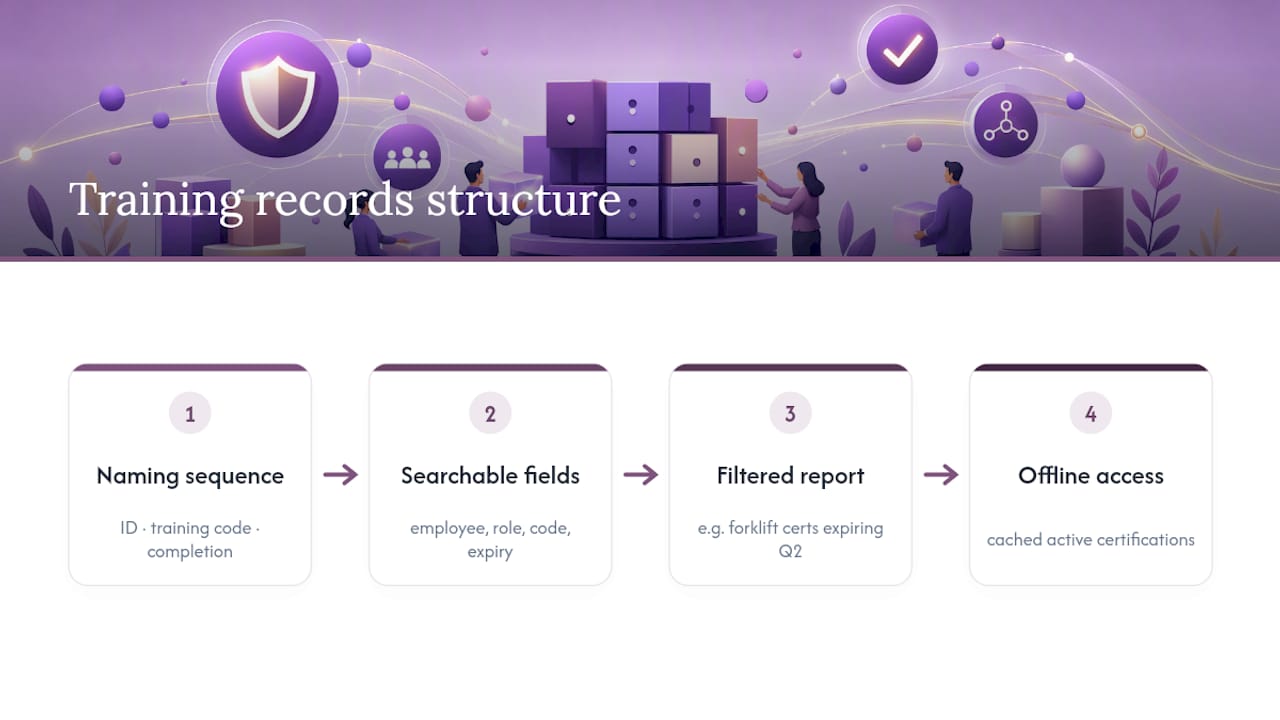
Pro Tip: Field teams without reliable internet need offline access to at least a cached copy of active certifications. If your storage system requires a live connection to verify a credential on-site, you’ve built a single point of failure into your compliance program.
A Sample Training Record Template You Can Copy
Sector bodies like WorkSafeBC publish downloadable templates that map closely to what most Canadian employers actually need. Here’s a layout you can adapt directly into a spreadsheet or import into a learning management system.
A sample row might read: `EMP4521 | J.
Sample institutional templates, like the one from the Workers’ Safety and Compensation Commission, offer a similar starting structure you can adapt to your own field list. Whether you keep this in a spreadsheet or a dedicated learning management system, the export function matters most: when an auditor asks for every record matching a role or date range, you need a filtered report, not a manual search through tabs.
Keeping Records Current: Reviews, Automation, and Governance
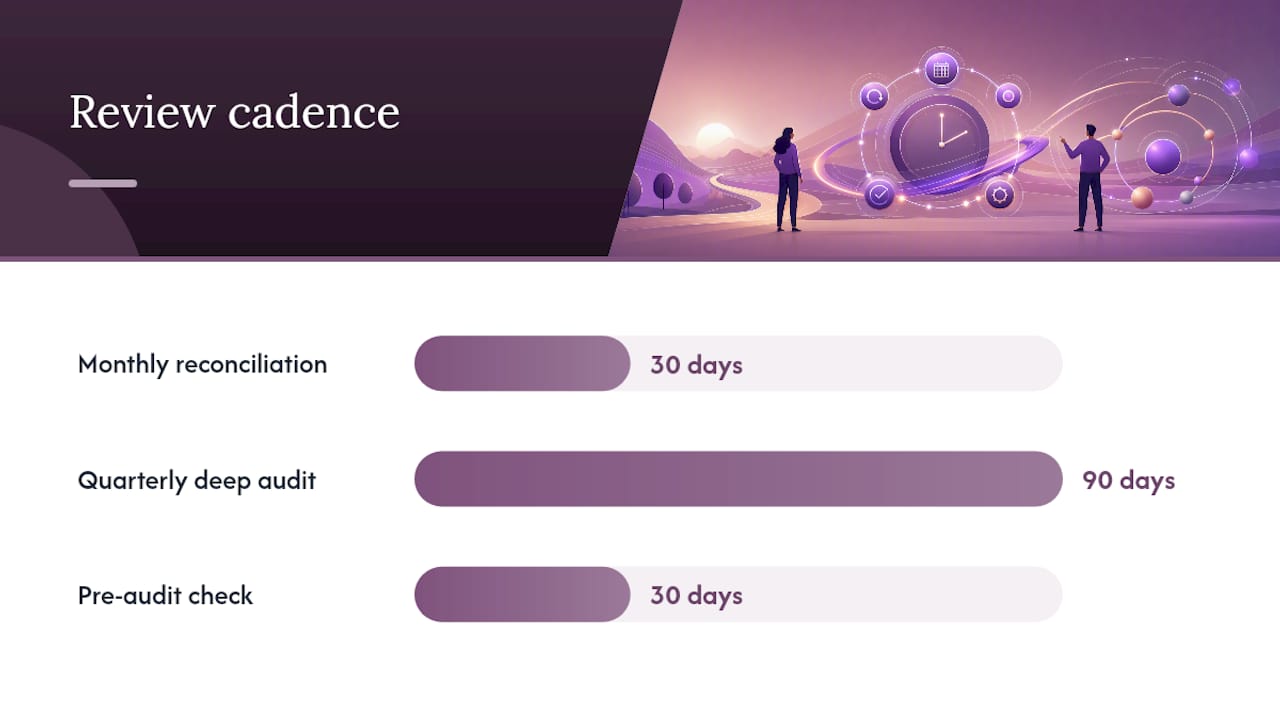
A training record system is only as good as its update cadence. Set a recurring schedule and treat it like payroll, not an occasional cleanup task.
- Run a monthly reconciliation comparing active employees against required certifications for their role.
- Do a quarterly deep audit checking for expired credentials, missing evidence attachments, and unlogged completions.
- Assign one owner per department who is accountable for closing gaps, not just flagging them.
- Run a pre-audit check 30 days before any known inspection window.
- Log every edit to a record with a timestamp and the name of who made the change.
Automation removes most of the manual burden here, especially when integrated with a reliable broker for employee benefits to streamline onboarding records and HR integration. Expiry alerts flag certifications before they lapse, bulk import handles onboarding a new cohort of hires, and employee self-upload lets workers submit external certifications for review instead of routing paper through HR. Vendor tools built for this space consistently highlight time-stamped change logs and skill-version control as the features that actually hold up under audit scrutiny, rather than a simple list of completions.
Pro Tip: When a role’s competency requirements change, don’t overwrite the old standard. Keep a versioned skills matrix so you can show an inspector exactly which requirement version applied to a training completed three years ago. This single habit resolves more audit disputes than any other record-keeping practice.
Why Centralized, Verifiable Records Change What an Audit Feels Like
Most training record failures aren’t caused by missing training. They’re caused by missing proof. A worker completed the course, the trainer confirmed it, and then the evidence lived in an email attachment nobody could find eighteen months later. That’s not a training gap. It’s a documentation failure, and it’s the single most common reason organizations fail parts of an audit they should have passed easily.
Offline verification solves a specific, underappreciated problem: field audits often happen in locations with unreliable internet, where a cloud-only system that can’t confirm a credential without a live connection becomes useless at the exact moment it matters most. QR codes carrying issuer-verifiable authenticity codes work without a live connection, which is why they matter more in a job site trailer than in a downtown office.
The gap between having training records and having usable training records is where most compliance programs actually fail. A folder full of PDFs isn’t evidence. A system that can answer “who, what, when, and which version” in under a minute is.
Some platforms approach this with a local-first desktop architecture, a compliance dashboard that flags expiring credentials before they lapse, and QR verification that works without an internet connection.
What HR Teams Get Wrong About Audit Readiness
Most advice on training records focuses on collection: capture the certificate, file it, move on. That’s necessary but not sufficient. The organizations that pass audits without stress are the ones that treat records as a living dataset, not a filing task completed once and forgotten.
The conventional advice undersells version control. Plenty of guides tell you to track dates and names but skip the requirement version entirely, and that’s exactly the gap inspectors exploit. If your safety standard changed in the middle of your training cycle, you need proof of which version each employee trained against. Spreadsheets rarely capture this because nobody built a column for it until an audit went badly.
If you’re prioritizing one thing this quarter, prioritize retrieval speed over collection volume. A record you can’t produce in under a minute during an inspection might as well not exist. Build the centralized index first, then automate the alerts, then worry about polish. Everything else, including nicer certificate templates and better wallet cards, matters less than being able to answer “prove it” on demand.
— James
How CertiCerts Handles Audit-Ready Records End to End
A practical alternative to juggling spreadsheets, email attachments, and paper binders for training documentation exists. Where a manual system forces you to rebuild your evidence trail from scratch every time an inspector calls, some platforms keep certificates, wallet cards, expiry dates, and QR-verifiable evidence in one local-first system that works even without an internet connection on site.
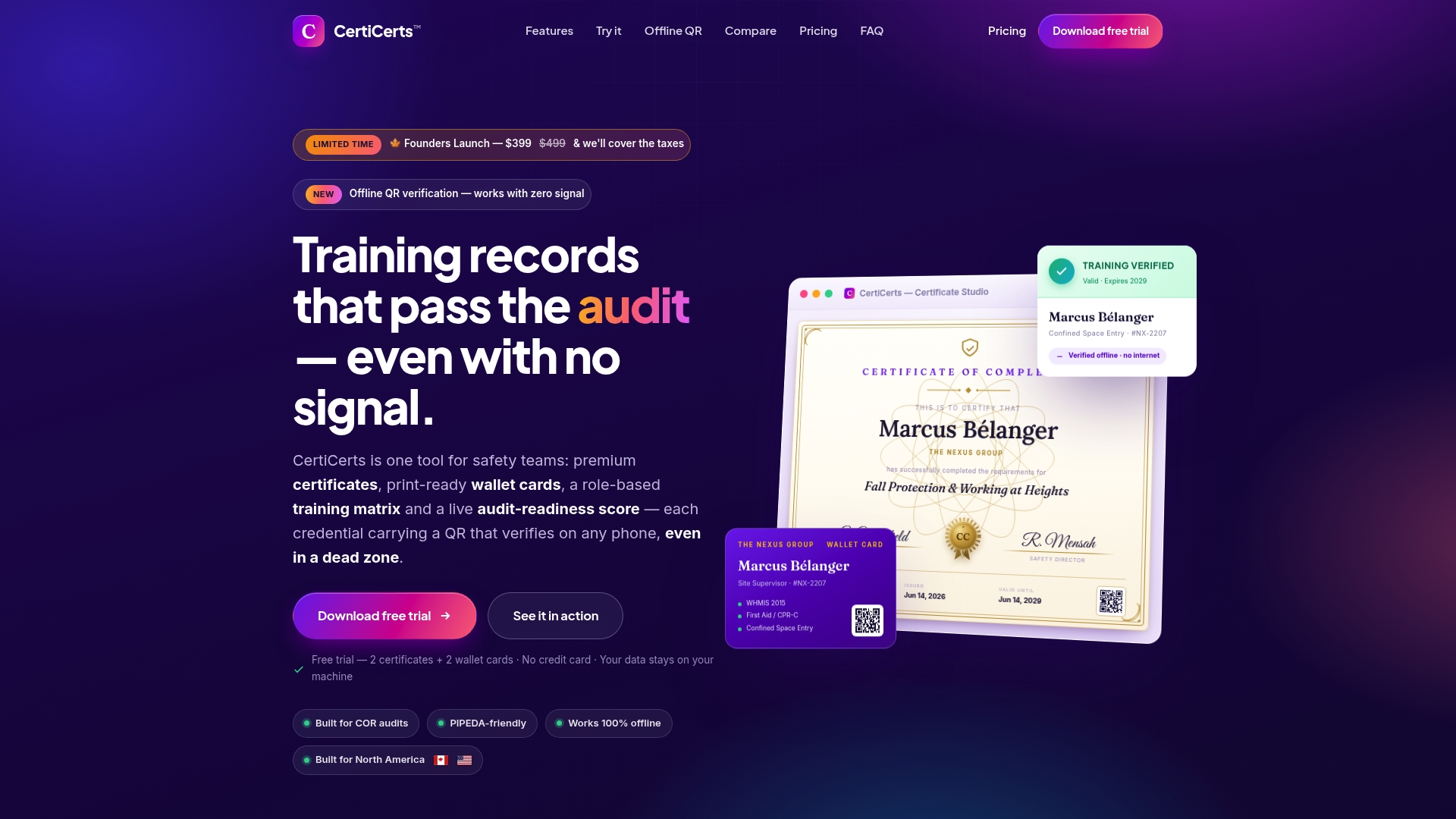
Such platforms generate professional certificates and matching wallet cards, track employees’ training history against role requirements, and flag expirations through a compliance dashboard before they become a problem during an inspection. Offline QR verification allows a supervisor or auditor to confirm a credential’s authenticity in the field without requiring a signal. If your current setup depends on someone remembering where a file lives, start a free trial on the CertiCerts platform and see how a centralized system holds up against your next audit.
Sources
- Training Records | Safety Office (University of Waterloo)
- Employee Training Record | go2HR | WorkSafeBC