8 Steps That Make Training Backups Audit Ready for HR & Compliance

Automate immutable backups the moment a certificate is issued, tag every record with a retention date tied to the longest applicable regulation, keep an encrypted off-site copy, and run a real restore test every quarter. Do those four things and your training files stay audit-ready no matter who asks to see them. A local-first platform like CertiCerts makes this simpler because it keeps your data under your control, verifies certificates offline through QR codes, and builds backup discipline into the workflow instead of bolting it on later.
TL;DR:
- Automated, immutable backups should include full context, metadata, and attached certificates, not just completion dates, to withstand audit scrutiny.
- Retention periods must align with governing regulations, often requiring safety training to be kept for decades and certifications for several years after expiration.
- Store backups on infrastructure you control with encryption, role-based access, and regular, off-site snapshots to ensure evidence integrity during crises.
- Training records need system-generated timestamps, verified identities, content versioning, and a chain of custody to be truly audit-ready.
- Regularly test backup restores quarterly or annually to confirm data integrity, certificate validity, and metadata preservation before an actual audit occurs.
Table of Contents
- 8-Step Checklist: Immediate Actions for HR and Compliance
- How Long Should You Keep Training Records?
- Where Should You Actually Store Backups?
- What Makes a Training Record Audit-Ready?
- Building a Retention Schedule Your Auditors Will Trust
- How Often Should You Test Your Backups?
- Why Ownership of Your Backup Process Actually Matters
- Protect Your Training Records the Way Auditors Expect
- Sources
8-Step Checklist: Immediate Actions for HR and Compliance
Most organizations don’t lose training records to disaster. They lose them to neglect, a departed IT admin, or a hard drive nobody backed up in eighteen months. Fix that this week with these eight moves, in order:
- Assign retention categories to every training type based on the regulation that governs it (OSHA, industry-specific credentialing, general onboarding).
- Turn on system-generated, immutable timestamps and require identity verification at course completion.
- Automate backups with an encrypted off-site copy running on a fixed schedule, not a manual one someone forgets.
- Capture full context in every backup, including metadata, certificate files, and supporting attachments, not just a spreadsheet row.
- Apply role-based access controls and switch on audit logs so every view and edit is traceable.
- Build a destruction approval workflow with a legal-hold override that blocks deletion instantly when needed.
- Schedule restore tests and write down what happened each time, including failures.
- Add offline QR verification to every issued certificate so field checks don’t depend on a live database.
How Long Should You Keep Training Records?
Retention isn’t a judgment call. It’s dictated by whichever regulation applies to that specific training, and when more than one rule touches the same record, you keep it for the longest period any of them require. A practical default many employers use is five years beyond an employee’s separation date, though several categories run longer than that.
Here’s how the bands typically break down in practice:
- Exposure and safety training (respirator fit tests, hazmat handling, confined-space entry): retain for the duration of employment plus a long buffer, often decades, since exposure-related liability can surface years after someone leaves.
- Credentialed certifications (forklift operation, welding certs, first aid): keep for the certification’s active life plus three to five years after expiration or separation.
- General onboarding and awareness training: three to five years is usually sufficient unless a specific state or industry rule extends it.
Digital records carry the exact same legal weight as paper ones. Deleting a file because a cloud vendor’s default retention window expired doesn’t excuse you from the underlying obligation to preserve it — verify your vendor’s own deletion policy before you rely on it as your archive.
Tag each record at the point of creation with an automated countdown from the separation date, not a static “delete in five years” note that nobody revisits. And the moment litigation, a workers’ comp claim, or a regulatory inquiry touches an employee, apply a legal hold that overrides the retention clock entirely until the hold is lifted. A hold beats a schedule every time.
Where Should You Actually Store Backups?
The local-first versus cloud-only question comes down to one thing: who controls the record when something goes wrong. A cloud-only SaaS platform can change its terms, get acquired, or shut down, and your evidence chain goes with it. A local-first system keeps the authoritative copy on infrastructure you own, while still letting you push encrypted snapshots off-site for disaster recovery.
Either way, the technical baseline doesn’t change:
- Encrypt data at rest and in transit, no exceptions, even for internal transfers.
- Apply role-based access controls so only authorized HR and compliance staff can view or export records.
- Run daily incremental backups, a weekly full backup, and push an off-site snapshot on a fixed schedule rather than “when someone remembers.”
- Keep backup snapshots retained on their own schedule, separate from your live retention policy, so a bad restore point doesn’t take out your only copy.
- Confirm every backup preserves metadata, version history, signed certificate PDFs, and attachments, not just the raw completion date.
These operational habits, encryption, access control, automated backups, and testing, show up repeatedly in HR document management guidance for a reason: skip any one of them and the rest stop mattering. If your organization outsources infrastructure management, a managed backup and disaster recovery provider can handle the snapshot cadence and off-site replication while your team focuses on retention policy. For the access-control layer specifically, pairing your backup system with dedicated security controls for sensitive records closes a gap a lot of HR teams overlook until an audit finds it.
Pro Tip: Don’t treat your certificate PDFs as disposable. If your backup only saves the training completion date and not the signed, QR-coded certificate itself, you’ve preserved the fact but lost the proof.
What Makes a Training Record Audit-Ready?
Auditors aren’t looking for a completion date in a spreadsheet. They want proof the record couldn’t have been altered after the fact, and that proof breaks down into five specific elements:
- Immutable timestamp — generated automatically by the system the moment training is completed. A manually typed date entered a week later has almost no evidentiary value, because auditors can tell the difference between real-time and retroactive entries.
- Verified identity — confirmation the person who completed the training is actually who the record says, tied to an authenticated session rather than a self-reported name.
- Completion evidence — an assessment score, signed acknowledgment, or instructor sign-off, not just an attendance checkbox.
- Chain of custody — a log showing who accessed or modified the record and when, so you can prove nothing was quietly edited.
- Content version control — a record of which version of the training material and assessment the employee actually completed, since course content changes over time.
Spreadsheets fail almost every one of these categories at once. They lack chain-of-custody tracking entirely, and any staff member with edit access can alter a cell with zero trail. That’s precisely why auditors flag them so often.
This is where a system-generated approach earns its keep. CertiCerts’ local-first architecture captures the completion timestamp, ties it to an authenticated issuer, and locks the certificate into a signed PDF the moment it’s generated, with an embedded QR code that verifies the credential offline. Combined with its compliance dashboard, that means a training administrator can pull an inspector-ready report, per employee, per standard, or by expiration window, in the time it takes to click export rather than the days it takes to reconstruct history from three different files.
Building a Retention Schedule Your Auditors Will Trust
A retention schedule only works if it’s built the same way every time, applied automatically, and documented well enough that someone new to the role can follow it without guessing.
- Map every training category to its governing regulation and assign the longest applicable retention period.
- Tag each record at creation with an automated expiration date calculated from the separation or certification date, not a manual entry.
- Route destruction through an approval workflow. Before anything is deleted, confirm there’s no active litigation or legal hold, verify the retention period has actually expired, and get sign-off from a named approver.
- Document every destruction event with the method used, the date, and who authorized it, kept as its own permanent record even after the training file is gone.
- Version any change to the retention policy itself, so you can show an auditor what the rule was on any given date, not just what it is today.
- Restrict who can alter retention rules or trigger deletion to a small, named group, with every action logged.
Getting this right protects you twice: once from a regulator asking why a record disappeared, and once from a manager who deletes a file by accident with no way to recover it.
How Often Should You Test Your Backups?
A backup you’ve never restored is a theory, not a safeguard. Run a quarterly smoke test on a small sample of records, and a full disaster-recovery restore at least once a year.
Each test should confirm:
- The per-employee training history exports cleanly and matches the live system.
- The attached certificate PDF opens, still shows the signature, and the QR code verifies correctly.
- Metadata survived the restore intact: timestamp, user ID, and version ID all match the original.
Document every test result, including what broke. A minimal restore check should validate the exported history, the certificate file, and the audit trail metadata together — not just confirm that a file exists. If something fails, fix it before the next quarter, not after your next real audit forces the issue.
Pro Tip: Run your restore test with someone who wasn’t involved in setting up the backup. If they can’t retrieve and verify a record without help, your process has a documentation gap your IT team hasn’t noticed yet.
For teams building out a broader disaster-recovery routine alongside training records, a structured pre-task planning approach applies the same discipline: define the steps, assign owners, and check the work before you need it.

Why Ownership of Your Backup Process Actually Matters
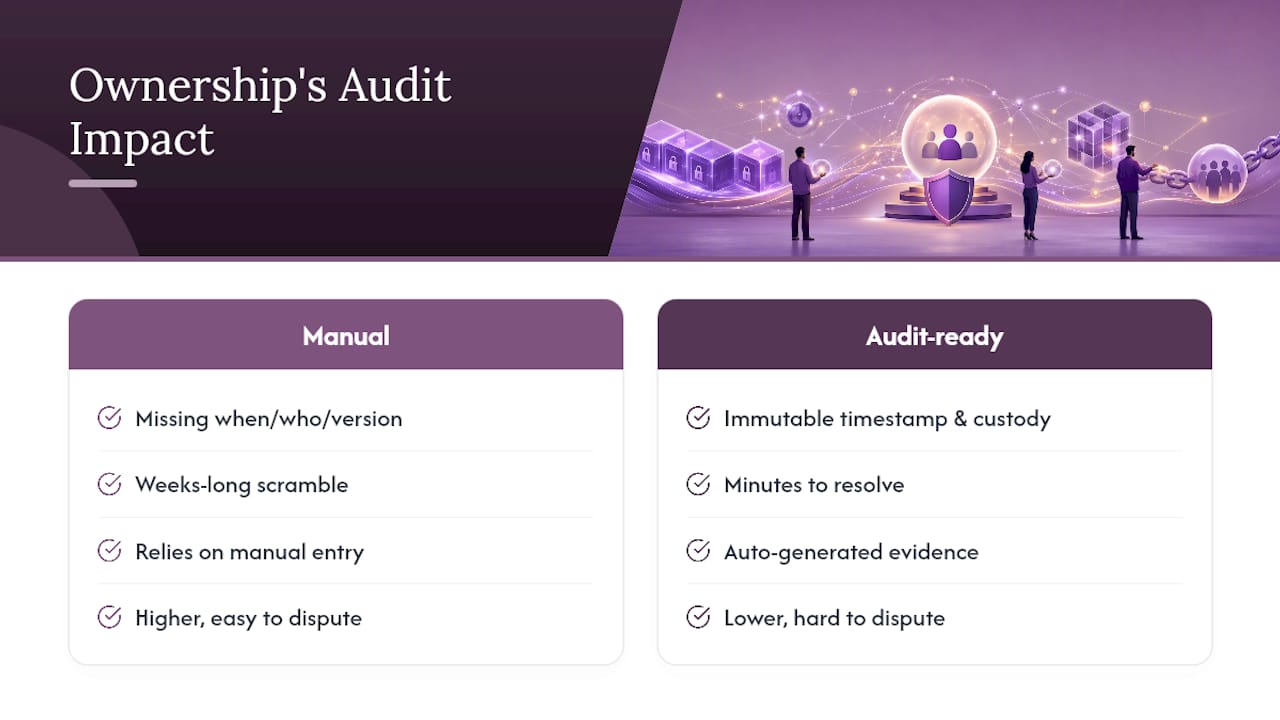
I’ve seen enough compliance postmortems to notice a pattern: the organizations that struggle in an audit almost never lack training records entirely. They lack records they can prove. The completion happened, but nobody can show when, verified by whom, using which version of the material. That gap turns a routine inspection into a weeks-long scramble.
Audit-ready backups shrink that timeline from weeks to minutes and cut your legal exposure at the same time, because a record with an immutable timestamp and a verified chain of custody is hard to dispute. Tools that generate that evidence automatically, rather than relying on someone remembering to fill in a field correctly, are the difference between a defensible file and a liability.
— James
Protect Your Training Records the Way Auditors Expect
CertiCerts gives HR and compliance teams a way to own their training data outright instead of trusting it to a cloud vendor’s uptime and retention defaults. Every certificate it generates carries a system timestamp, a signed PDF, and an offline QR code that verifies the credential in the field with no network connection required.
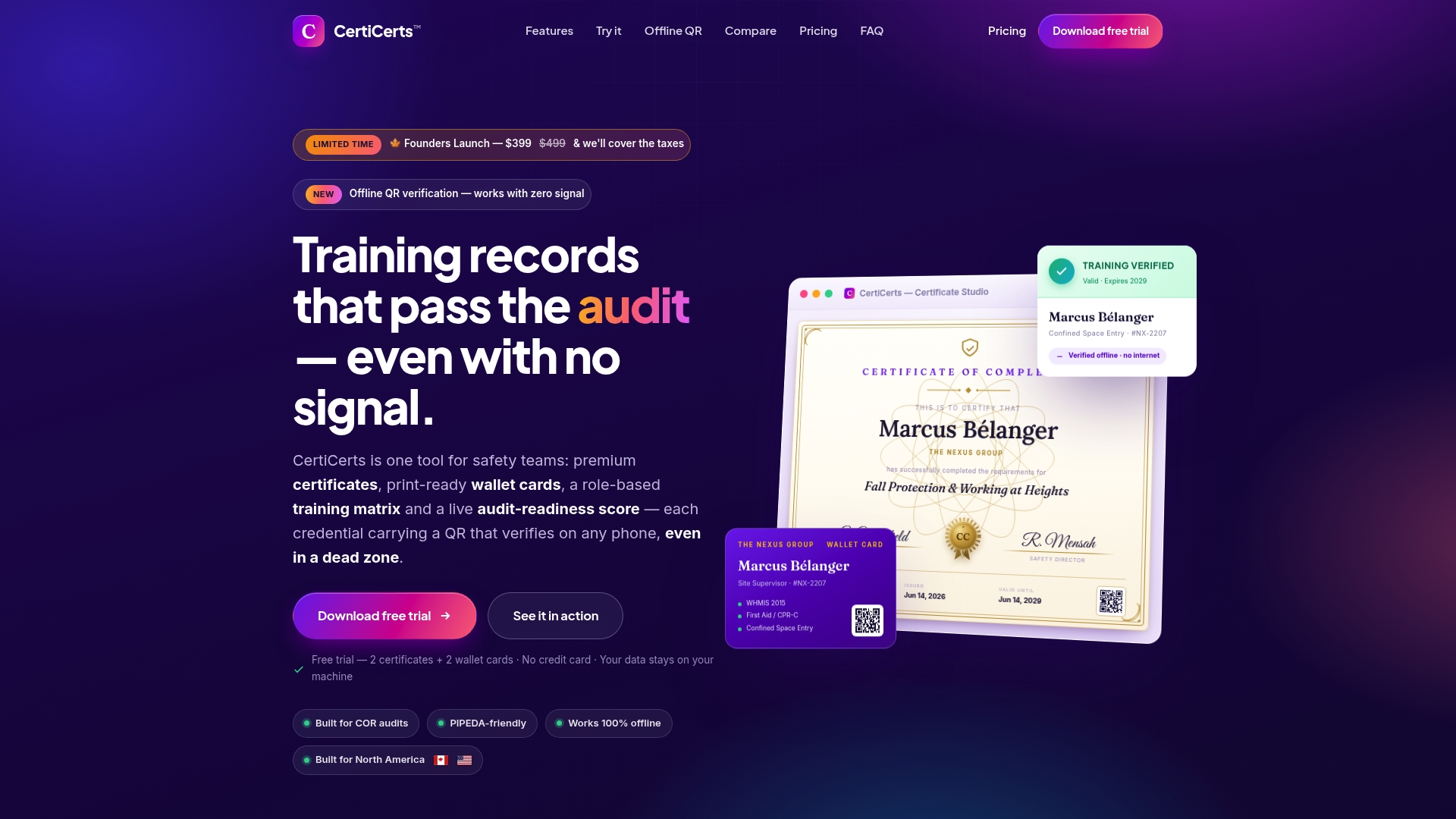
If you’re building out a training matrix, tracking expiring certifications across departments, or issuing certificates in bulk after a large training event, CertiCerts’ compliance dashboard and training matrix tools handle the reporting side while the local-first desktop application keeps your backup process simple: your data lives on your infrastructure, not someone else’s server. When you’re ready to see how certificate generation, wallet cards, and offline verification fit into your own retention policy, start a free trial at CertiCerts and issue your first records today.