QR vs Barcode: When to Use Each for Checkout, Marketing, Verification
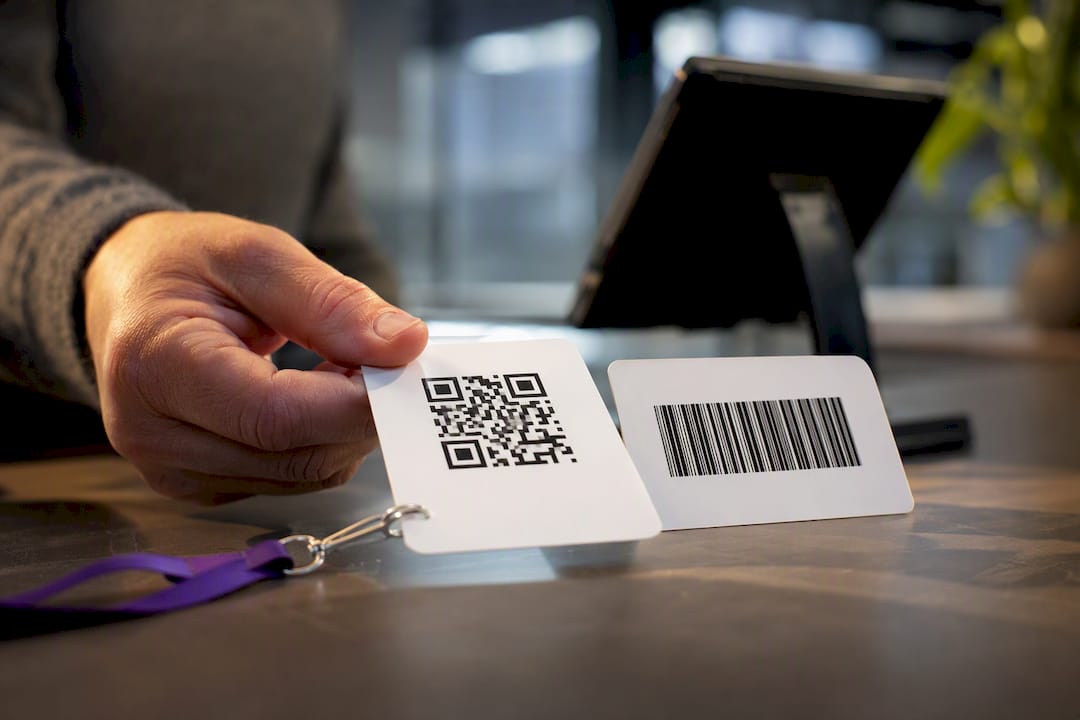
A QR code is a type of 2D barcode; a traditional linear barcode is 1D. For high-speed retail checkout and warehouse logistics, stick with 1D. For customer-facing content, mobile payments, or verification where you need to pack in more data, QR wins. The rest comes down to capacity, durability, and what your scanners can actually read.
TL;DR:
- Linear barcodes are faster for high-volume retail scanning but offer less data capacity and damage resistance than QR codes.
- QR codes can store up to 4,296 characters and tolerate smudges or partial damage, making them ideal for marketing and verification.
- Most smartphones can scan QR codes natively, while older laser scanners typically read only 1D barcodes, limiting hardware choices.
- Static QR codes are permanent with fixed destinations, whereas dynamic QR codes allow updates and tracking but depend on third-party services.
- Hybrid labeling combining barcodes and QR codes is often the best strategy for retail, logistics, and credentialing to serve multiple needs simultaneously.
Table of Contents
- QR Code vs Barcode: Comparing Structure, Capacity, and Uses
- What Technical Standards Govern Barcode and QR Code Design?
- Which Format Fits Retail, Marketing, or Credentialing?
- Which Devices Can Actually Scan Each Format?
- How Do You Print Codes That Actually Scan?
- How Should You Decide Between the Two?
- Why QR Verification Matters for Professional Credentials
- The Real Trade-Off Nobody Talks About Enough
- Sources
QR Code vs Barcode: Comparing Structure, Capacity, and Uses
A linear barcode reads in one direction: a series of parallel lines and spaces, decoded left to right. A QR code reads in two directions, storing data in a grid of black-and-white squares that a camera or scanner captures all at once. That dimensional difference is the whole story behind why the two formats diverge in what they can hold and how they get read.
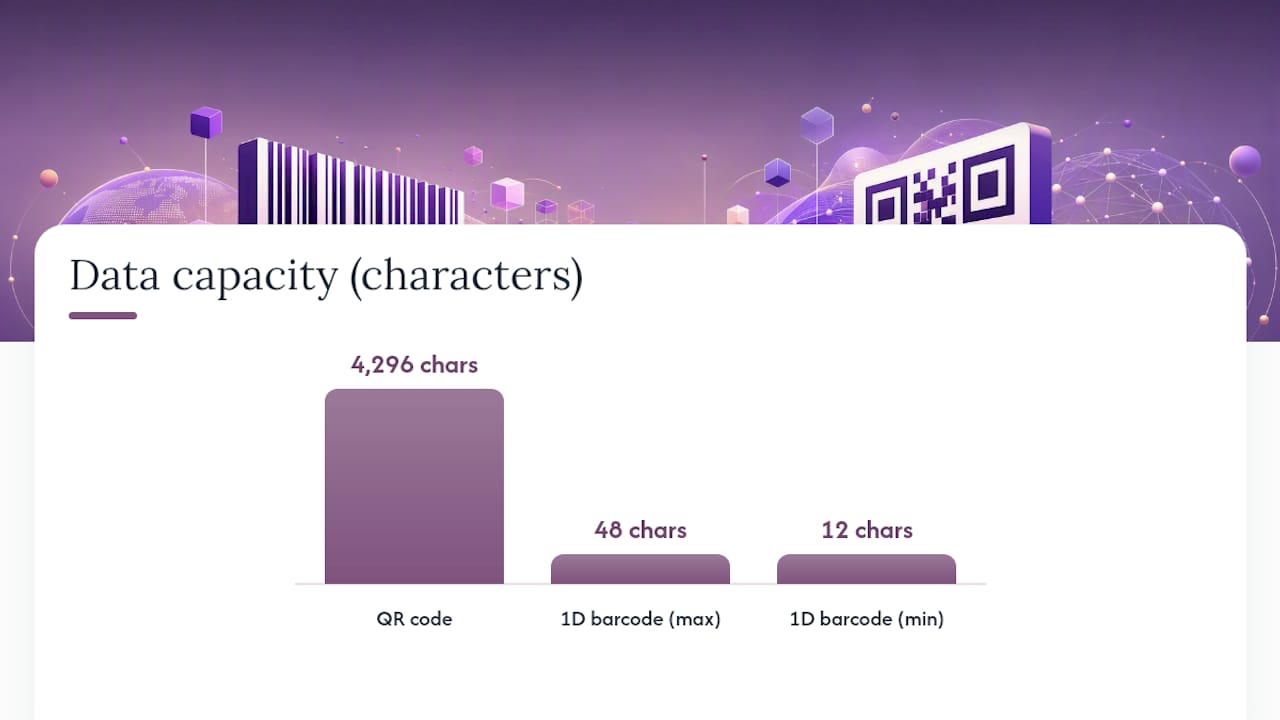
Capacity is where the gap becomes obvious. A QR code can hold up to 4,296 alphanumeric characters, while a typical 1D barcode caps out around 12 to 48 characters depending on the symbology in use, according to GS1 US. That’s not a marginal upgrade. It’s the difference between encoding a product SKU and encoding an entire URL, a vCard, or a signed verification token.
Error tolerance splits along the same lines. QR codes use Reed-Solomon error correction, meaning a code can still scan correctly even with a chunk of it smudged, torn, or covered by a logo. Linear barcodes have far less built-in redundancy. Damage a few bars and the scan fails outright.
Here’s how the two stack up on the factors that matter most:
- Data density: QR handles thousands of characters; 1D handles dozens.
- Damage resistance: QR tolerates partial obstruction; 1D generally does not.
- Scan speed: 1D barcodes scan faster on dedicated laser scanners tuned for repetitive, high-volume reads.
- Orientation: QR codes scan correctly from almost any angle; 1D codes typically need a specific alignment.
- Best environment: 1D thrives at checkout lanes and conveyor belts; QR thrives on posters, packaging, screens, and printed documents meant for a phone camera.
None of this makes one format universally better. It makes them suited to different jobs, which is the entire premise behind why both still coexist on the same product box.
What Technical Standards Govern Barcode and QR Code Design?
Two ISO standards do the heavy lifting here. ISO/IEC 18004 defines how a QR code is structured, including its finder patterns and the Reed-Solomon error correction that lets it survive smudges and printing defects. ISO/IEC 15416 governs 1D barcode quality grading, giving retailers and manufacturers a measurable way to confirm a barcode will scan reliably before it ever reaches a shelf, per the ANSI Blog.
A QR code can carry roughly 90 times more data than a typical 1D barcode: up to 4,296 alphanumeric characters versus 12 to 48 for linear symbologies, based on GS1 US figures.
One decision that trips up a lot of first-time QR adopters is static versus dynamic. A static QR code has its destination baked directly into the pattern. It’s free, permanent, and never expires, but you can’t edit it once it’s printed. A dynamic QR code points to a short redirect link that you can update after the fact, and it lets you track scan counts and locations. Industry estimates put dynamic codes at a majority share of QR-related revenue, reflecting how much businesses value that flexibility, per Fast QR. The trade-off: dynamic codes depend on a third-party redirect service staying online indefinitely. If that vendor shuts down, every printed code pointing to it goes dead.
A few print specs matter regardless of which format you choose:
- Keep a clear “quiet zone” margin around any code, since cropped or crowded margins are a leading cause of failed scans.
- Maintain strong contrast between the code and its background, ideally black on white.
- Print at a minimum size that accounts for the scanning distance. A code meant to be read from six feet away needs to be dramatically larger than one read from six inches.
Which Format Fits Retail, Marketing, or Credentialing?
The right choice depends entirely on the job.
- High-throughput retail and logistics: 1D barcodes still dominate point-of-sale and warehouse scanning because the entire ecosystem, laser scanners, conveyor systems, label printers, is optimized for fast, repetitive reads, according to GS1 US. Swapping to QR here would slow things down without adding value.
- Mobile payments and menus: QR codes turn a printed surface into an instant digital session. Scan a restaurant table code and you land on a menu; scan a payment QR and you complete a transaction. Fortinet’s cyber glossary describes this as converting a physical impression into a high-intent digital action, which is exactly why it works so well for point-of-decision moments.
- Marketing and advertising: QR codes on posters, packaging, and print ads convert offline attention into trackable clicks, provided the placement includes a clear call to action and a mobile-optimized landing page, per Bitly.
- Industrial part marking: When space is tight or parts get exposed to grease and abrasion, a DataMatrix code (a different 2D format) often outperforms both linear barcodes and standard QR codes, since it’s built for small, damage-resistant marking rather than consumer scanning.
- Event tickets and credential verification: QR codes carrying a unique, verifiable token let a gate scanner or auditor confirm authenticity in seconds rather than checking a printed list.
Which Devices Can Actually Scan Each Format?
Nearly every smartphone camera reads QR codes natively through the built-in camera app, no separate scanner required. That universal compatibility is a big reason QR adoption in marketing and payments has taken off. Barcodes need more specific hardware.
- Laser barcode scanners read 1D codes reliably but usually can’t decode 2D formats like QR at all.
- Imaging scanners (camera-based) read both 1D and 2D formats, which is why most modern retail POS systems have shifted toward imaging hardware.
- Lighting and angle matter more for older laser scanners; QR codes tolerate skewed angles and inconsistent lighting far better because of their finder-pattern design.
- Damage and wear hurt 1D codes more severely, since there’s no error correction to fall back on.
- Warehouse integration often still runs on legacy laser infrastructure, which is a practical reason many operations stick with 1D even when QR would technically work.
If your workforce already carries handheld imaging scanners, format choice becomes a non-issue. If they’re running older laser units, QR simply won’t scan.
How Do You Print Codes That Actually Scan?
Most scan failures trace back to print mistakes, not the technology itself. A code that looks perfect on screen can fail completely once it hits paper, plastic, or a shrink-wrapped label.
- Leave the quiet zone alone. Cropping that blank margin around a code is one of the most common reasons a otherwise well-printed code won’t scan, according to Mechatronics Canada.
- Keep contrast high. Dark code on a light background scans far more reliably than colored or low-contrast combinations.
- If you’re embedding a logo inside a QR code, keep it small and centered so it doesn’t eat into the error-correction area.
- Test on the final substrate, not a screen proof. Color shifts and dot gain during printing can quietly wreck contrast even when the digital file looks fine.
- Always add a printed fallback, like a short branded URL, in case the code itself fails to scan in the field.
Pro Tip: Before finalizing a print run, scan your proof under the worst lighting conditions it will realistically face, dim warehouse lighting, direct sun through a storefront window, a phone flashlight in a dark venue. A code that scans perfectly under office lighting can still fail in the real world.
If you’re using a dynamic QR code tied to a third-party redirect service, build in a contingency. Document the destination URL separately and know how to reissue a static fallback if the provider ever goes offline.
How Should You Decide Between the Two?
Work through this in order, and the right answer usually becomes obvious by step three.
- Define your data need. A simple product ID fits a 1D barcode fine. A URL, contact card, or verification payload needs QR.
- Check your scanning fleet. Laser scanners only read 1D. Imaging scanners and smartphone cameras read both.
- Weigh durability and space. Small, damage-prone surfaces may call for DataMatrix instead of either standard format.
- Choose static or dynamic QR. Static if the destination never changes; dynamic if you need analytics or the ability to redirect later.
- Ask vendors the right questions. Scanning throughput per hour, API access for issuing codes at scale, and whether verification works offline all matter more than price alone.
- Consider hybrid labeling. Keeping a UPC for checkout speed while adding a QR code for warranty registration or extended product details is a common migration pattern, per GS1 US.
Budget for both formats if your business straddles retail throughput and customer engagement. Migrating everything to QR rarely makes sense; neither does ignoring it entirely.
Why QR Verification Matters for Professional Credentials
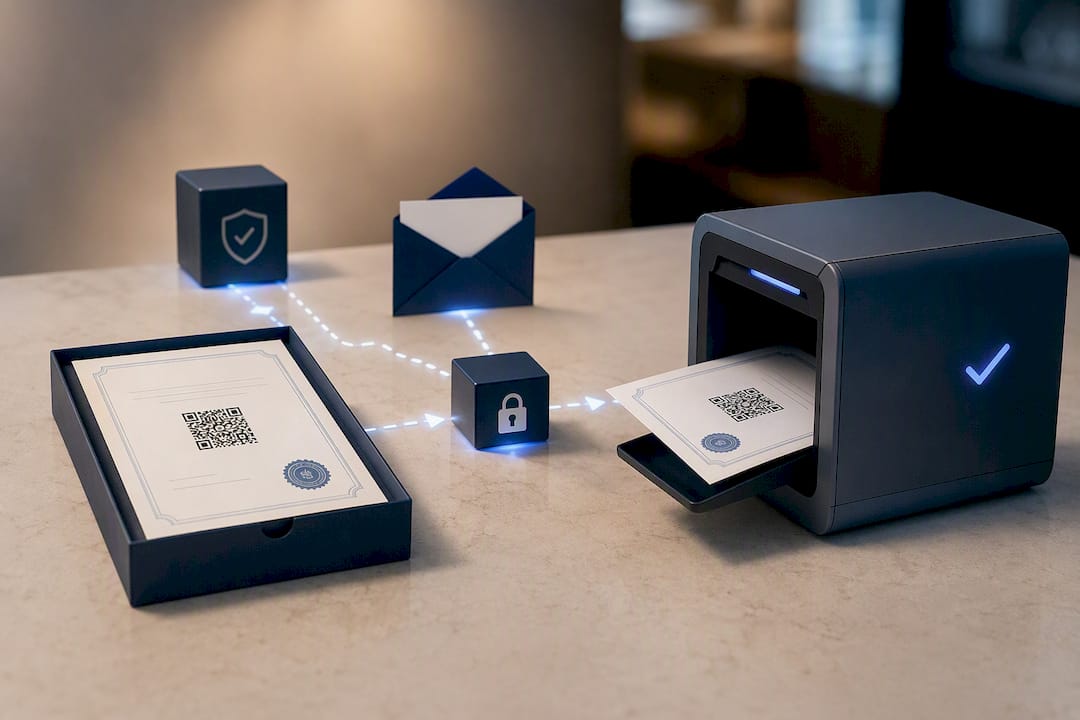
Compliance teams live and die by how fast they can confirm a document is real. A QR code on a training certificate compresses that verification into a single scan instead of a phone call, an email chain, or a manual lookup against a spreadsheet. That’s the practical case for embedding verification codes on workforce credentials, not just as a nice touch but as an audit shortcut.
Certicerts builds every certificate with an offline-verifiable QR payload, meaning an auditor can confirm authenticity without needing an internet connection at the moment of the check. Issue a certificate, print or email it, and the recipient’s QR code carries a self-contained, issuer-verifiable record. For anyone maintaining audit trails on document authenticity, that kind of built-in verification, explored further in how digital authentication holds up under scrutiny, is exactly the layer paper certificates never had.
The Real Trade-Off Nobody Talks About Enough
Most comparisons frame this as a technology upgrade question, QR being the “modern” choice and barcodes being legacy. That framing misses the actual trade-off, which isn’t about sophistication at all. It’s about who’s holding the scanner.
A 1D barcode assumes a trained operator with dedicated hardware in a controlled environment. A QR code assumes an untrained stranger with whatever phone happens to be in their pocket. That single distinction explains almost every use-case decision in this article better than any capacity chart does. Retail checkout keeps 1D because the operator and hardware are fixed. Marketing, ticketing, and credential verification lean QR because the audience is unpredictable and the hardware is whatever consumer device shows up.
The mistake I see most often is businesses picking a format based on what feels current rather than who’s actually going to scan it. A construction company issuing safety certifications doesn’t need dynamic QR analytics or clever marketing placement. It needs a code a site supervisor with an ordinary phone can scan in bad lighting and trust immediately. That’s a durability and simplicity problem, not a technology trend to chase.
Hybrid labeling deserves more attention than it gets, too. Slapping a QR code next to an existing barcode isn’t a compromise. It’s often the smartest move available, since it lets you keep checkout-speed infrastructure intact while adding a layer nobody had before, whether that’s a warranty link, a spec sheet, or a compliance record. The businesses getting this right aren’t the ones replacing barcodes with QR codes. They’re the ones running both, deliberately, for different audiences hitting the same object.
— James
Sources
- 1D vs 2D barcodes: What’s the Difference? | GS1 US
- QR Code vs Barcode: What’s the Difference? - The ANSI Blog
- QR Code benefits for business and personal use | Fast QR
- Pros and Cons of QR Code Advertising (2026) | Bitly