Take 5 Safety: A Compliance Manager’s Field Guide

A Take 5 is a five-minute, on-the-spot pre-task safety check workers perform at the work face before starting any new task or when conditions change. Require it before every task, mandate stop-work authority, and document every completed check for audit traceability. That three-part commitment is what separates a functioning Take 5 program from a stack of signed forms nobody reads.
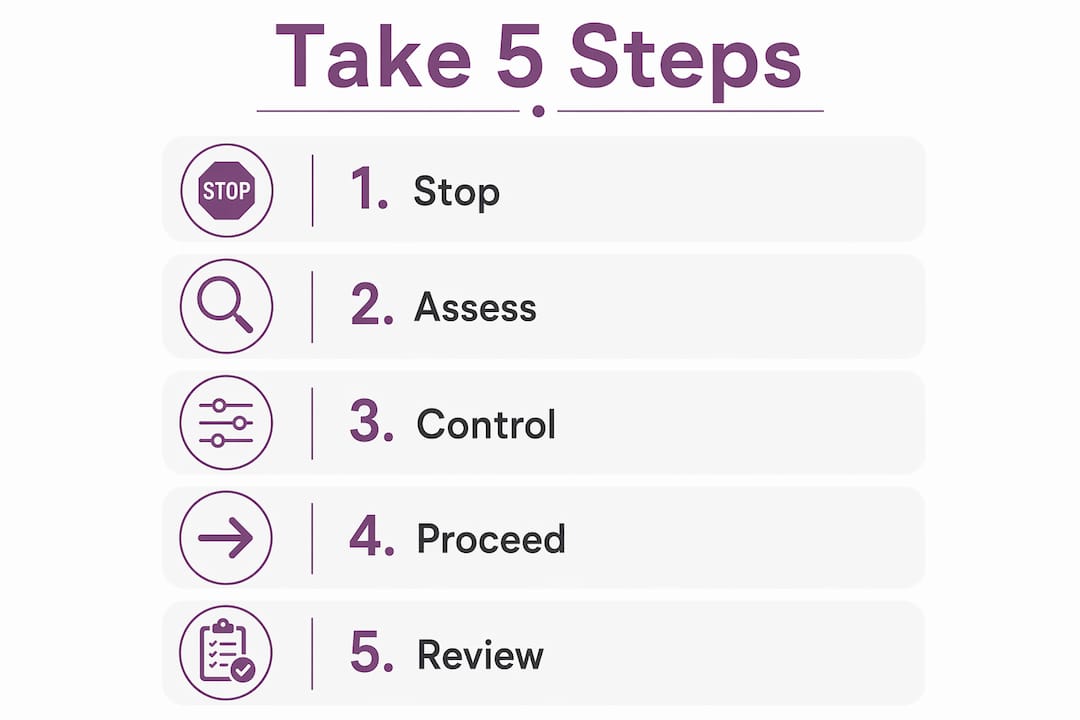
The five steps, in order:
- Stop — pause all work and clear the immediate area
- Observe — walk through the task and scan the environment
- Think — identify hazards and assess their likelihood and consequence
- Control — apply controls mapped to the hierarchy of controls (Elimination through PPE)
- Proceed or stop — proceed only when controls are in place; stop and escalate if they are not
Pro Tip: Build stop-work authority into every worker’s induction script, not just the safety manual. Workers who hear it once in a meeting rarely use it; workers who practice it in induction do.
Table of Contents
- What is a Take 5 safety check and when do you need one?
- What does the standard Take 5 checklist look like?
- Why leadership commitment determines whether Take 5 actually works
- How should you document Take 5s for audits?
- How do you implement Take 5 digitally?
- What metrics and audit questions should you prepare for?
- What turns Take 5 into paperwork — and how do you stop it?
- A practical Take 5 template — required fields and example values
- Key Takeaways
- The gap between a completed form and a real safety check
- Certicerts makes Take 5 documentation audit-ready from day one
- Useful sources and standards to consult
What is a Take 5 safety check and when do you need one?
A Take 5 is a rapid, real-time pre-task check performed at the point of work. It does not replace a Job Safety Analysis (JSA) or Safe Work Method Statement (SWMS). Think of it as the final real-time layer of defense after those formal documents have already been written.
Construction, mining, oil and gas, and industrial maintenance use Take 5 most heavily because conditions at those sites change fast. A JSA written Monday morning may not reflect the excavation that opened up by Tuesday afternoon.
Triggers for completing a new Take 5:
- Start of shift or new task
- After any break or personnel handover
- When environmental conditions change (weather, adjacent work, equipment failure)
- When a new worker joins the task mid-activity
What does the standard Take 5 checklist look like?
The five-step procedure maps directly to the hierarchy of controls. The table below gives workers a prompt for each step and shows where each control action sits in the hierarchy.
| Step | Worker prompt | Example control | Hierarchy level |
|---|---|---|---|
| Stop | Pause. Is this task safe to start? | Remove the hazard entirely | Elimination |
| Observe | Walk the area. What could hurt you? | Swap a chemical for a safer one | Substitution |
| Identify hazards | Rate the risk: low, medium, high | Install a guard or barrier | Engineering |
| Confirm/implement controls | Apply controls; brief the crew | Permit, signage, buddy system | Administrative |
| Proceed or stop | Can all hazards be controlled now? | Gloves, hard hat, harness | PPE |
For field use, a two-level risk rating (acceptable / not acceptable) is faster and more consistent than a five-by-five matrix. Workers who spend three minutes debating a risk score are not doing a Take 5; they are doing a JSA without the training for it. Keep the rating simple and reserve detailed analysis for the formal job hazard analysis process.
Why leadership commitment determines whether Take 5 actually works
OSHA’s Safety and Health Program Implementation Checklist identifies management commitment, visible enforcement, and worker participation as the foundation of any effective safety program. Take 5 is no different.
When supervisors reward a worker who stops work for a hazard, the whole crew notices. When supervisors wave through a blank Take 5 form, the whole crew notices that too. The behavior at the top sets the floor for everyone else.
Practical steps for managers:
- State stop-work authority explicitly during induction, not just in policy documents
- Include Take 5 completion rates in supervisor performance reviews
- Add a standing agenda item to toolbox talks: “What did a Take 5 catch this week?”
- Recognize publicly when a stop-work event prevented an incident
Pro Tip: Documented stop-work events are often the strongest audit evidence of an effective program. Track them separately from general completion rates and present them to auditors as proof the process has teeth.
How should you document Take 5s for audits?
Every completed Take 5 record should capture: worker name and ID, task description, site location or GPS tag, timestamp, hazards identified, controls applied, risk rating, proceed/stop decision, escalation name if applicable, and supervisor verification. That is the minimum an auditor will expect to see.
Digital capture improves traceability over paper because it produces consistent data fields, automatic timestamps, and exportable records. Paper forms get lost, get wet, and require manual transcription before they are useful to anyone reviewing compliance. Digital checklists reduce administrative lag during audits and make it easier to show completion, corrective action history, and supervisor verification at a moment’s notice.
Retention guidance: keep Take 5 records for at least as long as your applicable OSHA recordkeeping requirement for the task type, and longer if the task involved a near-miss or corrective action. Store records where they can be retrieved by date, worker, and site within minutes. An auditor who has to wait two days for records will note that in their report.
The benefits of digital field records extend beyond safety: timestamped, location-tagged entries create a defensible evidence trail that paper simply cannot match.
How do you implement Take 5 digitally?
The core workflow for a digital Take 5 system: offline-capable front-line capture, worker ID or token, site tag, optional photo evidence, automatic timestamp, supervisor verification queue, configurable template, and exportable audit log.
Must-have software features:
- Offline QR verification — field sites often have no connectivity; the system must work without it
- Secure authenticity codes on wallet cards and certificates so supervisors can verify training status at the point of work
- Batch issuing for training events where multiple workers complete the same course
- Role-based access so workers, supervisors, and auditors each see only what they need
- Local-first data control so records are not dependent on a third-party server being available
- Exportable reports in formats auditors accept (PDF, CSV)
For rollout, run a four-week pilot on one site before organization-wide deployment. Configure templates to match your existing paper form fields so workers recognize the structure. Train supervisors on the verification workflow before workers go live. Set your retention policy in the system before the first record is created, not after.
Pro Tip: Link your Take 5 system to your pre-task safety plan workflow so supervisors see both the formal risk assessment and the real-time field check in one place.

Manual field processes carry the same failure modes as manual timesheets for field teams: gaps, illegible entries, and no reliable way to confirm who completed what and when.
What metrics and audit questions should you prepare for?
Core KPIs for a Take 5 program:
- Completion rate — Take 5s completed versus tasks started, by shift and site
- Stop-work rate — proportion of checks that resulted in a work stop or escalation
- Corrective-action close rate — percentage of identified hazards resolved within the target timeframe
- Time-to-close — average days from hazard identification to corrective action sign-off
- Near-miss entries — Take 5-triggered near-miss reports logged to the incident system
Auditors will ask for sample records with timestamps, evidence of supervisor verification, and records showing what happened after a hazard was identified. They will also ask whether workers can demonstrate the five steps without prompting. A dashboard that shows completion rates trending upward alongside a zero stop-work rate is a red flag, not a success story. Real programs catch real hazards.
What turns Take 5 into paperwork — and how do you stop it?
The most common failure mode is a form that takes longer than the task itself. Workers start filling in the same answers every day without reading the questions. That is complacency in written form.
Common pitfalls and fixes:
- Complex forms → cut to the essential fields only; add optional fields for high-risk tasks
- No stop-work authority → state it explicitly in induction and post it at site entry
- Checkbox-only completion → require one free-text line: “What was the main hazard today?”
- No supervisor follow-up → build a verification step into the digital workflow so incomplete records flag automatically
- Siloed records → connect Take 5 data to your incident and corrective-action system
Pro Tip: Run a monthly spot-check: pull five random Take 5 records and ask the workers who completed them to describe the hazard they identified. If they cannot, the form is not working.
A practical Take 5 template — required fields and example values
Use this field list to configure digital templates or import CSV records into your certification system.
| Field | Purpose | Example value |
|---|---|---|
| Date/time | Audit timestamp | — |
| Worker name/ID | Traceability | J. Rivera / EMP |
| Task description | Scope clarity | Replace valve on pump line |
| Site tag/GPS | Location record | Site B / — |
| Hazards identified | Risk record | Pressurized line, slip surface |
| Controls applied | Hierarchy mapping | Isolation, non-slip mat, gloves |
| Risk rating | Decision support | Medium / Acceptable to proceed |
| Proceed/stop decision | Audit evidence | Proceed |
| Escalated to | Accountability | Supervisor: T. Okafor |
| Supervisor verification | Sign-off | Verified — |
| Photo attachment | Evidence | photo_valve_isolation.jpg |
| Record UUID | Unique identifier | T5- — |
Optional fields for higher-risk tasks: equipment IDs, permit reference numbers, training certification check (linked to worker’s current certificate status), corrective action owner, and due date.
Structure your CSV export with one row per Take 5 record and column headers matching the field names above. That format imports cleanly into most certification and compliance systems without reformatting.
A Take 5 is only as strong as the decision at the end of it. A worker who identifies a hazard, documents it, and proceeds anyway without controls has completed the form and failed the process. The proceed/stop decision is the point of the whole exercise.
For aligning Take 5 fields with formal risk documentation, the JHA form guide covers field-level mapping in detail.
Key Takeaways
A Take 5 pre-task safety check works only when it is documented, verified, and tied to real stop-work authority — digital capture is the most reliable way to meet all three requirements.
| Point | Details |
|---|---|
| Mandate stop-work authority | State it in induction and track stop-work events as a separate KPI. |
| Simplify the form | Limit required fields to the core twelve; add optional fields for high-risk tasks only. |
| Digitize with offline capability | Offline QR verification and local-first data control keep records intact on remote sites. |
| Measure what matters | Track completion rate, stop-work rate, and corrective-action close rate every week. |
| Certicerts for verification | Certicerts supports offline QR verification, batch issuing, and audit-ready exports for Take 5 and training records. |
The gap between a completed form and a real safety check
Most Take 5 programs fail not because workers skip the form, but because the form has become the goal. Completion rate climbs, incident rates stay flat, and nobody asks why. The metric that actually tells you whether Take 5 is working is the stop-work rate. A program with a high completion rate and a near-zero stop rate is almost certainly producing paperwork, not safety.
The other thing organizations consistently underestimate is the link between training verification and Take 5 effectiveness. A worker who has not completed the relevant competency training will fill in the form correctly and still miss the hazard, because they do not know what they are looking for. Connecting your Take 5 workflow to a live certification check — so supervisors can see at a glance whether the worker is current on required training — closes that gap faster than any amount of form redesign.
Certicerts makes Take 5 documentation audit-ready from day one
Paper Take 5 records create a specific problem at audit time: you know the checks happened, but proving it quickly, with timestamps and supervisor sign-offs, takes hours you do not have. Certicerts solves that directly.
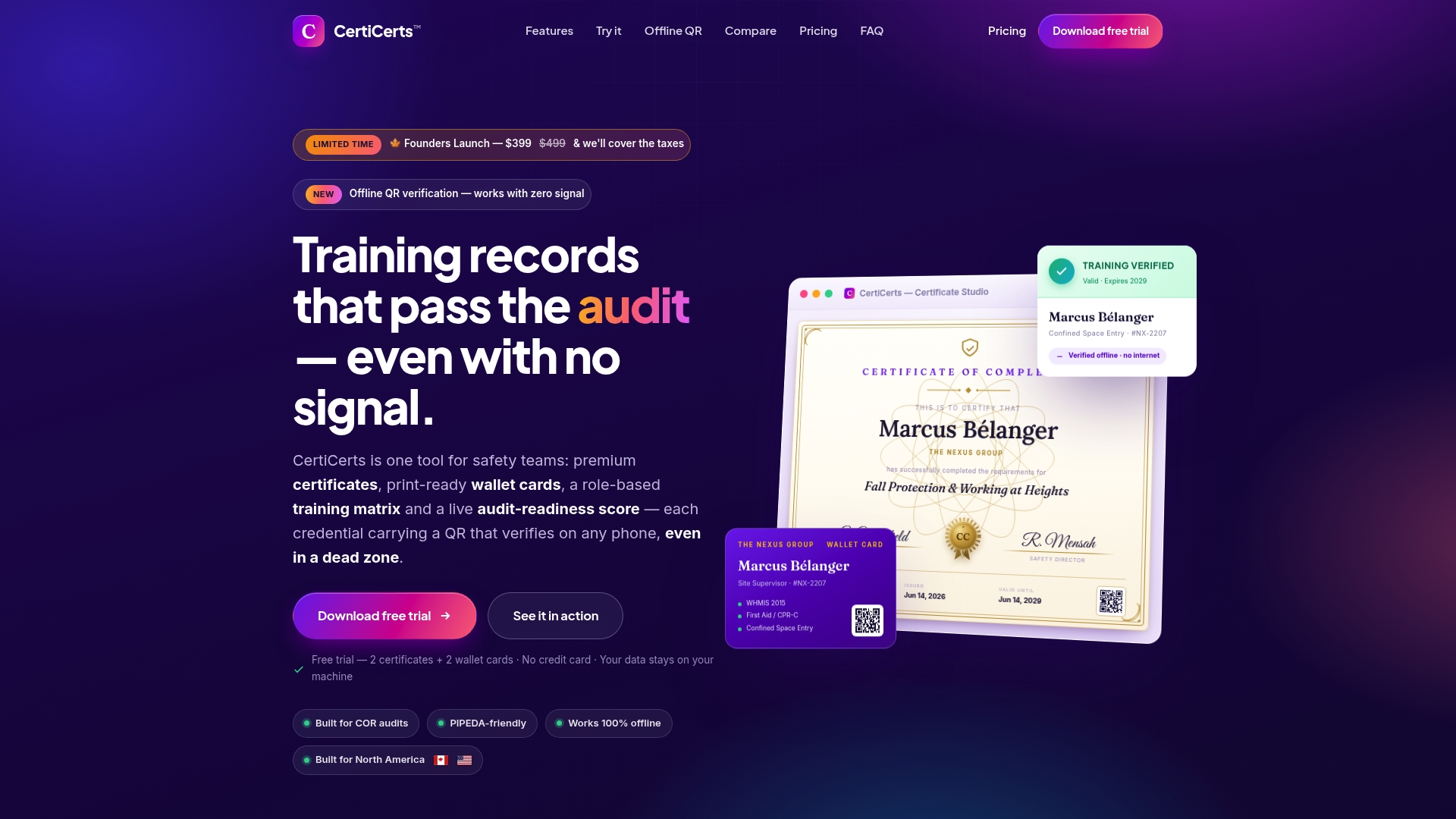
The platform’s offline QR verification means a supervisor can confirm a worker’s training credentials at the work face with no internet connection. Batch issuing handles training events where an entire crew completes the same course in one session. Every certificate carries a secure authenticity code, so the verification is tamper-evident. Audit-ready exports give you timestamped, role-verified records in PDF or CSV format the moment an auditor asks.
Deployment follows the same pilot-first pattern the implementation section describes: configure your templates, set permissions for supervisors and workers, run a four-week pilot, then roll out. The local-first architecture means your records stay on your infrastructure, not a third-party server.
Start a free trial at Certicerts and see how offline verification and batch issuing fit your current Take 5 workflow.
Useful sources and standards to consult
- Safety Gram: Take 5 Safety — Oklahoma (PDF) — a concise field reference for the five-step procedure and complacency triggers; useful for worker training materials.
- OSHA Safety and Health Program Implementation Checklist — the primary US reference for management commitment, worker participation, and stop-work authority requirements.
- Take 5 Safety Guide — MapTrack — detailed walkthrough of the five steps, industry use cases, and the relationship between Take 5 and formal risk documents.
- General Industry Self-Inspection Checklist — Texas Department of Insurance — broad OSHA-aligned inspection checklist; useful for cross-referencing Take 5 items against general industry requirements.
- Pre-task plan step-by-step guide — practical guidance for team leaders on embedding pre-task checks into daily routines.