Ensure QR Codes on Certificates Verify Offline for Training Providers
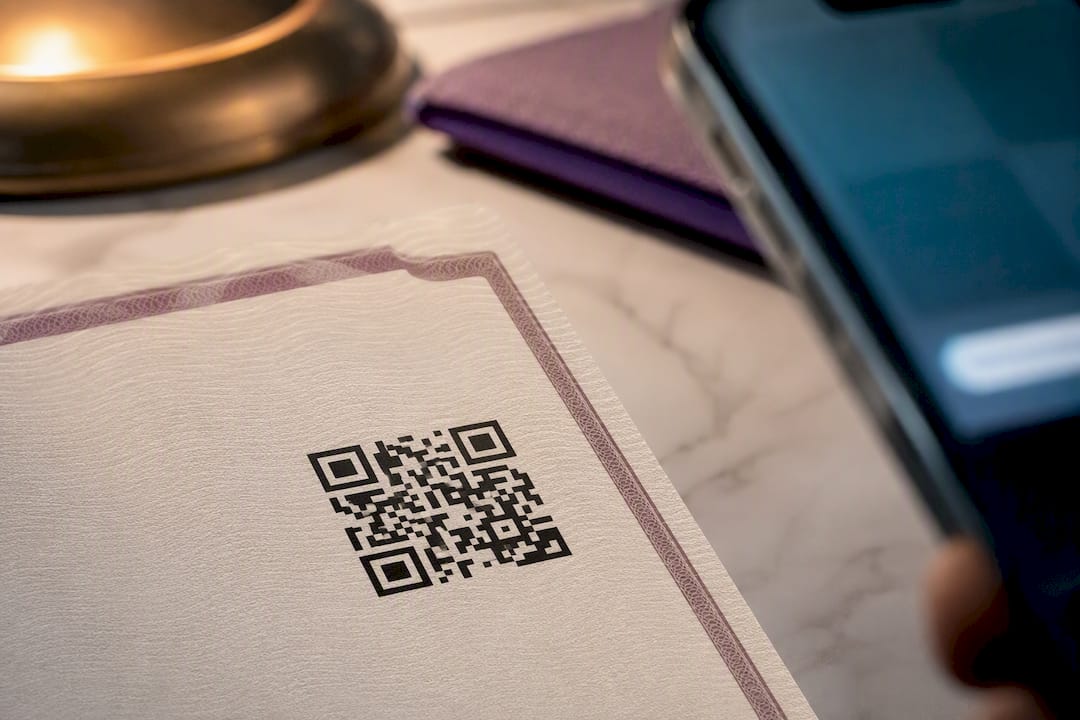
QR codes belong on certificates, but only when they point to an issuer-controlled verification page, not just a static image or a generic profile link. Get that piece right and you have a workable system: a training provider or safety officer scans or forwards the code, sees the certificate’s issuer, recipient, ID, date, and status, and trusts what they see. Get it wrong and you’ve printed a decorative square that proves nothing. Start by deciding whether you’ll build the QR workflow manually or run it through a certificate platform, then test it before you issue a single credential.
TL;DR:
- Use issuer-controlled verification URLs for dynamic QR codes to ensure certificates remain valid after platform changes or reissuance.
- Display essential verification fields such as issuer logo, recipient name, certificate ID, issue date, and status for trustworthy validation.
- Automate QR code generation with certificate platforms if issuing over 20 certificates annually, enhancing efficiency and ease of updates.
- Position QR codes at a minimum size of 0.8 inches on printed certificates, in high-contrast colors, and with accompanying text to maximize scan reliability.
- Prioritize establishing backend verification, audit trails, and control over data and URLs before focusing on design, branding, or automation.
Table of Contents
- How QR Verification Works: The Verification-First Architecture
- What a Verification Page Must Show
- How to Add QR Codes to Certificates: Manual vs. Automated Workflows
- Placement, Sizing, and Design for Reliable Scanning
- Bulk Issuance and Operational Workflow
- Testing and Troubleshooting Before Rollout
- CertiCerts: A Practical Fit for the Verification-First Model
- Security Considerations for Preventing QR Tampering
- Handling Personal Data on Certificate Verification Pages
- Standards and Best Practices for Certificate QR Design
- Industries and Use Cases Benefiting Most
- Maintaining Certificates After Issuance
- Author Perspective: What to Prioritize First
- Getting Started with CertiCerts
- Sources
How QR Verification Works: The Verification-First Architecture
A QR code on a certificate is not proof of anything by itself. It’s a pointer. Scan it, and the code sends the phone’s camera to a URL, that’s the entire job. The actual authenticity check happens on whatever page loads next, which is why the verification page itself functions as the authoritative record, not the code.
That distinction shapes a decision you’ll make early: dynamic or static QR codes. A static QR code encodes a fixed URL permanently, cheap and simple, but if you ever need to change the destination (say, you migrate platforms), every printed certificate becomes obsolete. A dynamic QR code routes through a redirect service you control, so you can update the destination without reprinting anything. For anything issued at volume, dynamic wins.
Pro Tip: If you’re issuing more than a few dozen certificates a year, pay the small premium for dynamic QR codes. Reprinting 500 wallet cards because you switched hosting providers is a worse cost than the redirect service.
The typical verification flow runs like this:
- Recipient or employer scans the code with a phone camera
- The phone opens a browser to the issuer’s verification URL
- The backend looks up the certificate ID against its live database
- The page renders the current status: valid, expired, or revoked
One thing to keep in mind: your verification is only as trustworthy as the system behind that endpoint. If you don’t control the domain and database driving the lookup, you don’t actually control verification, no matter how good the QR code itself looks.
What a Verification Page Must Show
A verification page that just says “Valid Certificate” in green text isn’t verification, it’s decoration. Auditors, hiring managers, and site supervisors need specific fields to trust what they’re looking at.
The non-negotiable fields:
- Issuer name and logo
- Recipient’s full name
- Unique certificate ID
- Issue date
- Current status: valid, expired, or revoked
Beyond the minimum, a few additions build real confidence. A downloadable PDF of the original certificate lets a verifier compare visual details against what’s on the page. A digital signature or cryptographic hash gives technically sophisticated auditors a way to confirm the record hasn’t been altered. Listing the instructor or training provider, plus an expiry date with a reminder note, helps compliance teams plan recertification instead of discovering a lapse during an audit.
Trust signals matter as much as data fields. Hosting the verification page on your own domain, or at least a subdomain you control, reduces the phishing risk that comes with generic third-party short links. HTTPS should be non-negotiable. And every page needs a visible verification ID and a clear audit trail, something that shows when the record was created and whether it’s been modified since.
Pro Tip: Build in a manual lookup box, too. A verifier who types in a certificate number instead of scanning still needs to reach the same authoritative record, which matters when a camera app fails or a phone’s offline. SGS’s own certificate checker does exactly this, accepting either a scan or a typed reference number.
How to Add QR Codes to Certificates: Manual vs. Automated Workflows
You have two real paths here, and the right one depends almost entirely on volume.
- Manual insertion. Generate a unique verification URL for each certificate, convert it into a QR image using any free generator, then place that image into your certificate template in Word, a PDF editor, or a design tool like Canva. This works fine for a handful of certificates a month. It falls apart past a few dozen: every unique URL has to be created, tracked, and matched to the right recipient by hand, and a single copy-paste error breaks the link silently.
- Automated platform workflow. A certificate-management platform uses merge tags, placeholders that pull recipient data from a spreadsheet and auto-generate a unique QR code per certificate during batch production. Step-by-step guides for this approach typically involve mapping a CSV to a template, letting the system generate the codes, and testing a sample before running the full batch. The real payoff shows up later: when you need to revoke a certificate or update an expiry date, you change one record in the system instead of hunting down and reissuing a physical document.
Before you pick a lane, run through this checklist:
- Volume. Under 20 certificates a year, manual is tolerable. Above that, automate.
- Revocation needs. If you’ll ever need to invalidate a certificate after issuance (a safety violation, a credential recall), you need a system where status updates propagate automatically.
- Offline verification. Some worksites have no signal. If verifiers need to confirm status without connectivity, you need a platform built for offline-capable checks, not just a hosted webpage.
- Data control. Cloud-only platforms mean your training records live on someone else’s servers. If that’s a compliance concern, look for local-first options.
- Integration needs. If certificates need to sync with an HR system or learning management platform, factor that into your platform choice from the start.
Placement, Sizing, and Design for Reliable Scanning
A QR code that scans perfectly on your desktop monitor can fail completely once it’s printed and laminated. Placement and sizing decisions matter more than most people expect.
Put the code somewhere it won’t compete with the certificate’s visual anchors. Bottom-right corners work well because they rarely overlap with signatures, seals, or the recipient’s name, the elements a verifier’s eye goes to first. Avoid tucking a QR code behind a decorative border or gold foil seal, both of which can distort the scan pattern.
On sizing: for print, don’t go below roughly 0.8 inches (2 centimeters) square, smaller than that and phone cameras struggle at arm’s length. For screens, keep a comparable proportion relative to the certificate’s overall dimensions. Maintain a clean quiet zone, blank space around the code, and stick to high-contrast combinations like black on white. Certain color pairings actively kill scannability even when they look fine to the human eye.
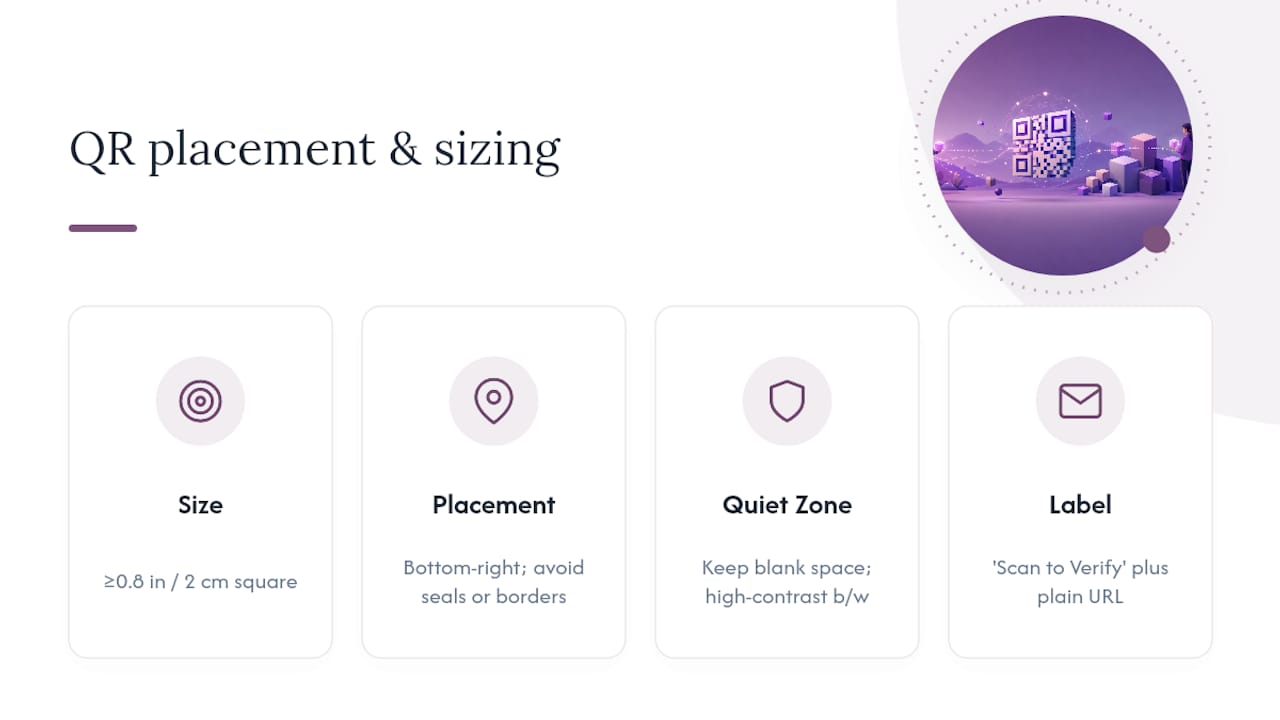
Pro Tip: Label it. A small “Scan to Verify” caption under the code removes the guessing game for recipients who’ve never encountered one on a certificate before. Include the verification URL in plain text nearby too, as a backup for anyone whose scanner app fails.
Bulk Issuance and Operational Workflow
Issuing 5 certificates and issuing 500 are different problems. At scale, the workflow needs structure or you’ll lose track of who got what, when, and whether it’s still valid.
- Build the CSV. Map recipient names, course completed, dates, and certificate IDs into a spreadsheet that matches your template’s merge fields.
- Generate in batch. Run the CSV through your certificate platform to produce personalized certificates and unique QR codes simultaneously, each one pointing to its own hosted verification record.
- Assign and store metadata. Every certificate needs a permanent ID, a retention period, and a version number in case you reissue it later.
- Set expiry automation. Configure reminders that fire ahead of recertification deadlines instead of relying on someone remembering a spreadsheet cell.
- Integrate with HR or LMS. Feeding verification status into your compliance dashboard keeps expiring credentials visible without a separate manual audit every quarter.
Treat this as lifecycle management, not a one-time print job. Certificate IDs, retention rules, and re-issuance procedures are operational requirements you set up once and rely on for years, not settings you configure the week before an audit. A single row test, checking that one CSV entry maps correctly before running the full batch, catches most formatting errors before they become 200 broken certificates.
Testing and Troubleshooting Before Rollout
Test before you print, not after a client calls asking why their certificate “doesn’t work.”
Run scans across a real mix of conditions: an iPhone camera app, an Android default scanner, a third-party QR app, and at least one older device with a lower-resolution camera. Best-practice guides for certificate QR workflows consistently recommend testing across devices before any bulk print run, because a code that scans fine on your phone can still fail on someone else’s. Check desktop behavior too. Not every verifier scans with a phone; some paste a screenshot or type a URL from a printed document.
Deliberately test a revoked and an expired certificate, not just a valid one, to confirm the status logic actually updates the display correctly.
Common failure points to check for:
- A URL typo that routes to a dead page
- A shortened link service that’s since expired or been discontinued
- Low contrast between the code and its background
- Print sizing that shrank below the scannable minimum
- A scanner app that can’t handle a redirect chain
Before any print or email issuance, run through a short preflight: confirm the link resolves, confirm the correct certificate ID loads, and confirm the status field matches reality.
CertiCerts: A Practical Fit for the Verification-First Model
Everything above describes a system that needs to exist somewhere. Certicerts builds that system as a local-first Windows desktop application, meaning your training records, certificate data, and verification logic stay on infrastructure you control rather than living entirely on someone else’s cloud servers.
Every certificate generated through Certicerts includes a QR code containing a self-contained training record paired with an issuer-verifiable authenticity code, which supports offline verification scenarios that a purely cloud-hosted checker can’t handle.
Key pieces that map directly onto the workflow described above:
- Batch certificate and wallet card generation for large training events
- A compliance dashboard that flags expiring credentials before they lapse
- CSV import for bulk issuance without manual record entry
- Offline-capable QR verification built into every issued certificate
The gap between a certificate that looks official and one that actually verifies comes down to whether the issuer controls the record behind the QR code. A system built local-first, with the verification logic tied directly to the issuing organization’s own data, closes that gap instead of outsourcing it to a third party.
Security Considerations for Preventing QR Tampering
A QR code itself isn’t hard to copy. Anyone can screenshot one and paste it onto a fake document, so the real defense lives in what happens after the scan, not in the code’s visual design.
Encrypted payloads raise the bar meaningfully. Kenya’s national certificate verification system embeds an encrypted payload inside each QR code and checks it against a central database on scan, so a copied image without a matching database record simply fails verification. That approach, encryption plus a live backend check, works at any scale, not just national ones.
Unique, non-sequential certificate IDs matter too. If your IDs run 1001, 1002, 1003, someone can guess adjacent numbers and probe for valid records. Randomized alphanumeric strings close that door.
Rate-limiting lookups on your verification endpoint stops automated scraping attempts designed to harvest valid certificate data. And a visible audit trail, logging when a record was created, viewed, or modified, means tampering leaves a trace even if someone manages to alter a record temporarily.
The weakest link is usually the simplest one: a certificate template with an embedded QR image that anyone can copy onto a forged document if the underlying verification page doesn’t actually check anything meaningful. Design the backend check first. The QR code is just the doorway.
Handling Personal Data on Certificate Verification Pages
A verification page is, by definition, public. Anyone with the QR code or the URL can view it, which means every field you display is a field you’re choosing to expose without access control.
Keep the public page minimal: recipient name, certificate ID, issue date, and status cover what a verifier actually needs. Home addresses, birth dates, national ID numbers, or contact information have no reason to live on a page anyone can reach by scanning a printed code left on a desk or shared on social media.
Store the richer detail, full training history, internal notes, contact records, in your internal system where access requires authentication. The public verification page and the internal record are two different data surfaces with two different exposure levels, and treating them as the same thing is the most common privacy mistake in certificate systems.
If your organization operates under data protection obligations, consider whether recipient names themselves need consent language in your enrollment paperwork before they go on a public page. Most training programs already collect a data-use acknowledgment, so folding QR verification into that language at enrollment avoids a retroactive scramble.
One more practical point: because the QR code often travels further than the physical certificate (forwarded in emails, posted online), assume the data on that verification page has a wider audience than the printed document itself ever will.
Standards and Best Practices for Certificate QR Design
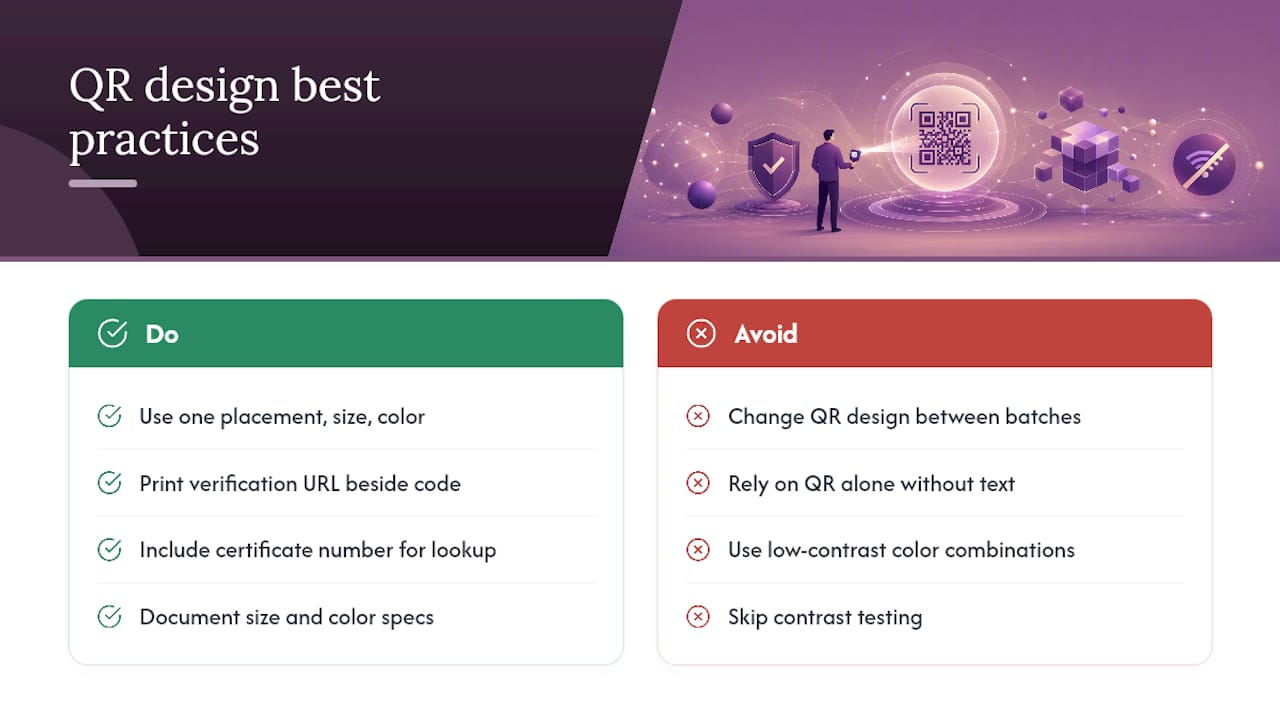
Consistency matters more than most training providers assume. If your QR codes shift size, position, and color from one certificate batch to the next, verifiers start to associate inconsistency with unreliability, even when every code works perfectly.
Settle on one placement, one size, and one color scheme across every certificate template your organization issues, then don’t deviate. That consistency becomes a recognizable visual signal for anyone who receives multiple certificates from you over time.
Accessibility deserves real attention, not an afterthought. A QR code with no accompanying text excludes anyone who can’t or doesn’t want to scan, older recipients, people without smartphones, or verifiers in environments where camera use is restricted. Always print the verification URL as plain, readable text near the code, and consider adding a certificate number that works with a manual lookup tool.
Test contrast ratios the same way you’d test any print design element. Certain color and background combinations reduce scan reliability even when they pass a basic visual check on a monitor.
Finally, treat your QR standard as a living document, not a one-time decision. Write down your placement rules, size minimums, and color specifications so that whoever designs next year’s template doesn’t have to relearn these lessons from a failed scan.
Industries and Use Cases Benefiting Most
Safety training sits at the top of this list for an obvious reason: the stakes of a forged credential are physical, not just reputational. A site supervisor who can’t verify a fall-protection certificate has no way to know if the worker in front of them actually completed the training.
Construction and industrial contractors use QR verification heavily for exactly this reason, particularly for credentials tied to equipment operation or hazardous material handling, where an expired or fabricated certificate creates direct liability.
Educational institutions and training providers benefit for a different reason: volume. A community college issuing hundreds of completion certificates a semester needs a system that scales without manual verification calls from every employer who receives one.
Healthcare and food service certifications carry similar urgency, since regulators and inspectors often need instant confirmation on-site rather than a callback days later.
Municipal governments and public agencies increasingly require QR-verifiable credentials for contractor licensing and permit compliance, where an auditor needs to confirm a credential’s status during a site visit rather than after the fact.
And corporate compliance teams managing multi-site operations use QR verification to standardize credential checks across locations that would otherwise rely on inconsistent local recordkeeping. In every one of these cases, the driver is the same: someone other than the certificate holder needs fast, reliable confirmation, and a QR code pointing to a live, issuer-controlled record delivers that faster than a phone call ever could.
Maintaining Certificates After Issuance
Certificates aren’t static once printed. Names get corrected, expiry dates shift, and credentials get revoked, and your QR system needs a plan for all three.
Because a dynamic QR code routes through a redirect you control, updating a certificate’s status, say, marking it revoked after a safety violation, means editing one database record. The printed QR code doesn’t change at all; the destination behind it does. Anyone who scans that certificate afterward immediately sees the updated status instead of an outdated “valid” label.
Static QR codes don’t offer this flexibility, which is the main argument against using them for anything beyond short-lived or low-stakes certificates.
Build a re-issuance workflow for corrections: if a recipient’s name was misspelled, generate a new certificate ID rather than editing the old one in place, and mark the original record as superseded. This preserves a clean audit trail instead of quietly rewriting history.
Set expiry automation to update status fields the day a certification lapses, not weeks later when someone notices during a routine audit. And keep a versioning log on every certificate record so that if a dispute arises, you can show exactly when a status changed and why.
Author Perspective: What to Prioritize First
If you take one thing from this, make it this: issuer-controlled verification and a real audit trail come before anything else, before design, before branding, before deciding which platform looks nicest.
I’d roll this out in order: pilot with a small group of certificates first, run every device and revocation test in the checklist above, then move to bulk issuance only once the small batch has proven reliable. Skipping the pilot is the single most common mistake I see, teams jump straight to a 500-certificate print run and discover a broken redirect after the fact.
For compliance teams specifically, keep the public verification page lean and push everything else into your internal system, where audit trails belong and where they actually get reviewed.
— James
Getting Started with CertiCerts
Some certificate management platforms offer a way to run a verification-first workflow without handing your training records to a third-party cloud system you don’t control, sometimes with local storage options and offline verification features.
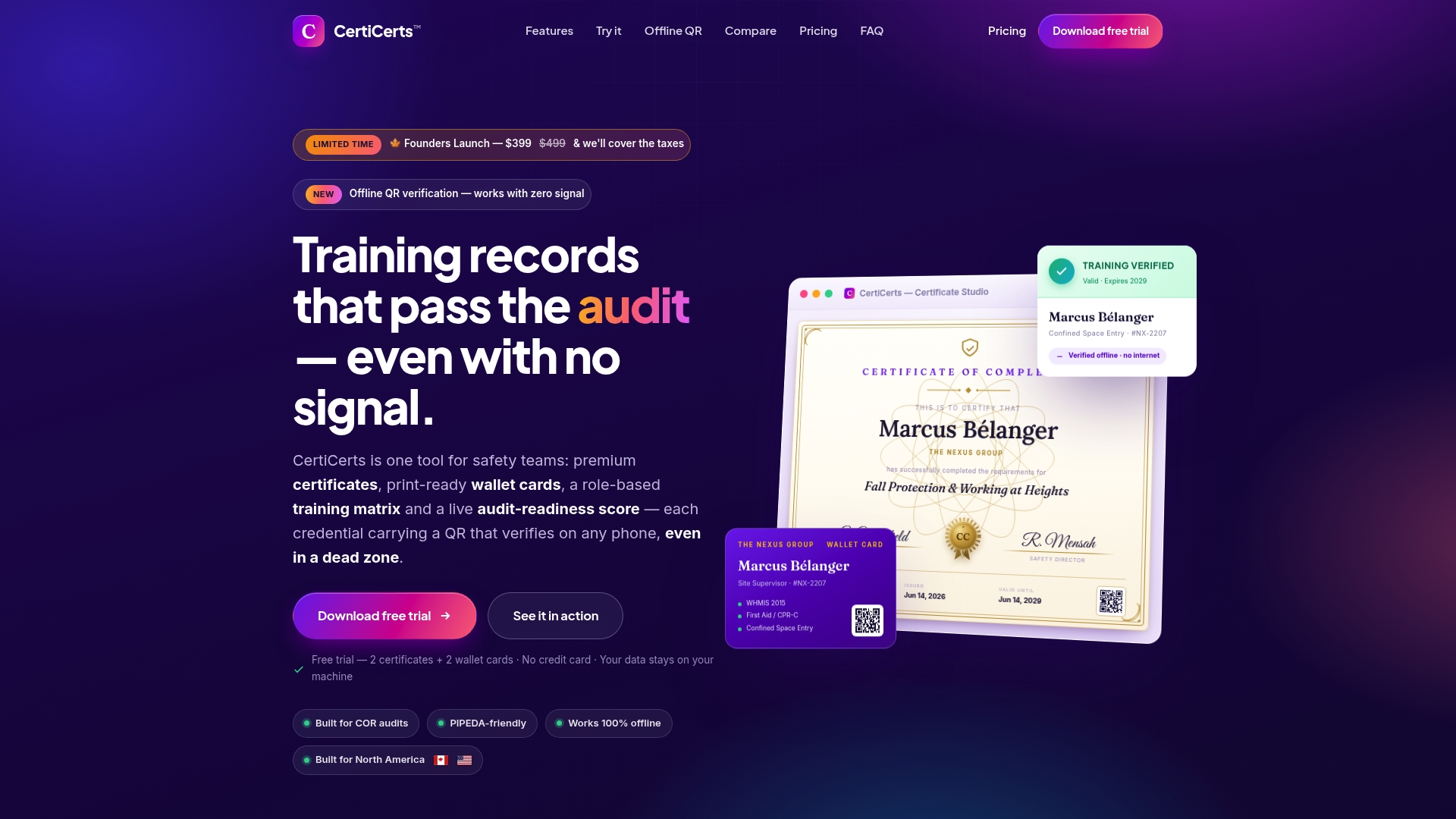
The free trial lets you create up to 2 certificates and 2 wallet cards, enough to run the exact pilot recommended above: issue a handful of test certificates, scan them across a few devices, check a revoked and expired scenario, and confirm the verification page shows the fields your auditors expect before committing to anything larger. If the workflow fits, Desktop Pro unlocks unlimited issuance through a one-time purchase, or you can buy certificate credits as needed if your issuance volume is seasonal. Once your pilot batch checks out, the same platform handles CSV import for bulk issuance, so moving from a 5-certificate test to a 500-certificate training event doesn’t require switching tools.
Sources
- Kenya launches QR code system to instantly verify KCSE certificates
- How to Use QR Codes for Certificate Verification
- SGS ecert certificate checker
- How QR Code Certificate Verification Works (Step-by-Step + Examples) | QR Mark