PTP Form: The Field-Ready Guide for Safety Managers
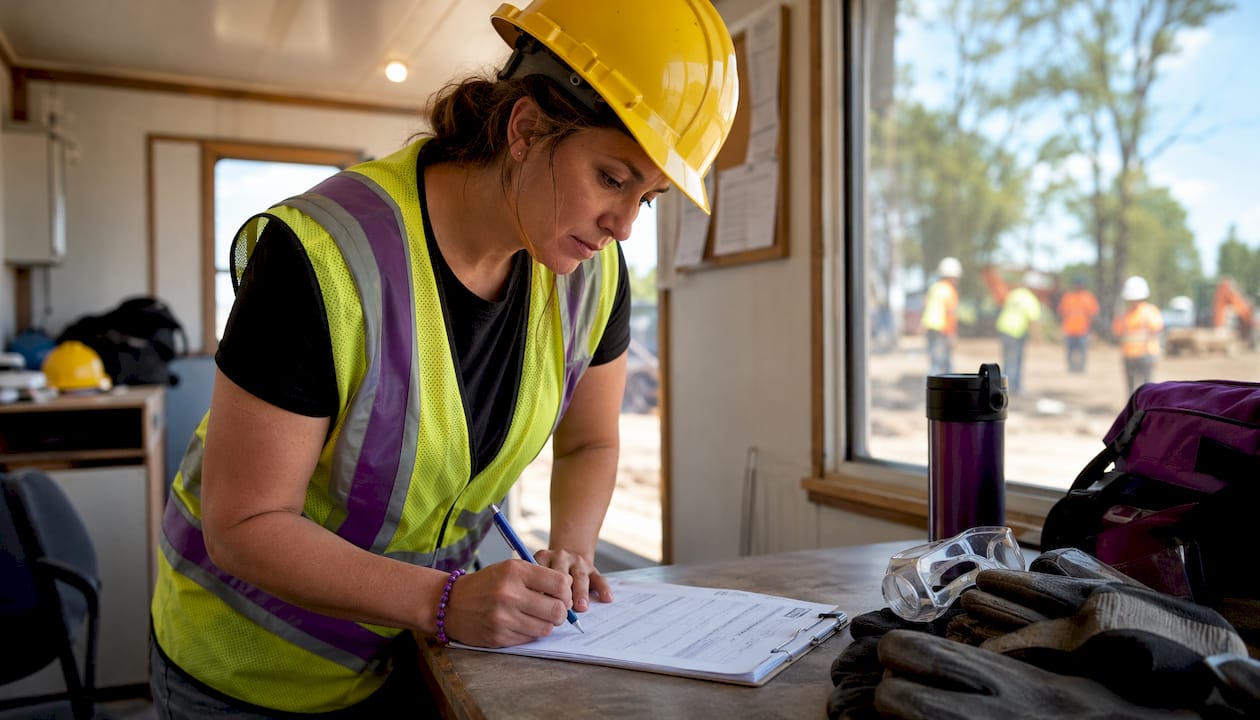
A Pre-Task Plan (PTP) is a site-level, task-specific pause point used to identify hazards, assign controls and responsibilities, and confirm emergency steps before work begins. Per CPWR guidance, complete a PTP at the start of every shift and reopen it whenever conditions, personnel, or tasks change. One quick note on terminology: “PTP” appears in unrelated contexts (Texas TDLR uses it for a property tax professional registration form), so always label yours “Pre-Task Plan” in your documentation to prevent misfiling.
Table of Contents
- What fields does a PTP form need?
- How to fill out a PTP form on site, step by step
- How does a PTP differ from a JHA?
- When do you need to complete or update a PTP?
- How do you keep a PTP from becoming a checkbox exercise?
- What do auditors look for on a PTP?
- Annotated PTP example: rooftop HVAC servicing
- How to store PTPs and link them to training records
- How emergency response drills connect to your PTP
- Key Takeaways
- The paperwork trap is real, and most sites fall into it
- Certicerts keeps your PTP records audit-ready and linked to crew credentials
- Useful sources and further reading
What fields does a PTP form need?
CPWR publishes a blank PTP form PDF you can download and customize immediately. Keep it to one page for field use. Every compliant PTP template should include these fields:
- Project name / job number
- Date and shift
- Location / work area
- Prepared by (name and role)
- Scope of work (specific task, not “general construction”)
- Work steps (sequential)
- Identified hazards (one per step, specific)
- Controls (named owner for each)
- Assigned roles (who does what)
- Permits required (hot work, confined space, etc.)
- Emergency response steps (muster point, emergency contact, nearest hospital)
- Revision log (date, reason, initials)
- Crew signatures
A construction PTP template guide recommends keeping immediate field-use content on the front and attaching permit details or drill logs on the back or as a digital attachment. That split keeps the form usable on a clipboard without losing the documentation depth auditors want.
Pro Tip: Size the font and field boxes for gloved hands and outdoor light. A form that is hard to write on gets filled out in the truck after the fact — which defeats the purpose entirely.
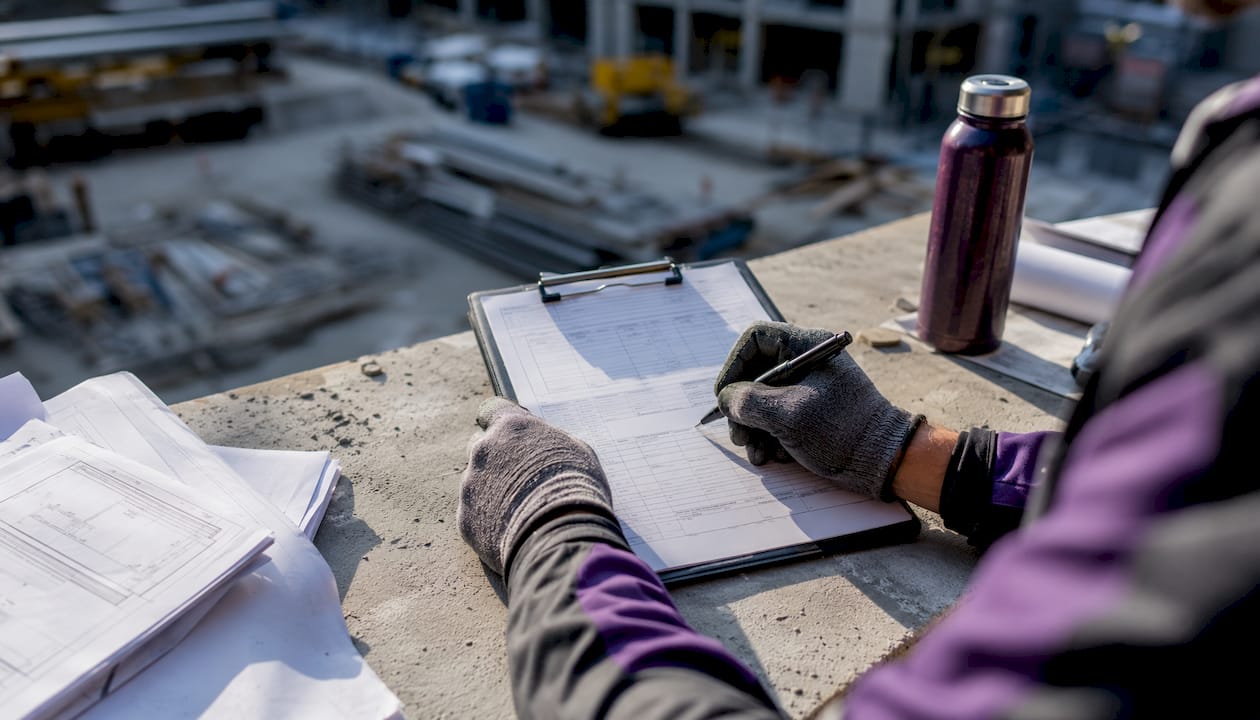
How to fill out a PTP form on site, step by step
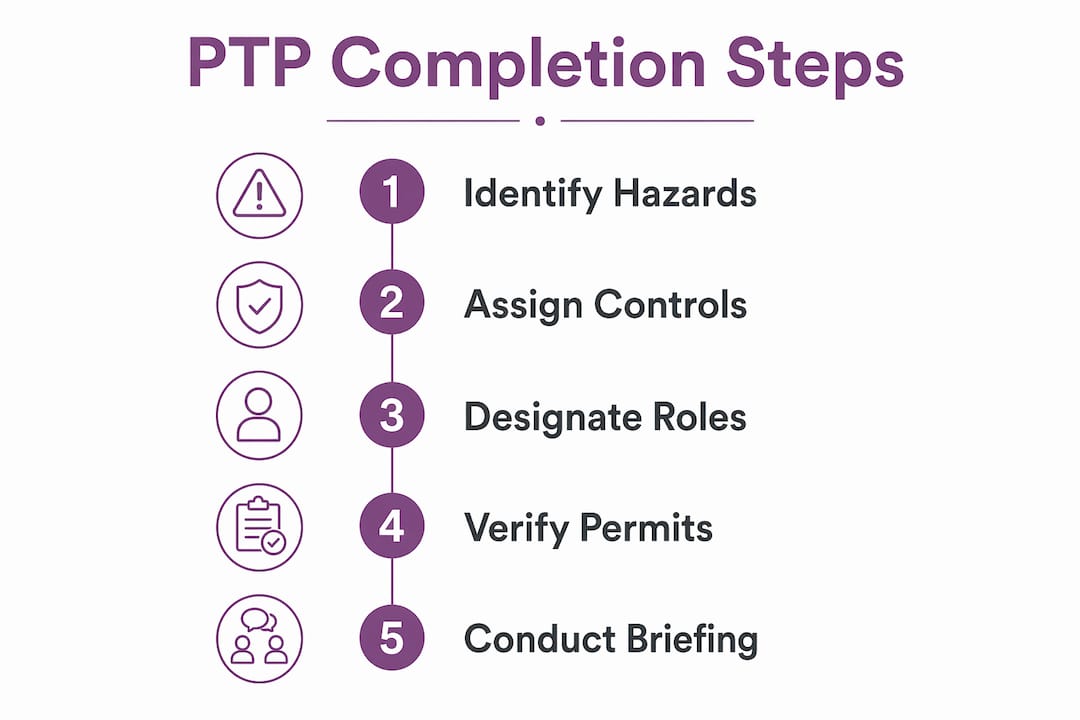
The CPWR pre-task planning guidelines recommend the supervisor prepare the form with the crew, not for them. Here is how that works in practice:
- Prepare before the crew arrives. Fill in project name, date, location, and scope. Write the work steps in sequence. This takes five minutes and gives the crew something concrete to react to.
- Brief the crew. Walk through each step aloud. Ask: “What could go wrong here?” Let workers answer before you do.
- Identify hazards together. Write specific hazard statements. “Fall hazard” is too vague. “Fall from leading edge at elevation 18 ft, no guardrail installed” is what auditors and crews both need.
- Assign controls with named owners. For each hazard, write the exact mitigation and the person responsible. “100% tie-off required; Competent Person: Maria Lopez — verify lanyard length and anchor point before work.”
- Verify permits are on-site. Confirm hot work, confined space, or excavation permits are physically present before signing off.
- Check comprehension. Ask two or three crew members to repeat back their specific hazard and control. If they cannot, the briefing is not done.
- Collect signatures and retain the form. Every crew member signs. File the original; photograph it if you use a digital system.
For a deeper walkthrough of running the crew meeting itself, the step-by-step guide for team leaders on the Certicerts blog covers facilitation techniques that keep the conversation focused.
How does a PTP differ from a JHA?
Essential PTP components include scope, hazards, controls, roles, permits, and emergency response. Each field serves a specific audit purpose.
| Dimension | PTP (Pre-Task Plan) | JHA (Job Hazard Analysis) |
|---|---|---|
| Timing | Daily, start of shift | Pre-project or pre-phase planning |
| Scope | Single task, current conditions | Broader job or work type |
| Preparer | Supervisor + crew on site | Safety professional, often off-site |
| Update frequency | Every shift or condition change | Periodic review |
| Audit function | Proves daily crew engagement | Proves systematic hazard analysis |
| Permit linkage | Yes, verified on-site | Referenced but not verified daily |
The two documents are complementary, not interchangeable. A JHA sets the baseline; the PTP applies it to today’s specific conditions. For a full breakdown, the JHA vs. PTP comparison guide on the Certicerts blog goes deeper on when each document is required.
Controls must name a person, not a procedure. Writing “use fall protection” transfers no accountability. Writing “100% tie-off enforced by Competent Person J. Smith — verify anchor rated for 5,000 lbs before crew ascends” creates a clear chain of ownership that auditors can follow and crews can act on.
When do you need to complete or update a PTP?
CPWR’s timing guidance is straightforward: start of shift and whenever conditions change. In practice, that means supervisors need a short list of triggers they can recognize on the fly:
- Start of every shift, without exception
- New task begins mid-shift (different scope, different hazards)
- Crew composition changes (new worker, subcontractor arrives)
- Weather changes materially (wind, rain, temperature drop affecting surfaces)
- New equipment arrives on site
- A permit is issued, modified, or closed
- Work resumes after an unplanned interruption longer than 30 minutes
- A near-miss or incident occurs
Pro Tip: Tie your update triggers to visible site events rather than time. “When the crane arrives” is a cue you cannot miss. “Every two hours” is easy to forget.
How do you keep a PTP from becoming a checkbox exercise?
The main failure in PTP implementation is treating the form as paperwork rather than a communication tool. CPWR’s research is direct on this: the goal is to force a real crew conversation about dynamic, site-specific hazards, not to produce a signed document.
A few practices that preserve that intent:
- Never recycle yesterday’s PTP. A task- and condition-specific PTP reflects what is actually happening today. Pre-populated fields are fine as a starting point; leaving them unchanged is not.
- Require specific language. Ban generic entries. “Electrical hazard — wear PPE” is not a control. “Energized panel at 480V; lockout/tagout by electrician R. Torres before any crew member enters the 3-ft boundary” is.
- Use micro-PTPs for short tasks. A 20-minute task does not need a full-page form. A half-page micro-PTP with scope, one or two hazards, and named controls is faster and more likely to get done honestly.
The PTP is a living document. Update it whenever site conditions change — new equipment, weather, subcontractor activity — and re-communicate every change to the crew before work resumes.
What do auditors look for on a PTP?
Auditors are not checking whether the form exists. They are checking whether it reflects what actually happened on site that day. Consistent, specific documentation is the signal they look for.
An audit-ready PTP shows:
- Hazard descriptions that are task-specific and non-generic
- Named owners for every control (not “crew” or “all workers”)
- Evidence of crew engagement (signatures from everyone present, not just the supervisor)
- Permits physically on-site and referenced by number on the PTP
- Timestamps that match shift start and any mid-shift revisions
- A revision log entry whenever the form was updated
Inconsistent PTP completion — forms missing for certain dates, identical text repeated across multiple shifts, or controls with no named owner — is one of the most common triggers for deeper OSHA inspection scrutiny. Auditors treat a blank revision log on a day with documented weather events as a red flag.
For permit-specific verification, the hot works permit template guide covers how to cross-reference permit numbers on your PTP correctly.
Annotated PTP example: rooftop HVAC servicing
Here is a short, realistic filled example based on the CPWR sample completed PTP:
Scope: Replace rooftop HVAC unit, Building C, Roof Level 3. Duration: 6 hours. Hazard 1: Fall from unguarded roof edge (parapet height 18 in, insufficient). Control: Temporary guardrail system installed by Competent Person D. Rivera before crew accesses roof. 100% tie-off required beyond 6 ft from edge. Hazard 2: Struck-by from crane lift (1,200 lb unit). Control: Exclusion zone 20 ft radius enforced by spotter K. Nguyen. No personnel under load. Hazard 3: Electrical — energized disconnect. Control: Lockout/tagout completed by licensed electrician P. Chen; verified by supervisor before HVAC removal begins. Emergency response: Muster at parking lot Gate B. Emergency contact: Site Superintendent J. Wallace, 555-0142. Nearest ER: St. Mary’s Medical Center, 0.8 miles north. Permits: Crane lift permit #CL-2026-047 on-site. Hot work not required.
The specificity in each control entry is deliberate. “Competent Person D. Rivera” and “spotter K. Nguyen” mean an auditor can verify those individuals were trained and present. If conditions change — say, the crane is swapped for a different model — the revision log gets a new entry and the crew gets a fresh briefing before the lift.
How to store PTPs and link them to training records
A PTP is only as useful as your ability to find it six months later during an audit. A simple naming convention solves most retrieval problems: PTP_[ProjectID]_[TaskCode]_[YYYYMMDD]_[Shift].pdf. That structure lets you filter by project, task type, or date without opening every file.
Capture this metadata for every PTP: project ID, crew lead name, task code, permit IDs referenced, and the names of every crew member who signed. That last point matters most. When an auditor asks whether a specific worker was trained and present for a confined space entry, a PTP with that worker’s signature — linked to their confined space training certificate — closes the question immediately.
Pro Tip: Create a shared folder structure that mirrors your project hierarchy. Store the PTP alongside the relevant permit copies and the crew’s training certificates for that task. One folder per task event means one place to look during an audit.
Linking PTPs to training records turns a compliance document into an audit trail. A PTP that shows J. Smith signed off on fall protection controls, cross-referenced with J. Smith’s current fall protection certification, gives auditors exactly what they need to confirm competency and accountability in one step.
How emergency response drills connect to your PTP
The emergency response section of a PTP is not a formality. It is the crew’s rehearsal script for the first two minutes of an incident. Supervisors should read it aloud during the briefing, not just point to it on the form.
Effective practice ties tabletop drills directly to the PTP’s emergency section. Before a high-risk task, run a 90-second verbal drill: “If someone falls from the roof, who calls 911? Where is the muster point? Who stays with the injured worker?” The answers should already be on the PTP. If crew members hesitate, the emergency section needs more detail.
Schedule a brief monthly drill that walks through the emergency response steps for the most common high-risk tasks at your site. Document each drill in the revision log or as an attachment to the relevant PTP. That documentation shows auditors the emergency plan was practiced, not just written.
Key Takeaways
A compliant PTP form requires task-specific hazard descriptions, named control owners, crew signatures, and permit verification completed before work begins every shift.
| Point | Details |
|---|---|
| Complete at shift start | Fill out and brief the crew before any work begins; reopen whenever conditions, personnel, or tasks change. |
| Name owners for every control | Generic controls like “wear PPE” fail audits; each mitigation needs a named, responsible person. |
| Keep records searchable | Use a consistent filename convention and store PTPs alongside permit copies and crew training certificates. |
| Audit-ready means specific | Non-generic hazard descriptions, timestamps, revision logs, and crew signatures are what auditors actually check. |
| Certicerts for record integration | Certicerts links training certificates to crew records with QR verification, making PTP-to-certification traceability fast and audit-ready. |
The paperwork trap is real, and most sites fall into it
The most common PTP failure is not a missing signature. It is a form that was completed correctly on paper but never actually drove a conversation. Supervisors fill it out in the office, crew members sign without reading it, and the hazard identification becomes a ritual rather than a real assessment.
The fix is smaller than most organizations expect. Pilot the one-page PTP format on a single crew for two weeks. Require the supervisor to read each hazard statement aloud and get a verbal confirmation from the worker assigned to that control. That one change shifts the PTP from a document to a briefing. Compliance rates tend to follow because the crew starts to see the form as useful rather than bureaucratic.
The organizations that get the most value from PTPs are the ones that treat the form as the agenda for a five-minute safety meeting, not as the meeting’s output.
Certicerts keeps your PTP records audit-ready and linked to crew credentials
Completing a solid PTP is half the work. The other half is being able to prove, six months later, that the right people were trained, present, and verified for the task. That is where paper binders and shared drives start to break down.

Certicerts is a Windows desktop platform built for exactly this workflow. It generates professional training certificates with QR verification codes, maintains a searchable training matrix for every crew member, and produces audit-ready reports that link certifications to specific tasks and dates. The offline QR verification means a site supervisor or auditor can confirm a worker’s credentials without an internet connection. Certicerts works on a one-time Desktop Pro license or pay-as-you-go certificate credits, with no ongoing subscription required for core use. Start with a free trial that lets you generate two certificates and explore the full application before committing. See how Certicerts works and connect your PTP records to a verification system that holds up under audit.
Useful sources and further reading
- CPWR Pre-Task Planning Guidelines — The primary industry reference for PTP definition, timing rules, required fields, and audit expectations. Supports the BLUF, required fields, and audit sections of this guide.
- CPWR Blank PTP Form PDF — A ready-to-use, printable one-page template from CPWR. Download and customize for your site.
- CPWR Sample Completed PTP — A filled example showing correct phrasing and field completion; referenced in the worked example section.
- AllThingsConstructionPM PTP Template Guide — Step-by-step template walkthrough with field-level phrasing examples; supports the template and worked example sections.
- SafetyPros Pre-Task Plan Overview — Practical guidance on keeping the PTP task- and condition-specific rather than generic.
- Certicerts PTP Template for Construction — Downloadable template and safety communication guidance for construction safety professionals.
- Certicerts Pre-Task Safety Plan Field Guide — Field-focused tips for site supervisors running PTP briefings.